
🔍 Read the full analysis: What Are The 14 Best AI Workflow Automation Software Options For 2027? on ThorstenMeyerAI.com

Get smart everyday buys delivered free with Prime
- Fast, free delivery on millions of items
- Prime Video, Amazon Music and more included
- Member-only deals all year
TL;DR
The supplied material names 14 resources, but many are guides or playbooks rather than software products, and it does not provide a full, independently verified 2027 software ranking. The guide points readers toward no-code resources for business users, developer-focused options such as n8n, and Microsoft Power Automate for organizations using Microsoft tools, while stressing tradeoffs in skills, integrations, cost and security.
The guide hosted by ThorstenMeyerAI.com calls The No-Code AI Automation Playbook its central recommendation, describing it as a broad starting point for business users working with Zapier, Make and n8n, alongside AI automation options for small businesses. It also names n8n AI Automation for developers seeking greater control and Python integration. The supplied source does not provide publication details, product testing results or a complete item-by-item list of all 14 choices.
Among the other resources named in the guide are Agentic Coding with Claude Code, Agentic AI for DevOps and AI-Powered Automation for Small Business. The material also names Zapier, Make, n8n and Microsoft Power Automate as platforms. Because several entries are presented as books or guides, the headline’s description of all 14 as software options is not supported by the excerpt alone.
The guide says its selection criteria include practical instructions, applicability to real operational bottlenecks and accessibility for different technical skill levels, considerations also explored in a workflow audit. It argues that users should match a resource or platform to their team: no-code tools can help teams move quickly, while code-first approaches can allow more control but require programming skills. These are the guide’s stated criteria, not findings from a disclosed comparative benchmark.
The 14 picks
- 1
 Agentic AI for DevOps Engineers: Building Autonomous CI/CD, Infrastructure, a…View on Amazon →
- 2
 Workflow Automation with Microsoft Power AutomateView on Amazon →
- 3
 Claude AI for Smart Automation: No-Code Strategies to Build Intelligent Workf…View on Amazon →
- 4
 The No-BS Guide to AI Agents & Automation: Build AI Workflows, Automate Your…View on Amazon →
- 5
 AI Agents: From Theory to Operations — A Practical Guide to Business Automati…View on Amazon →
- 6
 50 AI Workflows for Engineers: From Debugging to System Design, Code Review &…View on Amazon →
- 7
 AI-Powered Automation and Workflows for Small Business OwnersView on Amazon →
- 8
 Practical Autonomous Workflow Automation: Build AI Agents and Automate Real-W…View on Amazon →
- 9
 Hands-On AI Workflow Automation: A Beginner-Friendly Roadmap to Eliminating R…View on Amazon →
- 10
 The No-Code AI Automation Playbook: Build Practical AI Workflows with Zapier,…View on Amazon →
- 11
 AI for Everyday Automation: 7 AI Workflows to Save Hours at Work Every WeekView on Amazon →
- 12
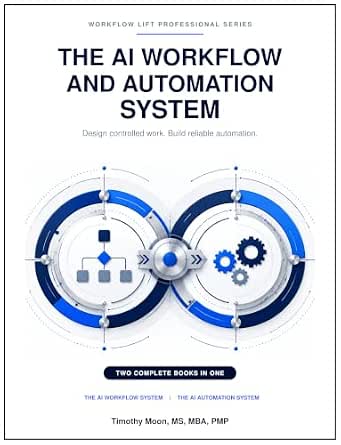 AI Workflow and Automation System – Workflow Lift Professional SeriesView on Amazon →
- 13
 n8n AI Automation: Build Smarter Workflows, Agents, and Intelligent Systems w…View on Amazon →
- 14
 Agentic Coding with Claude Code (5-in-1): A Practical Developer’s Handbook fo…View on Amazon →
Choosing Between Speed and Control
The guide’s advice matters because automation can move information across business systems and affect routine operations. Its discussion suggests that a platform that is easy to start with may become difficult to manage as workflows gain branches or volume, while developer-oriented tools may remain out of reach for teams without coding capacity. The guide’s main takeaway is to weigh team skills and workflow complexity before adopting a tool.
The source also highlights practical risks: integrations can fail when APIs or connectors change, costs may rise with usage, and sensitive data may pass through multiple services. Businesses evaluating any option should check the specific integrations, pricing at expected scale, data handling and error-management features. The supplied material does not establish that any named product meets a particular organization’s requirements.
Products Worth Considering

FLEXISPOT 36-Inch Height-Adjustable Standing Desk Converter with Keyboard Tray, Black

Apple MacBook Air 13-inch with M5 Chip, 16GB Memory, 512GB SSD, Silver

Dell 27 Plus 4K Monitor (S2725QS), 27-inch IPS, 120Hz
As an affiliate, we earn on qualifying purchases.
How the Guide Groups Its Picks
The guide groups options by audience: no-code business users, developer-focused teams and enterprises with more complex cloud or integration needs. It describes Zapier and Make as accessible for simpler workflows, characterizes n8n and Python-based approaches as more flexible but more technically demanding, and singles out Microsoft Power Automate for organizations already operating in the Microsoft ecosystem.
That framing is useful as a decision checklist, but the source excerpt does not give a dated product comparison, pricing table, test methodology for software performance or detailed descriptions of all 14 entries. Its claims about relative fit should therefore be read as recommendations from the guide, not as independently verified market rankings for 2027.
What the Source Does Not Establish
The supplied material from the guide does not identify all 14 options or clarify which entries are software products and which are learning resources. It also gives no publication date, hands-on test results, current pricing, product-version information or named author credentials. The guide’s statements about suitability and market position are recommendations; no independent comparison data is supplied to verify them.
The excerpt also does not establish whether the named platforms’ integrations, security controls and pricing remain current for 2027. It advises readers to review API support, compliance documentation, connector maintenance and projected costs, but does not report specific findings for each product. Those details should be checked directly with vendors before a purchase or deployment.
Checks Before Selecting a Platform
Following the guide’s advice to assess fit, teams considering these options should first map a specific workflow, identify the applications and data it touches, and determine who will build and maintain it. They can then test whether the platform supports required connectors and APIs, handles failures clearly, and meets relevant security and data-processing requirements.
Before scaling, compare the cost at projected usage rather than only at current volume, and run a small pilot with realistic data. A fuller 14-item software comparison would need to identify every entry, distinguish products from guides, and document current pricing, features and testing dates. That information is not included in the supplied source material.
Key Questions
Does the source verify 14 software products?
No. The guide excerpt names several platforms but also includes books and playbooks, and it does not list or evaluate all 14 entries in detail.
Which options does the guide recommend for business users?
The guide highlights The No-Code AI Automation Playbook and discusses no-code platforms such as Zapier and Make. These are recommendations in the source, not independently tested rankings.
What does the source suggest for developers?
The guide points to n8n AI Automation and names agent-focused resources including Agentic Coding with Claude Code and Agentic AI for DevOps. It says code-first approaches offer more control but require technical skills.
What should buyers check before choosing an automation tool?
As the guide advises, check required integrations and APIs, maintenance and error handling, projected costs, team skills, and how the platform stores or transmits sensitive data. Confirm current details with the vendor.
Source: ThorstenMeyerAI.com