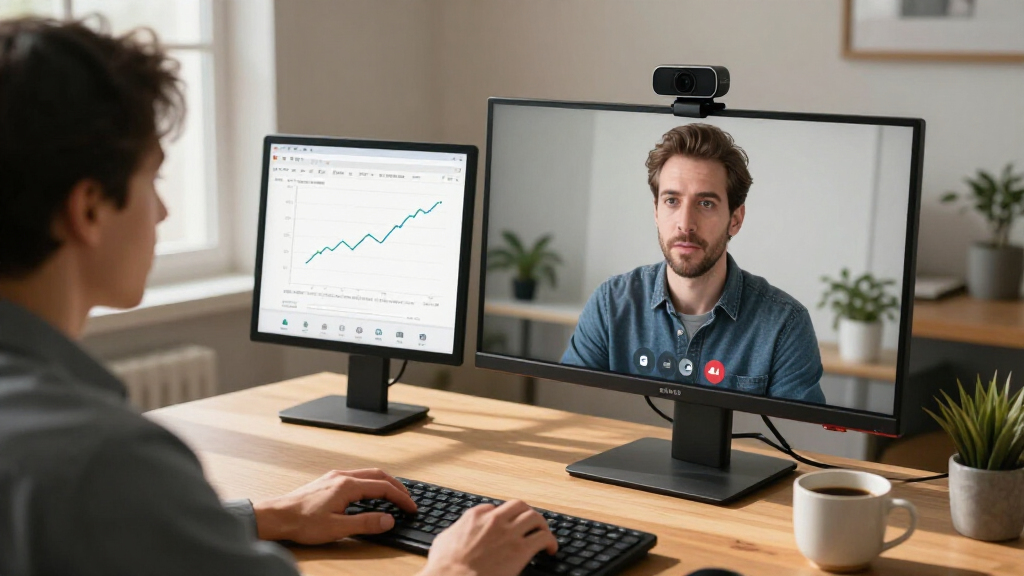

🔍 Read the full analysis: 10 Best 4K Webcams For Professionals Who Work On Camera In 2027 on ThorstenMeyerAI.com

Get smart everyday buys delivered free with Prime
- Fast, free delivery on millions of items
- Prime Video, Amazon Music and more included
- Member-only deals all year
TL;DR
ThorstenMeyerAI.com published a buying guide comparing 10 4K webcams for professionals who work on camera. It highlights tradeoffs in lighting, autofocus, tracking, privacy and software, but the supplied material gives limited model-by-model specifications and does not establish independent test results or 2027 availability.
ThorstenMeyerAI.com has published a guide to 10 4K webcams for professionals who work on camera, comparing image quality and practical features such as low-light performance, autofocus, built-in lighting and privacy controls. The article names the Logitech MX Brio Ultra HD as its overall pick and the NexiGo N680E Pro as an option for users who want integrated lighting, while noting that the recommendations involve tradeoffs rather than a single best fit for every setup.
The guide says its evaluation considered image clarity, color reproduction and low-light performance, along with autofocus speed, microphone quality, privacy mechanisms and software support. It argues that 4K resolution alone does not determine picture quality: sensor performance and room lighting also matter, especially in dim spaces or when a bright window sits behind the user.
Among the named models, the source describes the Logitech MX Brio Ultra HD as its best overall choice, citing color accuracy and software support. It identifies the NexiGo N680E Pro as a lighting-focused alternative, and points to PDAF autofocus in the EMEET NOVA and S600 as useful for presenters who move or show objects to the camera. The source also names the OBSBOT Tiny 3 for AI tracking and spatial audio, and the EMEET C60E for a dual-camera design.
The supplied article material does not provide a complete list of all 10 picks, prices, detailed specifications or test measurements. It also does not include direct statements from manufacturers or named reviewers. The comparisons and rankings should therefore be understood as the source’s editorial assessments, not as independently verified performance findings.
The 10 picks
- 1
 OBSBOT Tiny 3 AI-Powered 4K Webcam with Spatial Audio and AI TrackingView on Amazon →
- 2
 Logitech MX Brio Ultra HD 4K Webcam, GraphiteView on Amazon →
- 3
 Logitech Brio Ultra HD 4K Webcam with Microphones, BlackView on Amazon →
- 4
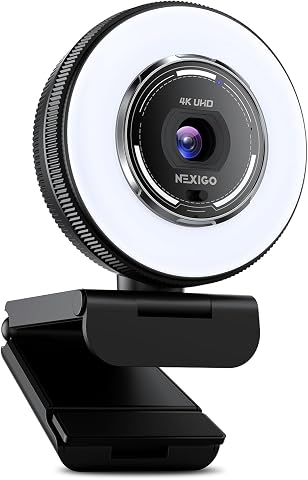 NexiGo N680E Pro 4K Webcam with Ring LightView on Amazon →
- 5
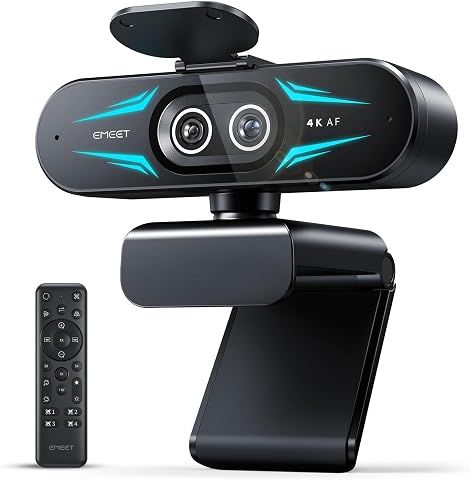 EMEET C60E Dual-Camera 4K Webcam with Wide-Angle and Telephoto LensesView on Amazon →
- 6
 EMEET S600 4K Webcam with Sony Sensor and PDAF AutofocusView on Amazon →
- 7
 EMEET NOVA 4K Webcam with PDAF Autofocus and Dual MicrophonesView on Amazon →
- 8
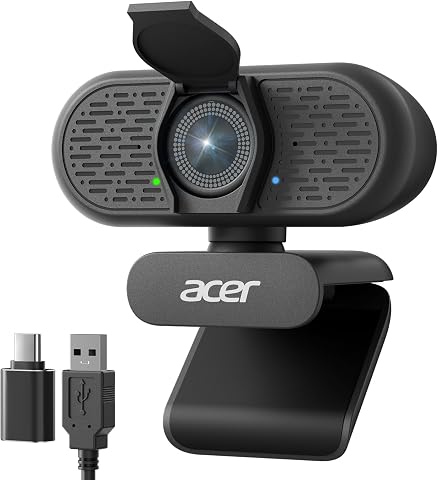 Acer A640 4K Webcam with AI Noise-Canceling MicrophoneView on Amazon →
- 9
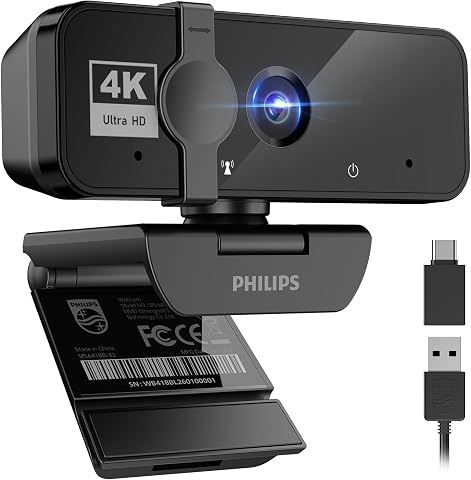 Philips 4K USB Webcam with Microphone and Privacy ShutterView on Amazon →
- 10
 AOC AC310 4K Webcam with Noise-Reducing Microphone and Privacy CoverView on Amazon →
Features That Change a Webcam Setup
The guide matters to remote workers, presenters and creators because webcam features affect more than sharpness. Built-in lighting may reduce the need for an additional lamp, while adding bulk and potentially increasing power demands. AI tracking and spatial audio could be useful for people who move around during recordings, but may be unnecessary for someone who remains seated on calls.
Those distinctions can help buyers match a camera to their room and work habits instead of paying for features they will not use. The source also emphasizes physical privacy shutters, particularly for people handling sensitive work. Its discussion is practical guidance, however, not evidence that any specific model has experienced a security incident.
Products Worth Considering

HP OfficeJet 250 Wireless Mobile All-in-One Inkjet Printer

Logitech MX Master 4 Ergonomic Wireless Mouse with Haptic Feedback, Graphite

LG 27UP650K-W 27-inch Ultrafine 4K UHD IPS Monitor with HDR400, Reader Mode, Flicker Safe, HDMI & DisplayPort, Adjustable Stand (White)
As an affiliate, we earn on qualifying purchases.
How the Guide Compares Cameras
The article frames webcam selection as a balance among image performance, convenience and cost. It distinguishes sensor and low-light considerations from resolution, and says autofocus technology matters more for people who move or hold items up to the lens than for users who sit still. Its recommendations also account for setup factors such as desk space, available lighting and USB power.
Software is another part of the comparison: the source says manufacturer apps can affect controls for framing, zoom and color, and recommends checking driver and firmware support. The material presents these as general buying considerations, but does not supply a dated test protocol, measured results or a full ranking table for the 10 cameras.
“The Logitech MX Brio Ultra HD stands out as the best overall pick for professionals needing reliable color accuracy and robust software support.”
— ThorstenMeyerAI.com buying guide
Missing Model and Test Details
The source material supplied here does not identify all 10 models or provide a complete side-by-side comparison. Prices, availability, measured image quality, operating-system compatibility and exact microphone performance are also absent. The guide’s claims about autofocus, tracking and lighting are not accompanied by test data or outside corroboration in the material provided.
It is also unclear when the guide was published and whether every named camera will remain available in 2027. Buyers should check current product listings and manufacturer documentation for specifications, software support and included privacy features before making a purchase.
Verify Details Before Buying
The next step for readers is to compare the guide’s recommendations with current prices, full specifications and independent reviews. For a specific work setup, check whether the camera supports the desired resolution in the conferencing software being used, whether the computer’s USB connection can power it, and whether its controls work with the relevant operating system.
The source does not announce a follow-up test or updated ranking. Its 2027-oriented recommendations may change as products, firmware and availability change; the supplied material gives no schedule for revisions.
Key Questions
Which webcam does the guide name as its overall pick?
ThorstenMeyerAI.com names the Logitech MX Brio Ultra HD, citing color accuracy and software support. The supplied material does not include comparative test scores.
Which named model includes a ring light?
The source says the NexiGo N680E Pro has a built-in ring light. It also notes that integrated lighting can add bulk and may increase power demands.
Is a 4K webcam necessary for video calls?
Not necessarily. The source focuses on image and workflow tradeoffs, and the material provided does not answer how 4K performs on a slow internet connection. Buyers should check the resolution supported by their conferencing app and connection.
What should buyers check beyond resolution?
Consider low-light performance, autofocus, privacy controls and software support, as well as desk space and power needs. The guide says these features can matter as much as the headline resolution for a particular setup.
Source: ThorstenMeyerAI.com