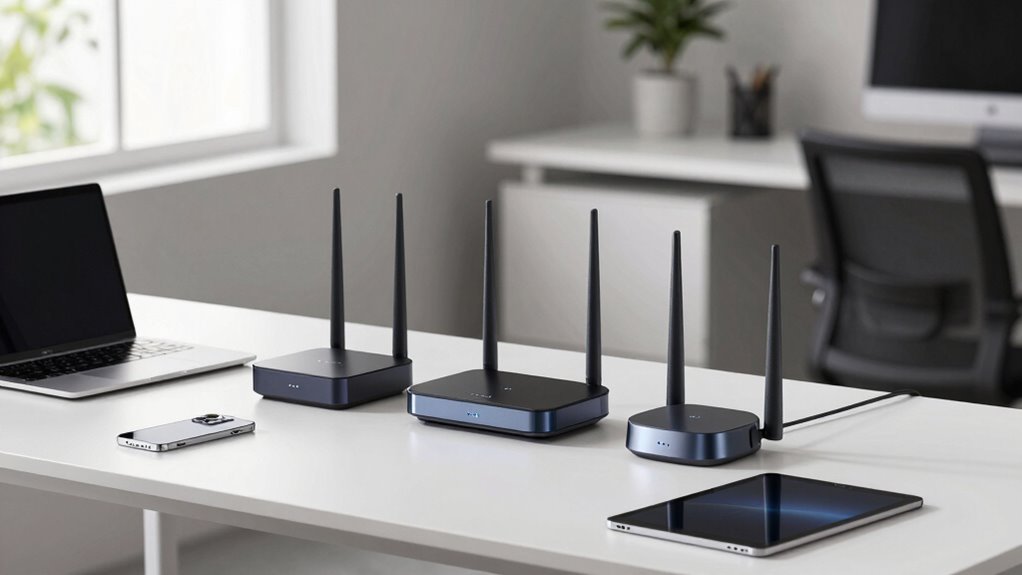

Choosing the right WiFi router for remote work involves balancing speed, security, coverage, and ease of use. Top picks like the NETGEAR Nighthawk WiFi 7 Router RS90 deliver blazing-fast WiFi 7 speeds with extensive coverage, ideal for large households or multiple devices. Meanwhile, the GL.iNet GL-MT3000 Beryl AX offers a compact, travel-friendly design with robust VPN support, perfect for those on the go. For users seeking a mix of affordability and modern features, the TP-Link AX1800 WiFi 6 Router balances speed and security without breaking the bank. Each of these options highlights different priorities—speed, portability, or security—so understanding your specific remote work setup helps in choosing the best fit.

Get smart everyday buys delivered free with Prime
- Fast, free delivery on millions of items
- Prime Video, Amazon Music and more included
- Member-only deals all year
Key Takeaways
- WiFi 7 routers provide the fastest speeds and best coverage for large or busy home environments.
- Travel routers like the GL.iNet GL-MT3000 prioritize portability and security, ideal for remote workers on the move.
- WiFi 6 models balance speed, device capacity, and cost, offering solid performance for most remote work needs.
- Security features such as VPN support and advanced encryption are critical for protected remote work.
- Coverage needs vary; larger homes may require mesh or high-power routers, while smaller spaces can get by with simpler models.
| GL.iNet GL-MT3000 Beryl AX Wi-Fi 6 Travel Router, 2.5G WAN, VPN, OpenWrt |  | Best for secure, portable remote work on the go | Wireless Speed: 574Mbps (2.4G) + 2402Mbps (5G) | WAN Port: 2.5G Multi-gigabit | LAN Port: 1G gigabit | VIEW ON AMAZON | See Our Full Breakdown |
| GL.iNet GL-SFT1200 Opal Travel Router, AC1200 Dual-Band Wi-Fi |  | Best portable Wi-Fi for quick, secure connections | Wireless Speed: 300 Mbps (2.4GHz) + 867 Mbps (5GHz) | Ports: 2 Gigabit LAN, 1 Gigabit WAN | Weight: 145g | VIEW ON AMAZON | See Our Full Breakdown |
| NETGEAR Nighthawk WiFi 7 Router RS90, Up to 2,000 sq ft, 3.6 Gbps |  | Best for high-speed, large coverage remote work setups | WiFi Standard: WiFi 7 | Speed: 3.6 Gbps | Coverage: Up to 2,000 sq ft | VIEW ON AMAZON | See Our Full Breakdown |
| TP-Link AC1200 WiFi Router Dual Band Wireless Internet Router (Archer A54) |  | Best budget-friendly dual-band option for remote work | Wireless Speed: up to 1200 Mbps | Frequency Bands: 2.4 GHz and 5 GHz | Coverage: Up to 1,000 sq ft. | VIEW ON AMAZON | See Our Full Breakdown |
| TP-Link AX1800 WiFi 6 Router (Archer AX21 V5) |  | Best for future-proof, high-capacity remote work networks | Wi-Fi Technology: Wi-Fi 6 (802.11ax) | Bandwidth: 1.8 Gbps total | Antennas: 4 high-gain | VIEW ON AMAZON | See Our Full Breakdown |
| wifi routers for remote work | Wireless Speed | Ports | Antennas | Coverage |
|---|---|---|---|---|
| GL.iNet GL-MT3000 Beryl AX Wi- | 574Mbps (2.4G) + 2402Mbps (5G) | — | — | — |
| GL.iNet GL-SFT1200 Opal Travel | 300 Mbps (2.4GHz) + 867 Mbps (5GHz) | 2 Gigabit LAN, 1 Gigabit WAN | Retractable | — |
| NETGEAR Nighthawk WiFi 7 Route | — | One 2.5G Gigabit WAN, four 1G Ethernet LAN | — | Up to 2,000 sq ft |
| TP-Link AC1200 WiFi Router Dua | up to 1200 Mbps | 5 Ethernet ports | 4 external | Up to 1,000 sq ft. |
| TP-Link AX1800 WiFi 6 Router | — | — | 4 high-gain | Extensive with beamforming |
More Details on Our Top Picks
GL.iNet GL-MT3000 Beryl AX Wi-Fi 6 Travel Router, 2.5G WAN, VPN, OpenWrt
The GL.iNet GL-MT3000 Beryl AX stands out for its support of Wi-Fi 6 speeds and extensive customization options via OpenWrt firmware. Its dual-band performance offers reliable connectivity in travel scenarios, especially when combined with its 2.5G WAN port for fast internet access. Compared with larger, more stationary routers, it sacrifices some coverage and device capacity but excels in security and portability. The pre-installed VPN support makes it a strong pick for remote workers needing secure access while traveling, though setup can be complex for non-technical users.
Pros:- Supports Wi-Fi 6 with fast dual-band speeds
- Pre-installed VPN for enhanced security
- OpenWrt firmware enables extensive customization
- Compact, travel-friendly design
Cons:- Setup may be complex for beginners
- Requires active VPN subscription for full security
- Speed can vary based on network conditions
Best for: Remote workers who travel frequently and need secure, customizable internet access
Not ideal for: Users seeking a simple setup or extensive coverage for large homes
- Wireless Speed:574Mbps (2.4G) + 2402Mbps (5G)
- WAN Port:2.5G Multi-gigabit
- LAN Port:1G gigabit
- USB Port:USB 3.0
- Firmware:OpenWrt 21.02
- VPN Support:OpenVPN, WireGuard
Our verdict“Ideal for security-conscious remote workers who need portability and customization.”
GL.iNet GL-SFT1200 Opal Travel Router, AC1200 Dual-Band Wi-Fi
The GL.iNet GL-SFT1200 Opal emphasizes ease of use and portability, offering solid dual-band speeds up to 867 Mbps on the 5 GHz band. Its lightweight design and retractable antennas make it perfect for remote workers who need quick setup in coffee shops, hotels, or co-working spaces. While it provides gigabit ports for wired connections and VPN support for security, it doesn’t support tethering, which can be a drawback for some on-the-go users. The speed and coverage are generally reliable, but performance depends on the network environment.
Pros:- Lightweight and portable
- Supports dual-band Wi-Fi with high speeds
- Built-in VPN support for security
- Gigabit ports for wired connections
Cons:- No support for easy tethering
- Requires configuration of toggle switch
- Speed varies with network conditions
Best for: Travelers who need a lightweight, secure Wi-Fi solution for remote work
Not ideal for: Users with large homes or requiring extensive device capacity
- Wireless Speed:300 Mbps (2.4GHz) + 867 Mbps (5GHz)
- Ports:2 Gigabit LAN, 1 Gigabit WAN
- Weight:145g
- VPN Support:OpenVPN, WireGuard
- Antennas:Retractable
Our verdict“A compact, ready-to-go router perfect for remote workers on the move who prioritize portability and security.”
NETGEAR Nighthawk WiFi 7 Router RS90, Up to 2,000 sq ft, 3.6 Gbps
The NETGEAR Nighthawk RS90 makes a compelling case for those needing ultra-fast WiFi with extensive coverage. Supporting WiFi 7, it offers speeds up to 3.6 Gbps and can cover up to 2,000 square feet, making it suitable for large homes or multi-room setups. It manages multiple devices efficiently with MU-MIMO and OFDMA, ensuring smooth performance even during video calls or streaming sessions. The security suite, including NETGEAR Armor, adds peace of mind, but subscription fees for ongoing security features can add up. Its larger size and higher price point may be overkill for smaller or less demanding remote work environments.
Pros:- Blazing-fast WiFi 7 speeds for demanding tasks
- Wide coverage area suitable for large homes
- Supports many devices simultaneously
- Easy setup via Nighthawk app
Cons:- Speed depends on device compatibility
- Larger form factor may be inconvenient
- Requires subscription for full security features
Best for: Remote workers in large homes or with many connected devices needing speed and coverage
Not ideal for: Small apartment dwellers or those with simple internet needs
- WiFi Standard:WiFi 7
- Speed:3.6 Gbps
- Coverage:Up to 2,000 sq ft
- Device Capacity:Up to 50 devices
- Ports:One 2.5G Gigabit WAN, four 1G Ethernet LAN
- Security:NETGEAR Armor
Our verdict“Best suited for large households or remote workers running multiple high-bandwidth devices simultaneously.”
TP-Link AC1200 WiFi Router Dual Band Wireless Internet Router (Archer A54)
The TP-Link Archer A54 offers a straightforward, dual-band Wi-Fi solution with speeds up to 867 Mbps on 5 GHz and 300 Mbps on 2.4 GHz. Its four external antennas provide decent coverage for small to medium-sized homes or apartments. While it lacks WiFi 6 or 7 support, it compensates with WPA3 security and simple management via the Tether app. It’s a sensible choice for remote workers who need reliable Wi-Fi without complex features or high price tags, but it may struggle with very large networks or high-bandwidth tasks.
Pros:- Affordable and easy to set up
- Supports advanced security protocols
- Good coverage with external antennas
- Mobile app management
Cons:- No WiFi 6 support
- Performance varies with environment
- Requires separate modem
Best for: Budget-conscious remote workers in small to medium homes
Not ideal for: Heavy users needing WiFi 6 or extensive device capacity
- Wireless Speed:up to 1200 Mbps
- Frequency Bands:2.4 GHz and 5 GHz
- Coverage:Up to 1,000 sq ft.
- Antennas:4 external
- Security:WPA3, WPA2
- Ports:5 Ethernet ports
Our verdict“A solid, budget-friendly choice for remote workers with standard internet needs in smaller spaces.”
TP-Link AX1800 WiFi 6 Router (Archer AX21 V5)
The TP-Link AX1800 Archer AX21 V5 combines WiFi 6 technology with a reasonable price, making it suitable for users with multiple devices and high-speed demands. Its four high-gain antennas provide extensive coverage, and OFDMA technology allows efficient handling of several concurrent connections—ideal for remote work with smart home devices or video conferencing. While it doesn’t support the 6 GHz band, its security features, including VPN support, help protect your network. Performance can vary based on placement and environment, but overall, it offers a balanced upgrade for those seeking longevity and speed.
Pros:- Fast WiFi 6 speeds for smooth remote work
- Supports multiple devices simultaneously
- Good coverage with multiple antennas
- Built-in VPN support
Cons:- No support for 6 GHz band
- Performance depends on environment
- Higher price than basic routers
Best for: Remote workers needing reliable WiFi 6 with good coverage and device capacity
Not ideal for: Those seeking WiFi 6E or the latest WiFi 7 speeds
- Wi-Fi Technology:Wi-Fi 6 (802.11ax)
- Bandwidth:1.8 Gbps total
- Antennas:4 high-gain
- Security:Supports Open VPN Server
- Coverage:Extensive with beamforming
- Compatibility:All major ISPs
Our verdict“A balanced, future-ready router for remote workers expecting reliable, high-capacity WiFi.”

How We Picked
Our selection process focused on routers that excel in remote work scenarios, emphasizing speed, security, and reliability. We prioritized models supporting the latest WiFi standards—WiFi 6 and WiFi 7—for fast, future-proof connectivity. Portability was key for travel routers, while coverage and device capacity mattered for larger homes. We also considered security features like VPN support and ease of management, ensuring these routers help keep remote work secure and seamless. Price and user-friendliness were secondary factors, with a goal to recommend options for a range of budgets and technical skills.
| wifi routers for remote work | Coverage | Security |
|---|---|---|
| GL.iNet GL-MT3000 Beryl AX Wi- | — | — |
| GL.iNet GL-SFT1200 Opal Travel | — | — |
| NETGEAR Nighthawk WiFi 7 Route | Up to 2,000 sq ft | NETGEAR Armor |
| TP-Link AC1200 WiFi Router Dua | Up to 1,000 sq ft. | WPA3, WPA2 |
| TP-Link AX1800 WiFi 6 Router | Extensive with beamforming | Supports Open VPN Server |
Factors to Consider When Choosing Wifi Routers For Remote Work
When selecting a WiFi router for remote work, consider factors like speed, security, coverage, and portability. Whether you work from a small apartment or a large house, the right router can make your remote experience more seamless. Think about your device count, whether you need VPN support, and if mobility or coverage is your priority. Understanding these aspects helps narrow down options that will serve your remote work needs well.Speed and WiFi Standards
For remote work, fast and reliable connections matter. WiFi 6 and WiFi 7 offer significant improvements in speed and device capacity over earlier standards. If you work with large files, stream videos, or run multiple smart devices, prioritizing routers supporting WiFi 6 or 7 will reduce lag and congestion. However, WiFi 7 is still emerging, so most devices will benefit from WiFi 6 today, which is widely supported and cost-effective.
Coverage and Device Capacity
Assess your home size and the number of devices connected simultaneously. Larger homes or multi-story buildings may benefit from high-power routers supporting MU-MIMO and OFDMA technologies, or even mesh systems. Smaller setups can rely on standard dual-band routers, but keep in mind that more devices will require better capacity to maintain stable connections during video calls or collaborative work.
Security and VPN Support
Remote work often involves sensitive information, so security features are essential. Look for routers with WPA3 encryption, built-in VPN support, or the ability to set up custom VPNs like OpenWrt. These features help safeguard your data, especially when using public or shared networks. The ability to manage security settings easily also contributes to a smoother, safer remote working experience.
Portability and Setup
If you frequently travel or work remotely from various locations, a portable router like the GL.iNet models can provide secure, reliable internet access on the go. Conversely, stationary routers with multiple Ethernet ports and wide coverage are better suited for dedicated home offices. Ease of setup and app-based management further influence convenience, especially for non-technical users.
Frequently Asked Questions
What is the benefit of WiFi 6 or WiFi 7 for remote work?
WiFi 6 and WiFi 7 significantly improve speed, capacity, and efficiency, especially in environments with many devices. This means smoother video calls, faster file uploads, and less lag during simultaneous device use. For remote workers with multiple smart devices or who need reliable high-bandwidth connections, these standards offer a noticeable upgrade over older WiFi versions.
Should I prioritize coverage or speed in my router?
It depends on your home size and device needs. For large homes or multi-story buildings, coverage and device capacity are more important to prevent dead zones and maintain stable connections in every room. If your space is smaller but you handle large data transfers or streaming, speed becomes more critical. Balancing both is ideal, but prioritize based on your specific environment.
How important is security when choosing a router for remote work?
Security is paramount for remote work, especially when handling sensitive information. Look for routers with WPA3 encryption, built-in VPN support, and regular firmware updates. These features help protect your data from cyber threats and ensure your internet connection remains private, which is crucial when working from home or public spaces.
Are travel routers effective for remote work?
Yes, travel routers like the GL.iNet models are designed for portability and quick setup, making them excellent for remote workers on the move. They often include VPN support and security features, providing a safe connection in cafes, hotels, or co-working spaces. However, they typically have limited coverage and device capacity compared to larger, home-based routers.
Is WiFi 6 necessary if I already have a WiFi 5 router?
Upgrading to WiFi 6 offers better speeds, higher capacity, and improved efficiency, especially if you have multiple devices or high-bandwidth tasks. While WiFi 5 may suffice for basic browsing and video calls, WiFi 6 future-proofs your setup and enhances overall performance, making it a worthwhile investment for serious remote work environments.
Conclusion
If you primarily work from a small apartment or need a simple, budget-friendly solution, the TP-Link Archer A54 offers reliable performance without complexity. For larger homes or high-demand tasks, the NETGEAR Nighthawk RS90 provides high speeds and coverage for multiple devices. Travelers and remote workers on the go should consider the GL.iNet GL-MT3000 Beryl AX for its portability and security features. Meanwhile, those seeking a balance of future-proofing and performance will find the TP-Link AX1800 WiFi 6 Router to be a versatile choice that supports growing device ecosystems. Ultimately, your choice hinges on your specific workspace size, mobility needs, and security priorities.
Halloween Picks
halloween
As an affiliate, we earn on qualifying purchases.