
TL;DR

Get smart everyday buys delivered free — and shop member deals
- Fast, free delivery on millions of items
- Access to Prime Big Deal Days deals on October 6–7
- Prime Video, Amazon Music and more included
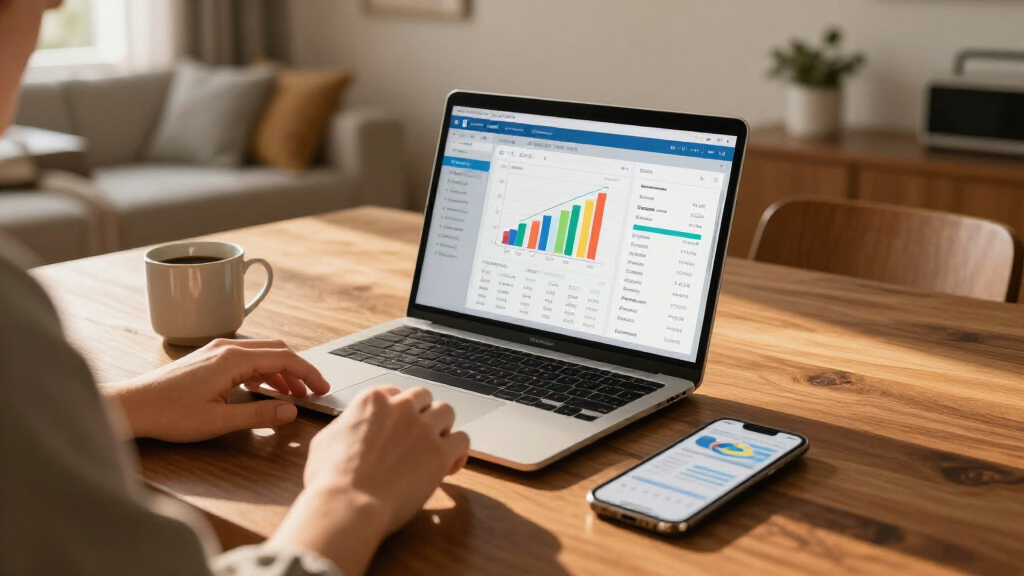
Financial planning software organizes financial information and helps you model goals such as retirement, buying a home, or managing debt. Choose a tool that fits your planning needs, check how it handles data and privacy, and treat every forecast as an estimate built on assumptions—not a promise.
Start with one financial decision, then select software that can model it.
Check the inputs and assumptions behind every projection; changing them can change the result.
Verify connected account data against recent statements because balances and categories may be delayed or wrong.
Read privacy terms and compare the full cost before connecting accounts or subscribing.
Use software to clarify trade-offs, and seek qualified advice when a decision needs personal financial, tax, or legal judgment.
What financial planning software helps you do
Financial planning software helps you organize financial information and test choices against goals such as retirement, education, buying a home, or managing debt. Depending on the product, it may bring budgeting, cash flow, investments, taxes, insurance, and long-term projections into one view. Seeing these pieces together matters because a decision that looks affordable in isolation can constrain another goal: increasing retirement contributions, for example, may leave less cash for a home deposit or emergencies. Think of it like a route planner for your money: it can show how a change in savings or timing affects the route, but it cannot predict every road closure. For example, a couple saving for a home deposit could compare a larger monthly contribution with delaying their target date by a year. The comparison makes the cost of each option more visible: saving faster may reduce flexibility now, while waiting may mean paying more for housing or postponing another plan. A budgeting app may focus mainly on where your money went this month. A broader planning platform may connect current spending to future goals, which can help you see whether today’s habits support those goals. The label alone tells you little, so check which decisions the software actually supports and whether it explains the assumptions connecting current finances to future outcomes.Choose features that match the decision you need to make
Financial planning software should match the decision you need to make, because a long feature list can still miss your main problem. Features are useful only when they help you compare choices that could change your plan. A freelancer managing irregular income may need cash-flow forecasts that reveal low-cash months, while a household focused on retirement may care more about savings projections and scenario comparisons. More detailed software can also mean more setup and maintenance, so consider whether the added detail will change a decision you actually face.| Your planning need | Useful capabilities | Example to try |
|---|---|---|
| Monthly spending | Budget categories and cash-flow tracking | Check whether rent and bills leave room for a regular savings transfer. |
| Paying down debt | Debt balances, interest assumptions, and payoff scenarios | Compare adding $100 a month to a credit card payment. |
| Saving for a home | Goal tracking and timeline scenarios | Test how a $5,000 annual bonus could affect your deposit date. |
| Retirement planning | Income, spending, tax, and investment assumptions | Compare saving more with working one additional year. |
| Adviser or firm work | Client reports, collaboration, and professional workflows | Review a scenario together before changing a plan. |
Run a useful scenario in five practical steps
You can get more useful results from financial planning software by setting up one goal, checking the inputs, and comparing a few plausible scenarios. Start with a question you can act on, such as whether paying extra toward debt would delay a home purchase. Keeping the question narrow helps you understand which inputs drive the result instead of mistaking a detailed report for a reliable answer.- Name the goal. Write down what you want to decide, such as paying off a $6,000 balance or saving a deposit by a certain year. A specific target gives the software something concrete to compare.
- Gather current figures. Collect income, regular expenses, account balances, debts, and contribution amounts. Stale or incomplete figures can make an option appear affordable when it is not.
- Check the assumptions. Review settings for inflation, investment growth, taxes, and timing; leave uncertain inputs visible. These assumptions shape long-range results, so knowing which ones are estimates helps you judge how much confidence to place in the output.
- Compare a small number of options. Try a baseline and one or two changes, such as adding $100 a month or moving the date. A small comparison is easier to interpret and makes the cost of each change clearer.
- Review what changes the result. Note which assumptions matter most, then update the plan when your circumstances change. This turns the forecast into a recurring planning aid rather than a one-time verdict.
Treat forecasts as estimates, not promises
A financial planning software forecast is an estimate based on your inputs and assumptions, not a guarantee of future results. Small changes to expected returns, inflation, taxes, or the date you need the money can produce a very different picture over many years. This is why a single projected balance can create false confidence: it hides the range of outcomes that could follow from different conditions. If a retirement estimate looks precise down to the dollar, remember that its neat line is built from uncertain ingredients. Try a lower-growth scenario and a higher-spending scenario; see whether your plan still looks workable across both. If one modest change makes the plan fail, that sensitivity is itself important information: it may point to a goal that needs more savings, a later date, or a closer review. Account connections can save manual entry, but balances or transactions may be delayed, incomplete, or miscategorized. Check a recent statement against the software before you rely on its totals. If a $240 utility bill appears as “shopping,” correct the category so next month’s cash-flow estimate starts from a cleaner record. Otherwise, the software may suggest cutting the wrong category or overstate how much you can save.Check privacy, access, and the full cost before signing up
Before you connect accounts or pay for financial planning software, check how the provider accesses, stores, and shares your data, and what the full service costs. Financial details are sensitive; a polished dashboard does not explain who can see your information or how long the provider keeps it. These terms affect both your privacy and how easy it is to stop using the product later.Your plan is only as comfortable to use as the data practices behind it. Read the privacy terms before linking an account.Look for clear explanations of account protections, data sharing, deletion, and whether connections are optional. Then check subscription limits, support, and whether a service bundles planning software with an adviser. A free tool can be enough for a simple monthly budget; a paid plan may make sense if it supports a decision you regularly need to revisit. Compare the cost with the time or insight it saves, and check whether essential features disappear if you cancel. For example, a couple may prefer entering balances manually if they don’t want bank connections. That takes more effort, but it can still work if they update the figures on a set schedule and understand what the software can and cannot see. The trade-off is between convenience and control: manual entry reduces the data shared through account links but can leave the plan out of date if updates slip.
Use software alongside human judgment
Financial planning software can organize information and illustrate trade-offs, but it cannot fully account for every personal circumstance or replace qualified financial, tax, or legal advice when you need it. A tool can show what happens under its chosen assumptions; you decide whether those assumptions fit your life. That distinction matters because a mathematically consistent output can still be a poor fit if it omits a constraint the model does not capture. This matters when a decision touches several areas at once. A self-employed person weighing a home purchase might need to think about uneven income, tax obligations, emergency savings, and loan terms—details that a simplified projection may not capture well. Optimizing for the deposit date alone, for example, could leave too little cash for a slow business month or an unexpected repair. Software is most useful when it helps you ask sharper questions. Bring a confusing result or an unexpected recommendation to a qualified professional, and ask which input or assumption drove it. Don’t follow a result you can’t explain; understanding the reasoning lets you decide whether the suggested trade-off is acceptable.Make a short checklist before you choose
The best financial planning software for you is the one that supports your actual goals, explains its assumptions, and fits your budget and comfort with technology. A tool built for financial advisers may overwhelm a household that only wants to track bills; a basic budget app may fall short if you need to compare retirement scenarios. The practical test is whether the product helps you make a decision with enough clarity to act, without adding more cost or upkeep than the decision warrants. Before choosing, ask yourself:- What decision do I want help with first?
- Does the product support my goal, or mostly offer features I won’t use?
- Can I understand and edit the assumptions behind its projections?
- Do its account connections, privacy terms, and access controls work for me?
- What will I pay after any introductory offer, and what support comes with it?
Frequently Asked Questions
What is the difference between financial planning software and a budgeting app?
A budgeting app usually focuses on spending and cash flow, while financial planning software may connect today’s finances to longer-term goals such as retirement, education, or buying a home. Products overlap, so check the specific features before choosing.Can financial planning software help me pay off debt or save for a home?
It can help you organize balances and compare scenarios, such as paying an extra amount each month or changing your target date. The result depends on accurate figures and assumptions, and it does not guarantee that a goal will be reached.How accurate are financial planning software forecasts?
A forecast is only as useful as its data and assumptions. Investment returns, inflation, taxes, spending, and life changes can all shift the result, so compare more than one scenario and treat projections as estimates.Is it safe to connect my bank or investment accounts?
Safety depends on the provider’s access methods, account protections, privacy practices, and data sharing. Read those terms before connecting accounts, and remember that linked transactions or balances can be incomplete or miscategorized.Can financial planning software replace a financial adviser?
Software can organize information and illustrate trade-offs, but it may not account for every personal circumstance or replace qualified financial, tax, or legal advice. Consider professional help when a decision is complex or a result is unclear.Conclusion
Choose financial planning software by the decision you need to make, not by the length of its feature list. Check the assumptions, protect your data, and use each forecast as a map you can revise—not a promise carved in stone.Fall Picks
fall essentials
As an affiliate, we earn on qualifying purchases.