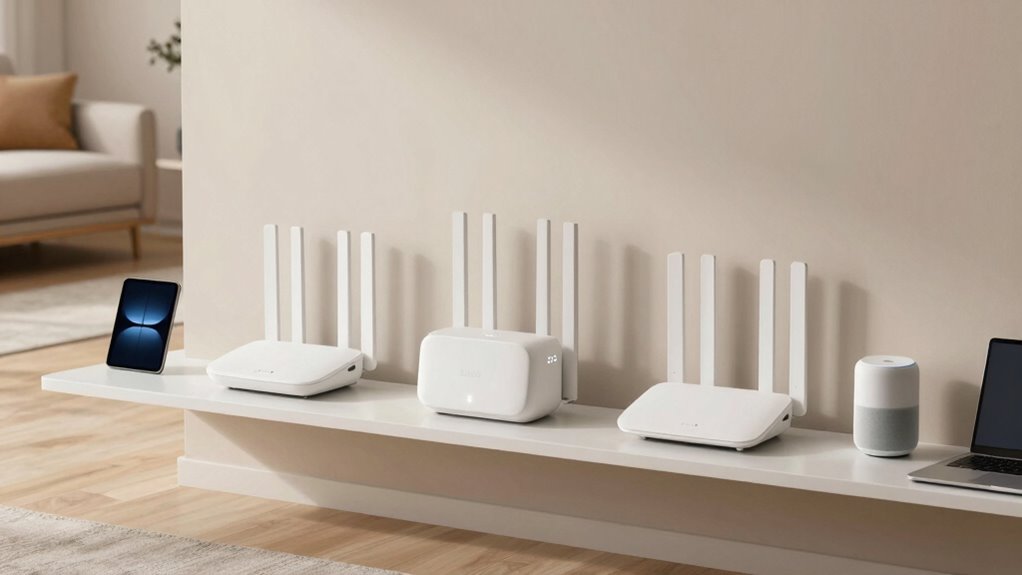

For rental properties, I prioritize dependable coverage, simple setup, and an installation that makes sense for the building—not the biggest speed number on the box. The Deco X55 is my best all-around fit for many rentals because it pairs broad coverage with Wi-Fi 6 and wired-backhaul support. The Deco S4 is a simpler pick for lighter internet use, while the KuWFi in-wall system suits properties with Ethernet wiring already in place. The main tradeoff is between wireless mesh convenience and the steadier placement and wiring demands of access points; the Deco 7 Pro adds newer performance, but many rentals may not need that extra headroom.

Get smart everyday buys delivered free with Prime
- Fast, free delivery on millions of items
- Prime Video, Amazon Music and more included
- Member-only deals all year
These systems are routers and mesh or access-point equipment, not internet service. Most require an existing modem or gateway from the provider. I also weigh whether a system is practical to install, reposition, and support when a rental’s layout, occupants, or ownership arrangements may change.
Key Takeaways
- The Deco X55 balances Wi-Fi 6, three mesh units, coverage rated up to 6,500 square feet, and Ethernet backhaul support for many multi-room rentals.
- The Deco 7 Pro offers the strongest listed Wi-Fi capacity and multi-gigabit ports, but its performance benefits are most relevant when the internet plan and devices can use them.
- The Deco S4 keeps setup and roaming straightforward for smaller device loads, though its older AC1900 Wi-Fi class gives it less headroom than the Wi-Fi 6 options.
- The renewed Deco X25 has Wi-Fi 6 and a broad coverage rating, but its renewed condition and 90-day limited warranty add a service-life tradeoff.
- KuWFi is the most installation-dependent choice: it can suit rooms with existing Ethernet, but each access-point location needs a wired connection and compatible wall mounting.
| TP-Link Deco X55 AX3000 Wi-Fi 6 Mesh System, 3-Pack |  | Best Overall for Most Rentals | System: Three-unit Wi-Fi 6 mesh | Wi-Fi class: AX3000 | Device capacity: Up to 150 devices | VIEW ON AMAZON | See Our Full Breakdown |
| Deco 7 Pro Tri-Band WiFi 7 Whole Home Mesh System (6-Stream, 10 Gbps) |  | Best Premium and Highest-Capacity Pick | System: Three-unit tri-band mesh | Wi-Fi generation: Wi-Fi 7 | Device capacity: More than 200 devices | VIEW ON AMAZON | See Our Full Breakdown |
| TP-Link Deco S4 AC1900 Whole-Home Mesh Wi-Fi System (3-Pack) |  | Best Simple Option for Lighter Use | System: Three-unit mesh | Wi-Fi standard: AC1900 | Device capacity: Up to 100 devices | VIEW ON AMAZON | See Our Full Breakdown |
| TP-Link Deco X25 AX1800 Dual-Band Wi-Fi 6 Mesh System, 3-Pack, White (Renewed) |  | Best Renewed Wi-Fi 6 Alternative | Condition: Renewed | System: Three-unit dual-band mesh | Wi-Fi generation: Wi-Fi 6 | VIEW ON AMAZON | See Our Full Breakdown |
| KuWFi AX3000 Wi-Fi 6 Whole-Home Access Point System |  | Best for Rentals with Ethernet in Every Room | Included hardware: One PoE controller/router and three in-wall access points | Wi-Fi generation: Wi-Fi 6 | Bands: Dual-band | VIEW ON AMAZON | See Our Full Breakdown |
| whole home wifi systems for rental propertie | System | Device capacity | Ports | Wi-Fi generation |
|---|---|---|---|---|
| TP-Link Deco X55 AX3000 Wi-Fi | Three-unit Wi-Fi 6 mesh | Up to 150 devices | Three Gigabit Ethernet ports per unit | — |
| Deco 7 Pro Tri-Band WiFi 7 Who | Three-unit tri-band mesh | More than 200 devices | Four 2.5 Gbps WAN/LAN ports | Wi-Fi 7 |
| TP-Link Deco S4 AC1900 Whole-H | Three-unit mesh | Up to 100 devices | Two Gigabit Ethernet ports per unit | — |
| TP-Link Deco X25 AX1800 Dual-B | Three-unit dual-band mesh | — | Two Gigabit WAN/LAN ports per unit | Wi-Fi 6 |
| KuWFi AX3000 Wi-Fi 6 Whole-Hom | — | Up to 128 devices | — | Wi-Fi 6 |
More Details on Our Top Picks
TP-Link Deco X55 AX3000 Wi-Fi 6 Mesh System, 3-Pack
The Deco X55 earns my top spot by balancing the things a rental usually needs: three mesh units, Wi-Fi 6, a coverage rating of up to 6,500 square feet, and support for up to 150 connected devices. Those numbers make it a more flexible fit than the Deco S4 for a busy household or a rental with several occupants and streaming devices, without pushing buyers toward the more advanced Wi-Fi 7 capabilities of the Deco 7 Pro.
Each unit has three Gigabit Ethernet ports, and the system supports wired backhaul. That gives an owner options: start with wireless mesh for an easier installation, then use Ethernet between units if the property already has suitable cabling. The app-based setup can also be easier to manage than a system designed around separately installed access points. For a rental, fewer installation dependencies can matter as much as raw performance.
It is not an all-in-one internet solution: most providers require a separate modem, and the stated coverage is not a promise for every wall or floor plan. The X55 is also a step below the Deco 7 Pro for Wi-Fi generation and headline capacity. I would choose the Pro when a property has demanding devices and a compatible fast internet plan; for most rentals, the X55 is the more measured choice.
Pros:- Three-unit coverage rated up to 6,500 square feet
- Wi-Fi 6 and support for up to 150 connected devices
- Three Gigabit Ethernet ports on each unit
- Supports wired backhaul and app-based management
Cons:- A separate modem is required for most internet providers
- Its Gigabit ports and Wi-Fi 6 class offer less future capacity than the Deco 7 Pro
Best for: Owners seeking a versatile three-unit Wi-Fi 6 mesh system for a multi-room rental, especially when wired backhaul may be available.
Not ideal for: Buyers who need an all-in-one modem-router or want Wi-Fi 7 and multi-gigabit networking.
- System:Three-unit Wi-Fi 6 mesh
- Wi-Fi class:AX3000
- Device capacity:Up to 150 devices
- Ports:Three Gigabit Ethernet ports per unit
- Backhaul:Wired Ethernet supported
- Management:Deco app
- Security:TP-Link HomeShield
Our verdict“I recommend the Deco X55 as the most balanced rental pick for broad coverage, useful device capacity, and flexible backhaul.”
Deco 7 Pro Tri-Band WiFi 7 Whole Home Mesh System (6-Stream, 10 Gbps)
The Deco 7 Pro is the strongest option here on paper: tri-band Wi-Fi 7, a three-unit set rated for up to 7,600 square feet, and support for more than 200 devices. It makes the most sense for a large rental with a high-speed internet plan, many connected devices, or occupants who rely on demanding streaming and gaming. Compared with the X55, it brings a newer wireless generation and a higher stated coverage and device ceiling; compared with the X25 and S4, it is a much more performance-oriented system.
The 6 GHz band and four 2.5 Gbps ports can provide room for compatible devices and faster wired connections. But a rental only benefits from that headroom when the modem, internet plan, client devices, and wiring can make use of it. This is not a reason to pay for capabilities that the property’s connection cannot deliver. Placement also matters: the listing notes that at least two Deco units are needed for backhaul performance, so the three-unit kit should be arranged with suitable links rather than treated as isolated coverage pucks.
Its main drawback for rental owners is the same as for many mesh kits: a separate modem is required, and the advanced feature set may be unnecessary for a modest apartment. I would pick the X55 for a more grounded balance of capability and installation flexibility. The Deco 7 Pro is the better fit when future capacity and multi-gigabit connections are part of the property’s actual requirements.
Pros:- Tri-band Wi-Fi 7 with a 6 GHz band
- Three-unit coverage rated up to 7,600 square feet
- Supports more than 200 devices
- Four 2.5 Gbps ports per unit and USB 3.0
Cons:- A separate modem is required
- Advanced speeds depend on compatible service and client devices
- Backhaul performance depends on using multiple Deco units
Best for: Owners of large or device-heavy rentals with fast internet service and newer Wi-Fi 7 clients.
Not ideal for: Small rentals, basic internet plans, or buyers seeking a simple all-in-one unit without a separate modem.
- System:Three-unit tri-band mesh
- Wi-Fi generation:Wi-Fi 7
- Device capacity:More than 200 devices
- Maximum listed speeds:5,188 Mbps on 6 GHz; 4,324 Mbps on 5 GHz; 574 Mbps on 2.4 GHz
- Ports:Four 2.5 Gbps WAN/LAN ports
- USB:USB 3.0
- Backhaul note:At least two Deco units
Our verdict“I would choose the Deco 7 Pro when a rental can use its Wi-Fi 7 and multi-gigabit headroom, not simply for a larger number on the spec sheet.”
TP-Link Deco S4 AC1900 Whole-Home Mesh Wi-Fi System (3-Pack)
The Deco S4 is the straightforward, lower-demand choice in this group. Its three units are rated to cover up to 5,500 square feet and support up to 100 devices, with one network name for roaming as occupants move between rooms. For a smaller rental or a household with routine browsing, video calls, and streaming, that basic mesh approach may be enough without paying for the Wi-Fi 6 or Wi-Fi 7 capabilities found in the X55 and Deco 7 Pro.
Ethernet backhaul support is useful if the property already has wired connections between rooms, and each unit offers two Gigabit Ethernet ports. The Deco app and stated parental controls add management features, while the simple single-network setup can reduce confusion for people moving around the home. Against the renewed X25, the S4 avoids a renewed-condition caveat; the X25, however, has Wi-Fi 6 and a slightly higher stated coverage figure.
The tradeoff is its AC1900 Wi-Fi class, which gives it less headroom than the Wi-Fi 6 mesh options for newer devices and heavier simultaneous use. The system also does not replace the modem most internet providers require. I would skip it for a large, high-occupancy property or a rental where tenants regularly use bandwidth-heavy services; there, the X55 is a stronger middle ground.
Pros:- Three-unit mesh rated for up to 5,500 square feet
- One network name supports roaming across units
- Two Gigabit Ethernet ports per unit and wired backhaul support
- App setup, parental controls, and Alexa guest Wi-Fi controls
Cons:- AC1900 Wi-Fi has less headroom than the Wi-Fi 6 choices
- A modem is required for most providers
Best for: Owners of modest rentals who want uncomplicated mesh roaming and do not expect heavy simultaneous network use.
Not ideal for: Large or device-dense rentals that would benefit from Wi-Fi 6 capacity or a newer wireless standard.
- System:Three-unit mesh
- Wi-Fi standard:AC1900
- Device capacity:Up to 100 devices
- Ports:Two Gigabit Ethernet ports per unit
- Backhaul:Wired Ethernet supported
- Parental controls:Online time limits and website blocking
- Setup:Deco app for Android and iOS
Our verdict“I see the Deco S4 as a practical basic mesh kit for lighter-use rentals, rather than a long-term choice for demanding households.”
TP-Link Deco X25 AX1800 Dual-Band Wi-Fi 6 Mesh System, 3-Pack, White (Renewed)
The Deco X25 offers a route to Wi-Fi 6 mesh coverage in a three-unit package, with a stated reach of up to 5,800 square feet. That gives it a modest coverage advantage over the S4’s listed 5,500 square feet and a newer wireless generation, while keeping the dual-band setup simpler than the tri-band Deco 7 Pro. For a rental where Wi-Fi 6 is desired but the Pro’s extra capacity would go unused, the X25’s profile may be a sensible match.
Each unit has two Gigabit WAN/LAN ports, and the listed features include parental controls, antivirus, QoS, and WPA2 or WPA3 security. These can be useful tools for managing a shared network, though they do not remove the need for good placement or a suitable internet connection. Compared with the X55, the X25 is AX1800 rather than AX3000 and has fewer listed ports per unit; I would favor the X55 when device demands and wired connections are priorities.
The deciding caveat is that this listing is renewed and carries a 90-day limited warranty. That creates more uncertainty for a property owner who wants equipment to remain in service between tenant changes. I would compare its condition and warranty terms carefully before choosing it over a new mesh kit. It is a fit for buyers comfortable with renewed hardware, not the safest default for a rental where reliable support matters.
Pros:- Three-unit Wi-Fi 6 mesh rated for up to 5,800 square feet
- Two Gigabit WAN/LAN ports per unit
- Includes parental controls, antivirus, and QoS
- Supports WPA2 or WPA3 security
Cons:- Renewed condition may bring more uncertainty than a new system
- Stated warranty is a 90-day limited warranty
- AX1800 dual-band capacity is below the X55
Best for: Buyers comfortable with renewed equipment who want a three-unit Wi-Fi 6 mesh system and useful network controls.
Not ideal for: Owners who want a new unit, longer stated warranty coverage, or greater capacity than AX1800 provides.
- Condition:Renewed
- System:Three-unit dual-band mesh
- Wi-Fi generation:Wi-Fi 6
- Wi-Fi class:AX1800
- Ports:Two Gigabit WAN/LAN ports per unit
- Security:WPA3 or WPA2
- Warranty:90-day limited warranty
Our verdict“I would consider the renewed X25 only when its condition and short warranty are acceptable and Wi-Fi 6 matters more than extra network headroom.”
KuWFi AX3000 Wi-Fi 6 Whole-Home Access Point System
The KuWFi system differs from the Deco kits: it combines a PoE controller/router with three in-wall access points, using Ethernet for data and power. If a rental already has Cat5e or Cat6 wiring at the intended locations, this setup can place Wi-Fi close to where occupants need it while keeping access points compact and mounted in the wall. Its one-network roaming approach and centralized management can suit a multi-room layout better than relying on wireless links between mesh units.
This is the most installation-dependent product in the roundup. Every access point needs an Ethernet connection, and buyers should check the wall-box dimensions, mounting holes, and installation depth before ordering. That can make it a poor fit for a rental where drilling, rewiring, or changing fixtures is restricted. The X55 is a much easier alternative when existing wiring is uncertain; KuWFi’s case is strongest when the property has suitable cabling already installed.
Its dual-band Wi-Fi 6 specification and up-to-128-device capacity place it between basic and premium mesh needs, but the supplied details do not give a coverage-area figure comparable to the Deco systems. I would not choose it based on a promise of a particular square-foot reach. It also has a 12-month warranty, and the PoE controller plus in-wall installation introduces more parts and planning than the S4 or X55. For a wired property, that structure can be an advantage; for a typical rental without Ethernet at every location, it is a complication.
Pros:- Includes a PoE controller/router and three in-wall access points
- One Ethernet cable provides power and data through PoE
- Supports one Wi-Fi name with roaming between access points
- Supports up to 128 devices and centralized management
Cons:- Requires Cat5e or Cat6 wiring at every access-point location
- Wall-box fit, mounting holes, and installation depth need checking
- No coverage-area figure is supplied for direct comparison with the Deco kits
Best for: Owners of wired rentals who want in-wall access points powered and connected through Ethernet.
Not ideal for: Rentals without Ethernet at each access-point location or where wall modifications are not permitted.
- Included hardware:One PoE controller/router and three in-wall access points
- Wi-Fi generation:Wi-Fi 6
- Bands:Dual-band
- Combined data rate:Up to 3,000 Mbps
- Device capacity:Up to 128 devices
- Wiring:Cat5e or Cat6 Ethernet at access-point locations
- Power:PoE over Ethernet
- Warranty:12 months
Our verdict“I recommend KuWFi only when Ethernet and compatible wall locations are already available, since its wired design is an advantage in that specific setting.”

How We Picked
I ranked these systems for the conditions that often shape rental WiFi decisions: varying floor plans, several rooms or floors, occupants with multiple devices, and the need to avoid complicated upkeep. I compared the supplied coverage and device-capacity figures, Wi-Fi generation, Ethernet and backhaul options, included hardware, and any condition or installation limits. Coverage claims are manufacturer figures, not guarantees for every building; thick walls, neighboring networks, and access-point placement can change real-world results.
My order favors a practical balance rather than the highest headline speed. That puts the Deco X55 first for broad usefulness, with the newer Deco 7 Pro close behind for properties that can use its extra capacity. The Deco S4 is a simpler, lower-demand option; the renewed X25 brings Wi-Fi 6 but a shorter stated warranty; and KuWFi ranks for a narrower case where Ethernet is already available. I do not assume any product includes internet service, a modem, or installation work unless that is specifically stated.
| whole home wifi systems for rental propertie | System | Device capacity | Ports | Wi-Fi generation |
|---|---|---|---|---|
| TP-Link Deco X55 AX3000 Wi-Fi | Three-unit Wi-Fi 6 mesh | Up to 150 devices | Three Gigabit Ethernet ports per unit | — |
| Deco 7 Pro Tri-Band WiFi 7 Who | Three-unit tri-band mesh | More than 200 devices | Four 2.5 Gbps WAN/LAN ports | Wi-Fi 7 |
| TP-Link Deco S4 AC1900 Whole-H | Three-unit mesh | Up to 100 devices | Two Gigabit Ethernet ports per unit | — |
| TP-Link Deco X25 AX1800 Dual-B | Three-unit dual-band mesh | — | Two Gigabit WAN/LAN ports per unit | Wi-Fi 6 |
| KuWFi AX3000 Wi-Fi 6 Whole-Hom | — | Up to 128 devices | — | Wi-Fi 6 |
Factors to Consider When Choosing Whole Home Wifi Systems For Rental Properties
I would start with the building and how it can be wired, then match the system’s capacity to the internet plan and expected occupants. A high coverage figure is useful for comparison, but wall materials and unit placement can matter more than a headline number.Match the setup to the property
For a rental where you want to avoid wall work, a wireless mesh kit such as the X55 or S4 is the easier starting point: place the main unit near the modem and position the additional units where they can still receive a strong connection. For buildings with existing Ethernet, wired backhaul can improve the link between mesh units. KuWFi takes that idea further with in-wall access points, but it requires wiring at every chosen location and suitable mounting space.
Before buying, check floor count, wall material, and whether units can be placed in useful spots. A listed coverage area cannot account for every concrete wall, basement, or long hallway. If a building has several floors, plan for coverage on each floor instead of assuming one central router will reach everywhere.
Choose enough capacity without paying for unused capability
The Deco S4 can suit lighter use, while the Wi-Fi 6 X55 and X25 offer a newer standard for households with more connected devices. The Deco 7 Pro raises the ceiling again with tri-band Wi-Fi 7 and multi-gigabit ports. Those improvements are most relevant when the internet service and client devices support them; otherwise, the X55 may make more sense for a rental.
Count more than phones and laptops. Smart TVs, cameras, thermostats, and other connected equipment add to the network load. Still, a maximum device figure does not describe how well a system will handle every device at once, so I treat it as a rough capacity indicator rather than a guarantee.
Check modem, ports, and backhaul needs
Most of these options are not modem-router combos, so verify what the internet provider supplies and whether it can work with a separate router. If the provider’s gateway also routes Wi-Fi, ask whether it can be set to bridge mode or whether its wireless network can be disabled to avoid competing networks. The product details specifically note a modem requirement for the Deco X55 and S4, and the Deco 7 Pro also requires a separate modem.
Ethernet ports give you options for a wired TV, computer, or backhaul link. The X55 has three Gigabit ports per unit; the S4 has two; and the Deco 7 Pro lists four 2.5 Gbps ports. KuWFi requires Ethernet for its access points, so it should be chosen only after confirming the property’s wiring and installation permissions.
Plan for renter changes and ongoing support
A rental network should be simple to reset, label, and maintain when occupants change. App-based setup may make routine management easier, but the owner should keep the account, credentials, and reset instructions secure. If tenants need separate access, check how the system handles guest Wi-Fi rather than sharing the administrator login.
Condition and warranty matter when equipment is expected to stay installed between tenancies. The X25 listing is renewed with a 90-day limited warranty, unlike the other supplied warranty details; KuWFi lists 12 months. Review the exact warranty and return terms before purchase, especially if replacing a failed unit would disrupt an occupied property.
Frequently Asked Questions
Do these whole-home WiFi systems include internet service?
No. These products provide networking equipment, not an internet connection. You still need service from an internet provider, and most setups also require a compatible modem or provider gateway. I would confirm what the provider supplies before choosing a system so the rental has the right connection hardware.
Which system is the easiest fit for a rental without Ethernet wiring?
I would start with the Deco X55 or Deco S4, since both are mesh systems that can operate without wired backhaul. The X55 is the stronger general pick for more devices and Wi-Fi 6; the S4 is a basic alternative for lighter use. KuWFi is not a good match without Ethernet at each access-point location.
Is Wi-Fi 7 worth choosing for a rental?
The Deco 7 Pro’s Wi-Fi 7 and multi-gigabit ports can make sense when the rental has fast internet, compatible client devices, and a high demand for simultaneous connections. If those conditions are absent, the X55’s Wi-Fi 6 system is a more restrained choice. I would match the equipment to the service and occupants rather than buying the newest standard by default.
Can mesh coverage figures guarantee WiFi in every room?
No. Coverage figures are useful for comparing products but do not account for each property’s layout, building materials, interference, or placement. Thick walls, multiple floors, and distant rooms can reduce signal. I would place units with a usable connection between them and check coverage throughout the actual rental before relying on a claimed square-foot figure.
Which system makes the most sense when tenants change often?
For frequent turnover, I would favor a setup that is straightforward to manage and reset, such as the X55 for general needs or the S4 for lighter use. Keep the owner’s administrator credentials separate from tenant access, and prepare clear reset instructions. I would be more cautious about the renewed X25 because its stated warranty is limited to 90 days.
Conclusion
For most rental owners, I would choose the Deco X55: it combines Wi-Fi 6, three mesh units, useful wired options, and a broad stated coverage area without relying on Wi-Fi 7 devices to justify the system. Choose the Deco 7 Pro for a large, device-heavy property with internet service and client hardware that can use its extra capacity. The Deco S4 is a sensible basic mesh option for lighter-use rentals, while the renewed X25 fits buyers who accept its condition and short warranty. If the building already has Ethernet at the right wall locations, KuWFi is the specialist pick; without that wiring, I would choose a Deco mesh kit instead.
Halloween Picks
halloween
As an affiliate, we earn on qualifying purchases.