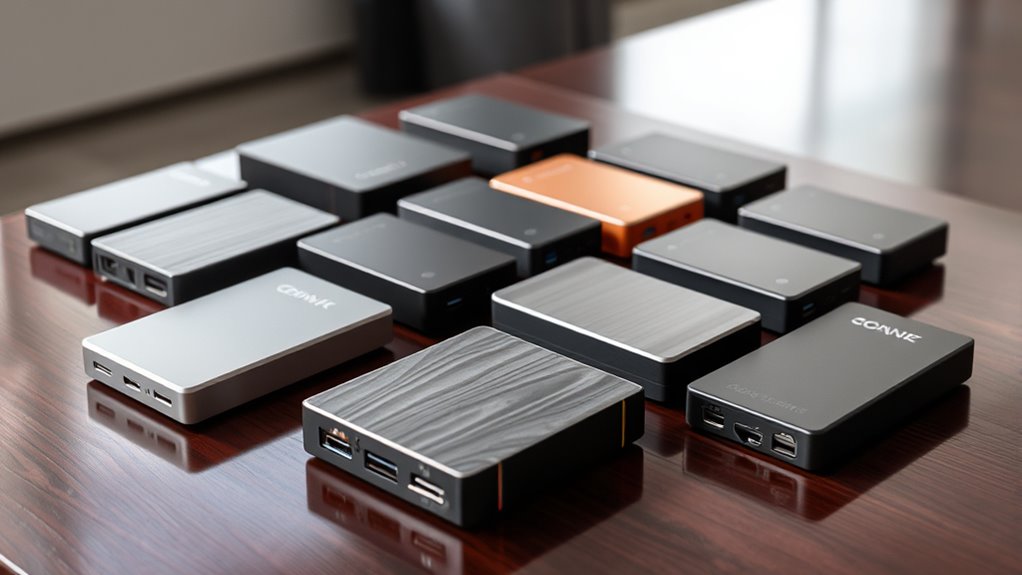

A good external backup drive gives you a separate copy of files without relying only on cloud storage. My best overall pick is the WD 5TB Elements Portable, which combines substantial capacity with a compact, bus-powered design. For a feature-rich portable option, the WD 4TB My Passport adds software and security features, while the SanDisk 2TB Extreme Portable SSD is a better fit when speed and impact resistance matter more than capacity per device. The main choice is between roomy, affordable HDD storage and faster, tougher, typically lower-capacity SSD storage; desktop drives add capacity but need a power outlet. Read on for how all 15 options compare and which tradeoffs matter for your setup.

Get smart everyday buys delivered free with Prime
- Fast, free delivery on millions of items
- Prime Video, Amazon Music and more included
- Member-only deals all year
Key Takeaways
- WD Elements Portable models lead on straightforward capacity: the 5TB version is my overall choice, while 2TB, 4TB, and 6TB versions let buyers match storage needs without changing the basic portable-drive format.
- My Passport and Elements serve different priorities: My Passport models add software and protection features, while Elements models favor a simpler storage-first approach.
- The SanDisk Extreme Portable SSD fills a different role from the HDDs: its SSD format is the speed- and durability-focused choice, but 2TB may not suit a large media archive.
- Desktop capacity comes with a placement tradeoff: the 16TB Seagate One Touch and 8TB WD Elements Desktop suit stationary libraries, but require desk space and external power.
- Small-capacity and entry-level models are best for targeted jobs: the 500GB YOTUO and 1TB Seagate or UnionSine drives can handle modest backups, but offer less room to grow than the 4TB-to-6TB portable picks.
| Western Digital 5TB Elements Portable External Hard Drive for Windows and Mac |  | Best for Maximum Portable Capacity | Capacity: 5TB | Interface: USB 3.0 | Form factor: 2.5 inches | VIEW ON AMAZON | See Our Full Breakdown |
| WD 4TB My Passport Portable External Hard Drive |  | Best for Built-In Backup Security | Capacity: 4TB | Interface: USB 3.1 / USB 3.0 | Color: Black | VIEW ON AMAZON | See Our Full Breakdown |
| Seagate Portable 1TB External Hard Drive HDD – USB 3.0 for PC, Mac, PlayStation, & Xbox, Black |  | Best for Basic Console Backups | Capacity: 1TB | Interface: USB 3.0 | Form factor: Portable | VIEW ON AMAZON | See Our Full Breakdown |
| UnionSine 1TB Ultra Slim Portable External Hard Drive HDD – USB 3.0 |  | Best Compact Aluminum Option | Capacity: 1TB | Interface: USB 3.0 | Form factor: 2.5 inches | VIEW ON AMAZON | See Our Full Breakdown |
| WD 4TB Elements Portable External Hard Drive for Windows and Mac |  | Best Simple High-Capacity Backup | Capacity: 4TB | Interface: USB 3.2 Gen 1 / USB 3.0 | Compatibility: Windows, Mac | VIEW ON AMAZON | See Our Full Breakdown |
| Seagate 2TB Portable Hard Drive USB 3.0 |  | Best for Simple Drag-and-Drop Backups | Capacity: 2TB | Interface: USB 3.0 | Connection: USB | VIEW ON AMAZON | See Our Full Breakdown |
| WD 5TB My Passport Portable External Hard Drive |  | Best for Secure, High-Capacity Portable Backups | Capacity: 5TB | Interface: USB 3.1 / USB 3.0 | Color: Black | VIEW ON AMAZON | See Our Full Breakdown |
| SanDisk 2TB Extreme Portable SSD |  | Best for Fast, Rugged Backups on the Move | Capacity: 2TB | Drive type: Portable SSD | Maximum read speed: 1050MB/s | VIEW ON AMAZON | See Our Full Breakdown |
| WD 2TB Elements Portable External Hard Drive for Windows and Mac |  | Best for a No-Frills Everyday Backup | Capacity: 2TB | Interface: USB 3.2 Gen 1 / USB 3.0 | Compatibility: Windows, Mac | VIEW ON AMAZON | See Our Full Breakdown |
| Seagate Portable 4TB External Hard Drive HDD – USB 3.0, 1-Year Rescue | | Best Capacity Step-Up with a Cable Included | Capacity: 4TB | Drive type: Portable HDD | Connectivity: USB 3.0 | VIEW ON AMAZON | See Our Full Breakdown |
| YOTUO 500GB External Hard Drive, Portable Storage Expansion HDD, USB 3.0 & USB-C for PC, Mac, Desktop, Laptop, Smartphone, PS4, Xbox One, Xbox Series X/S |  | Best for Protected, Lightweight Carry | Storage capacity: 500GB | Connection: USB 3.0 and USB-C | Compatibility: PC, Mac, Linux, PS4, PS5, Xbox One, Xbox Series X/S | VIEW ON AMAZON | See Our Full Breakdown |
| WD 2TB My Passport Portable External Hard Drive, Black, USB 3.1/3.0, Ransomware Protection |  | Best for Password-Protected Personal Backups | Storage capacity: 2TB | Hard disk interface: USB 2.0/3.0 | Form factor: 2.5 inches | VIEW ON AMAZON | See Our Full Breakdown |
| Seagate 16TB One Touch Desktop Hard Drive USB-C |  | Best for a High-Capacity USB-C Backup Hub | Storage capacity: 16TB | Hard disk interface: USB 3.0 | Connectivity: USB-C | VIEW ON AMAZON | See Our Full Breakdown |
| WD 6TB Elements Portable External Hard Drive for Windows, USB 3.2 Gen 1/USB 3.0 | | Best Portable High-Capacity Backup | Storage capacity: 6TB | Hard disk interface: USB 3.2 | Connectivity: USB | VIEW ON AMAZON | See Our Full Breakdown |
| Western Digital 8TB Elements Desktop External Hard Drive, USB 3.0 |  | Best Desktop Backup for Large Windows Libraries | Storage capacity: 8TB | Hard disk interface: USB 2.0/3.0 | Form factor: 3.5 inches | VIEW ON AMAZON | See Our Full Breakdown |
| external backup drive | Capacity | Interface | Form factor |
|---|---|---|---|
| Western Digital 5TB Elements P | 5TB | USB 3.0 | 2.5 inches |
| WD 4TB My Passport Portable Ex | 4TB | USB 3.1 / USB 3.0 | — |
| Seagate Portable 1TB External | 1TB | USB 3.0 | Portable |
| UnionSine 1TB Ultra Slim Porta | 1TB | USB 3.0 | 2.5 inches |
| WD 4TB Elements Portable Exter | 4TB | USB 3.2 Gen 1 / USB 3.0 | — |
| Seagate 2TB Portable Hard Driv | 2TB | USB 3.0 | 3.5 inches |
| WD 5TB My Passport Portable Ex | 5TB | USB 3.1 / USB 3.0 | — |
| SanDisk 2TB Extreme Portable S | 2TB | — | — |
| WD 2TB Elements Portable Exter | 2TB | USB 3.2 Gen 1 / USB 3.0 | — |
| Seagate Portable 4TB External | 4TB | — | — |
| YOTUO 500GB External Hard Driv | — | — | — |
| WD 2TB My Passport Portable Ex | — | — | 2.5 inches |
| Seagate 16TB One Touch Desktop | — | — | 3.5 inches |
| WD 6TB Elements Portable Exter | — | — | 2.5 inches |
| Western Digital 8TB Elements D | — | — | 3.5 inches |
More Details on Our Top Picks
Western Digital 5TB Elements Portable External Hard Drive for Windows and Mac
For a portable backup drive that holds a large photo, video, or document archive, this 5TB Elements gives you more room than the WD 4TB Elements without adding backup software or security features. Its USB connection and Windows/Mac compatibility suit straightforward file storage, though the listed interface is USB 3.0 despite the description mentioning USB 3.2 Gen 1. The supplied read-speed figure is 50 MB/s, and the data-transfer figure is 1 MB/s; because those specifications conflict with the faster-speed claim, I would not choose it on speed expectations. Compared with the feature-rich WD 4TB My Passport, this model prioritizes capacity over encryption and backup tools. It makes the most sense when storage space matters more than added safeguards, but the limited warranty detail and unusual enclosure-material listing deserve caution.
Pros:- 5TB capacity provides more archive space than the WD 4TB Elements.
- Portable 2.5-inch form factor is suited to travel and desk-to-desk backups.
- Windows and Mac compatibility supports use across common computer setups.
Cons:- Listed speed details conflict: read speed is 50 MB/s while data transfer rate is 1 MB/s.
- Warranty information is vague, with only a 30-day return policy and an unspecified manufacturer warranty listed.
- Enclosure material is listed as cotton, an unusual specification that leaves the casing details unclear.
Best for: Laptop and desktop owners who need a compact drive for a large media archive and prefer simple file storage over bundled security tools.
Not ideal for: Buyers who need clear, dependable transfer-speed specifications, hardware encryption, or a well-defined warranty.
- Capacity:5TB
- Interface:USB 3.0
- Form factor:2.5 inches
- Compatible devices:Desktop, laptop, tablet
- Read speed:50 MB/s
- Data transfer rate:1 MB/s listed
- Color:Black
- Warranty information:30-day return policy; manufacturer warranty available
Our verdict“Choose this Elements model if you want 5TB of portable backup space and can accept unclear speed and warranty details.”
WD 4TB My Passport Portable External Hard Drive
The My Passport is the security-focused pick here: its password protection and hardware encryption add safeguards that the WD 4TB Elements does not list. Backup software with ransomware protection also gives buyers a more guided way to keep files copied, rather than relying entirely on manual transfers. Its 4TB capacity is ample for many laptop and photo libraries, though it falls short of the 5TB Western Digital Elements if sheer archive space is the priority. A three-year warranty is clearly stated, but the provided specs do not spell out transfer speeds or cable details, so I would not rank it for performance or out-of-box accessories. This drive best fits people who carry sensitive work or personal files and value security features over the simplest, least complicated storage setup.
Pros:- Hardware encryption and password protection add a layer of control over stored files.
- Backup software includes ransomware protection.
- 4TB capacity suits substantial personal and work file collections.
- Three-year warranty is specified.
Cons:- Offers 1TB less capacity than the Western Digital 5TB Elements model.
- No transfer-speed figures are provided in the supplied specs.
- Included cables and other accessories are not specified.
Best for: Laptop users, freelancers, and students who store sensitive files and want a portable backup drive with encryption and backup software.
Not ideal for: Buyers prioritizing maximum capacity or documented transfer speeds, or anyone who wants a drive with no extra security software to manage.
- Capacity:4TB
- Interface:USB 3.1 / USB 3.0
- Color:Black
- Backup software:Includes backup software with ransomware protection
- Security:Password protection and hardware encryption
- Warranty:3 years
Our verdict“Pick the My Passport if file security and guided backups matter more to you than the extra capacity of the 5TB Elements.”
Seagate Portable 1TB External Hard Drive HDD – USB 3.0 for PC, Mac, PlayStation, & Xbox, Black
This Seagate is the straightforward choice for buyers who need a small backup library or extra space for compatible gaming consoles, not a large household archive. Its plug-and-play USB 3.0 setup keeps the process simple, and the listed 190 g weight makes it easy to carry between a desk and a console. The 1TB capacity is a clear step down from the 4TB WD Elements and 4TB My Passport, so it suits selected files or a modest game collection rather than years of photos and video. Mac users may need to reformat the drive, which makes it less convenient across mixed computer setups than the Windows-and-Mac WD Elements models. The supplied speed and cache figures are unusual for a portable HDD, so I would treat them cautiously rather than buy on those numbers.
Pros:- Plug-and-play USB 3.0 setup keeps basic file storage uncomplicated.
- Compatible-device listing includes desktop computers, laptops, and gaming consoles.
- At 190 g, it is easy to carry between locations.
- Compact dimensions suit crowded desks and console setups.
Cons:- 1TB capacity is much smaller than the 4TB and 5TB WD options in this group.
- Mac users may need to reformat it before use.
- The listed speed, transfer-rate, and cache figures are inconsistent enough to be poor grounds for a performance comparison.
Best for: Console owners or students who want a compact, simple drive for selected game data, documents, and everyday file transfers.
Not ideal for: Families building a long-term photo or video archive, or Mac users who want ready-to-use cross-platform compatibility without reformatting.
- Capacity:1TB
- Interface:USB 3.0
- Form factor:Portable
- Compatible devices:Desktop, laptop, gaming console
- Weight:190 g
- Dimensions:4.61 × 3.15 × 0.58 inches
- Listed rotational speed:7200 RPM
- Listed read speed:120 MB/s
Our verdict“Choose this Seagate for a portable, basic 1TB console or computer backup, but skip it for a growing media archive.”
UnionSine 1TB Ultra Slim Portable External Hard Drive HDD – USB 3.0
The UnionSine stands apart from the Seagate 1TB Portable through its aluminum enclosure with heat-dissipation strips and specified read and write speeds. Those details make it appealing for buyers who want a compact drive for regular file transfers and prefer a metal casing over a basic portable design. The stated 120 MB/s read and 103 MB/s write speeds provide more useful guidance than the conflicting speed figures listed for the Seagate, though actual results can vary by computer and workload. Like the Seagate, this is only 1TB, so it is a poor fit for a large backup library compared with either WD 4TB model. It also lacks bundled backup software, leaving file scheduling and organization to your computer. Its USB 3.0 connection is broadly familiar, but optimal performance depends on having a compatible port.
Pros:- Aluminum enclosure with heat-dissipation strips distinguishes it from the Seagate 1TB portable drive.
- Listed read and write speeds offer clearer transfer guidance than the Seagate’s conflicting figures.
- Compact 2.5-inch form factor is easy to carry.
- Three-year manufacturer’s warranty is specified.
Cons:- 1TB capacity is limited beside the 4TB and 5TB WD portable drives.
- No backup software is included.
- Optimal performance requires a USB 3.0 port.
Best for: People who want a compact metal-cased drive for regular transfers of a modest file collection across a computer, television, or gaming console.
Not ideal for: Users backing up several terabytes of photos or video, or buyers who want included backup software and automated file management.
- Capacity:1TB
- Interface:USB 3.0
- Form factor:2.5 inches
- Compatible devices:Desktop, gaming console, laptop, television
- Read speed:120 MB/s
- Write speed:103 MB/s
- Enclosure:Aluminum with heat-dissipation strips
- Warranty:Three-year manufacturer’s warranty
Our verdict“Choose the UnionSine if a compact metal enclosure and stated transfer speeds matter more than large capacity or bundled backup tools.”
WD 4TB Elements Portable External Hard Drive for Windows and Mac
The WD 4TB Elements is the uncomplicated high-capacity pick: it gives you portable 4TB storage and plug-and-play operation without the security software found on the WD 4TB My Passport. That simplicity suits buyers who want to copy files manually or use their computer’s own backup tools. Compared with the 5TB Western Digital Elements, it gives up 1TB, but its supplied product data clearly identifies USB 3.2 Gen 1 / USB 3.0 and Windows/Mac compatibility. The tradeoff is a feature-light setup: there is no included backup software, and the listed details do not give a specific transfer speed or warranty term. I’d choose it for a straightforward laptop backup that needs meaningful capacity, not for buyers who want encryption, automated backup tools, or detailed performance information.
Pros:- 4TB capacity accommodates a substantial collection of personal files and media.
- Portable, lightweight design suits storage on the move.
- Plug-and-play setup avoids a software-dependent installation.
- Windows and Mac compatibility is specified.
Cons:- Provides 1TB less space than the Western Digital 5TB Elements.
- No backup software is included.
- Specific transfer-speed and warranty details are not provided.
Best for: Windows and Mac laptop owners who need a simple, portable 4TB drive for documents, photos, and other routine backups.
Not ideal for: Buyers who need hardware encryption, bundled backup software, a stated warranty term, or the greatest capacity available among these portable options.
- Capacity:4TB
- Interface:USB 3.2 Gen 1 / USB 3.0
- Compatibility:Windows, Mac
- Design:Portable, lightweight
- Setup:Plug and play
Our verdict“Choose the WD 4TB Elements if you want simple Windows-and-Mac backup storage without the My Passport’s added security features.”
Seagate 2TB Portable Hard Drive USB 3.0
I’d pick this Seagate for a straightforward 2TB portable backup when setup simplicity matters more than bundled security tools. Its USB 3.0 connection and plug-and-play approach make it easy to copy files from a compatible computer without installing backup software. Compared with the WD 5TB My Passport, it gives you less room and lacks that model’s stated encryption and backup features, but it keeps the job uncomplicated. The stated 120 MB/s read speed is useful for routine file transfers, though it is a hard drive rather than the much faster SanDisk Extreme SSD. The tradeoffs are its relatively bulky design, reliance on a USB connection, and no included backup software; I’d choose it for ordinary file copies, not fast creative workflows or automated protection.
Pros:- 2TB capacity suits everyday personal backups
- Plug-and-play setup supports straightforward drag-and-drop copying
- Compatible with Windows and Mac computers
- USB 3.0 connection and stated 120 MB/s read speed support routine transfers
Cons:- No included backup software, so backups must be managed manually
- Bulkier than some portable drive alternatives
- USB 3.0 is required for the described connection and optimal performance
Best for: Windows or Mac users who want a simple, portable 2TB drive for manually copying documents, photos, and other files.
Not ideal for: Buyers who need built-in encryption, included backup software, larger capacity, or SSD-level transfer speeds.
- Capacity:2TB
- Interface:USB 3.0
- Connection:USB
- Stated read speed:120 MB/s
- Form factor:3.5 inches
- Rotational speed:7200 RPM
- Compatible devices:Laptop, PC, Mac
Our verdict“Choose this Seagate for uncomplicated manual backups, but pick the WD My Passport for security features or the SanDisk SSD for speed.”
WD 5TB My Passport Portable External Hard Drive
The WD 5TB My Passport is a strong fit when a portable backup drive needs both substantial capacity and stated security features. Its included backup software, ransomware protection, password protection, and hardware encryption offer more built-in safeguards than the Seagate 4TB Portable, which focuses on plug-and-play storage. The extra capacity also leaves more room for growing photo, video, or computer archives without stepping up to a desktop drive. Compared with the SanDisk Extreme SSD, this WD trades transfer speed and rugged water-and-dust protection for higher capacity in a hard-drive format. Its USB 3.1/3.0 interface is broadly useful with compatible systems, and the three-year warranty is a stated benefit. The tradeoffs: no transfer-speed figure is provided, and the product details do not specify whether a cable or other accessories are included.
Pros:- 5TB capacity provides room for sizable backup collections
- Backup software includes stated ransomware protection
- Password protection and hardware encryption add security options
- Three-year warranty is specified
Cons:- Hard-drive format is not positioned as a high-speed SSD alternative
- No read or write speed is specified
- Included cable and accessories are not described
Best for: Laptop owners who carry large personal or work archives and want portable capacity with password and hardware-encryption features.
Not ideal for: People who regularly transfer large video projects, need SSD speeds, or want clearly specified included accessories.
- Capacity:5TB
- Interface:USB 3.1 / USB 3.0
- Color:Black
- Security features:Ransomware protection, password protection, hardware encryption
- Backup software:Included
- Warranty:3 years
Our verdict“Pick the My Passport if portable capacity and security matter more than SSD speed or rugged protection.”
SanDisk 2TB Extreme Portable SSD
For frequent transfers or travel, I’d choose the SanDisk 2TB Extreme Portable SSD over the hard-drive models in this group. Its stated speeds—up to 1050MB/s read and 1000MB/s write—can make large backups and working-file transfers far quicker than the Seagate portable HDDs, though actual performance depends on the host device. It also brings IP65 water and dust resistance, drop protection up to three meters, and hardware encryption, giving it a more travel-ready feature set than the WD 5TB My Passport. The tradeoff is capacity: at 2TB, it holds less than that WD, and its premium SSD design prioritizes speed and durability over maximizing storage space. The supplied details do not mention a cable or case, so check accessory needs before relying on it as a grab-and-go kit.
Pros:- Up to 1050MB/s read and 1000MB/s write speeds
- IP65 water and dust resistance
- Drop protection up to three meters
- 256-bit AES hardware encryption and password security
Cons:- 2TB capacity is lower than the WD 5TB My Passport
- Actual speeds depend on the host device
- Cable and case are not specified as included
Best for: Traveling photographers, field workers, and creators who need quick file transfers, portable SSD storage, and stated environmental protection.
Not ideal for: Backup buyers who prioritize maximum capacity over speed, or whose computers cannot make good use of its USB 3.2 Gen 2 performance.
- Capacity:2TB
- Drive type:Portable SSD
- Maximum read speed:1050MB/s
- Maximum write speed:1000MB/s
- Connectivity:USB-C, USB 3.2 Gen 2
- Water and dust resistance:IP65
- Drop protection:Up to 3 meters
- Encryption:256-bit AES hardware encryption
Our verdict“Choose this SanDisk when speed and rugged protection outweigh the larger capacity available from portable hard drives.”
WD 2TB Elements Portable External Hard Drive for Windows and Mac
The WD 2TB Elements suits buyers who want portable capacity and a basic connection without extra software features. Its plug-and-play setup and USB 3.2 Gen 1 interface make it a practical place to keep copies of photos, music, documents, and other everyday files. Compared with the Seagate 2TB Portable Hard Drive, it has a similarly straightforward role, while the WD’s listed interface includes USB 3.2 Gen 1 as well as USB 3.0. Neither is a match for the SanDisk Extreme SSD when speed is the priority, and this Elements model does not include backup software or its own power source. Its 2TB capacity is also modest beside the WD 5TB My Passport, which adds security features and more room. I’d favor Elements when simple storage matters more than automation or protection tools.
Pros:- Compact, lightweight design is suited to portable storage
- 2TB capacity accommodates a range of personal files
- Plug-and-play setup keeps file copying simple
- USB 3.2 Gen 1 / USB 3.0 interface
Cons:- No included backup software
- Requires a USB connection for power
- Less capacity and fewer stated security features than the WD 5TB My Passport
Best for: Windows and Mac users seeking a compact, basic 2TB drive for manual backups and everyday file storage.
Not ideal for: People who need automated backup software, built-in security features, more than 2TB, or a drive that works without a USB connection.
- Capacity:2TB
- Interface:USB 3.2 Gen 1 / USB 3.0
- Compatibility:Windows, Mac
- Design:Portable, lightweight
- Setup:Plug and play
- Power:USB connection
Our verdict“Choose the Elements for basic portable backups, but step up to the My Passport if you need more space and security tools.”
Seagate Portable 4TB External Hard Drive HDD – USB 3.0, 1-Year Rescue
This Seagate is the straightforward capacity step-up for buyers who have outgrown a 2TB portable drive but still want plug-and-play storage. Its 4TB capacity doubles the space of the Seagate 2TB Portable and WD 2TB Elements, making it more suitable for larger photo libraries or several years of routine file backups. It stays simpler than the WD 5TB My Passport: the listing specifies USB 3.0 compatibility and an 18-inch cable, but not the WD’s backup software, ransomware protection, or hardware encryption. That simplicity may suit manual copying, yet buyers looking for automated backup or secure access should choose the My Passport instead. It is also a USB-powered hard drive rather than the SanDisk SSD, so it is not the pick for maximum transfer speed. A one-year Rescue term is listed, but no backup software is included.
Pros:- 4TB capacity offers twice the space of the 2TB options in this batch
- Plug-and-play setup supports simple file copying
- Compatible with Windows and Mac
- An 18-inch USB 3.0 cable is listed as included
Cons:- No included backup software
- USB connection is required for operation
- One-year Rescue term is specified, with no separate longer warranty detail provided
Best for: Windows or Mac users who need more room than a 2TB drive offers and prefer a simple USB-connected backup drive with a cable specified.
Not ideal for: Buyers who need bundled backup software, hardware encryption, SSD transfer speeds, or a clearly stated longer warranty.
- Capacity:4TB
- Drive type:Portable HDD
- Connectivity:USB 3.0
- Compatibility:Windows, Mac
- Included cable:18-inch USB 3.0 cable
- Setup:Plug and play
- Rescue term:1 year
Our verdict“Choose this Seagate for simple 4TB portable storage and a listed cable, but choose the WD My Passport for built-in security and backup tools.”
YOTUO 500GB External Hard Drive, Portable Storage Expansion HDD, USB 3.0 & USB-C for PC, Mac, Desktop, Laptop, Smartphone, PS4, Xbox One, Xbox Series X/S
The YOTUO 500GB is the lightest, most travel-minded pick here: its 0.16 kg weight and shock-absorbing silicone sleeve suit people who carry a backup between home, work, or gaming setups. USB 3.0 and USB-C connections widen its usefulness across compatible devices, while the 500GB capacity makes it a focused choice for documents, smaller media libraries, or console storage. Compared with the WD 6TB Elements Portable, it gives up substantial room for a more protective sleeve and a lower-capacity, easier-to-pack setup. Its console compatibility also has limits: it cannot run PS5 or Xbox Series X|S games directly from the drive. Choose it for portable file storage, not as a large archive or a current-generation game drive.
Pros:- Lightweight at 0.16 kg for carrying between locations
- Silicone sleeve adds shock-absorbing protection
- USB 3.0 and USB-C connections support a broad range of compatible devices
- Listed compatibility includes PC, Mac, Linux, PS4, PS5, and Xbox consoles
Cons:- 500GB leaves much less room than the WD 6TB Elements Portable
- Cannot run PS5 or Xbox Series X|S games directly from the drive
- HDD storage is less suited than an SSD to frequent rough handling
Best for: Travelers or students who need a lightweight backup for documents and modest media collections, plus compatibility with older console storage workflows.
Not ideal for: People backing up several years of photos and video, or buyers seeking a drive to run PS5 or Xbox Series X|S games directly.
- Storage capacity:500GB
- Connection:USB 3.0 and USB-C
- Compatibility:PC, Mac, Linux, PS4, PS5, Xbox One, Xbox Series X/S
- Weight:0.16 kg
- Protection:Shock-absorbing silicone sleeve
- Interface speed:USB 3.0, up to 5Gbps
Our verdict“Pick the YOTUO if a light, sleeved drive for modest backups matters more than capacity or direct current-generation game play.”
WD 2TB My Passport Portable External Hard Drive, Black, USB 3.1/3.0, Ransomware Protection
The WD 2TB My Passport pairs everyday portable capacity with hardware encryption and password protection, making it a stronger fit for sensitive work files than the simpler YOTUO 500GB. Its 2TB capacity gives most personal backups more breathing room, and the included backup software adds ransomware defense, though some features require a download and setup. This is a compact, self-contained choice for carrying documents and media, but its stated USB 2.0/3.0 interface does not offer USB-C or Thunderbolt, so newer laptop owners may need an adapter. Compared with the WD 6TB Elements Portable, it trades storage headroom for security features and bundled software. I’d choose it when access protection matters more than maximizing capacity or using a native USB-C connection.
Pros:- Hardware encryption and password protection add access control for stored files
- 2TB capacity suits substantial personal photo, document, and media backups
- Backup software includes ransomware defense
- Compact 2.5-inch form factor is easy to carry
Cons:- No USB-C or Thunderbolt connection is listed
- Some backup and security features require software download and setup
- USB 2.0/3.0 interface offers less connection flexibility than newer USB-C drives
Best for: Freelancers and students carrying confidential documents who want a portable drive with password protection and hardware encryption.
Not ideal for: Buyers who need more than 2TB, want a native USB-C connection, or prefer a backup drive that needs no software setup.
- Storage capacity:2TB
- Hard disk interface:USB 2.0/3.0
- Form factor:2.5 inches
- Hardware encryption:Yes
- Security:Password protection
- Compatible devices:Desktop, laptop, tablet
- Warranty:3 years
Our verdict“Choose this My Passport for portable, security-focused personal backups if 2TB is enough and USB-C is not a requirement.”
Seagate 16TB One Touch Desktop Hard Drive USB-C
With 16TB of capacity, the Seagate One Touch is the clear pick in this group for consolidating large archives, media libraries, or repeated computer backups on one drive. Its USB-C connection and single-cable setup can keep a desk tidy, but the power requirement changes how portable that setup really is: it needs a 15W USB-C power source, and no wall adapter is included. That makes it less straightforward to use with phones and tablets than its compatibility list might suggest. Compared with the WD 8TB Elements Desktop, it doubles the listed capacity and adds USB-C, while asking buyers to check their power setup and accept a desktop-oriented footprint. The included data recovery service is an extra safeguard, not a substitute for keeping another backup copy.
Pros:- 16TB capacity accommodates extensive archives and large media collections
- USB-C single-cable connection simplifies a compatible desk setup
- Includes a data recovery service
- Listed compatibility spans desktops, laptops, smartphones, and tablets
Cons:- Requires a 15W USB-C power source, which may limit device compatibility
- No wall power adapter is included
- Desktop-sized 3.5-inch form factor is less convenient for travel
Best for: Video creators, households, and archivists who need one large-capacity drive for a desk-based backup library and have a suitable 15W USB-C power source.
Not ideal for: People who need a genuinely pocketable backup, often work away from a powered setup, or expect to connect directly to devices without checking power support.
- Storage capacity:16TB
- Hard disk interface:USB 3.0
- Connectivity:USB-C
- Form factor:3.5 inches
- Rotational speed:7200 rpm
- Power requirement:15W USB-C power source
- Data recovery service:Included
- Warranty:2 years
Our verdict“Choose the Seagate One Touch for a very large desk-based backup when your USB-C setup can supply its required power.”
WD 6TB Elements Portable External Hard Drive for Windows, USB 3.2 Gen 1/USB 3.0
The WD 6TB Elements Portable brings unusually generous capacity to a portable-drive format, making it a practical middle ground between the 2TB WD My Passport and desk-bound models such as the WD 8TB Elements Desktop. For people backing up years of photos, video, or work files across more than one computer, 6TB can reduce the need to rotate several smaller drives. USB 3.2 Gen 1/USB 3.0 and plug-and-play operation suit straightforward transfers, though the supplied details do not establish a guaranteed real-world transfer rate. The plastic enclosure is less reassuring for frequent knocks than the YOTUO’s silicone sleeve, and warranty information is not provided here. It is a capacity-first portable HDD, not a rugged drive or a speed-focused SSD.
Pros:- 6TB capacity provides room for extensive photo and video backups
- Portable form factor is easier to move than the 3.5-inch WD 8TB Elements Desktop
- USB 3.2 Gen 1/USB 3.0 connection supports compatible host devices
- Plug-and-play compatibility is listed for Windows and Mac
Cons:- Plastic enclosure offers less impact protection than the YOTUO’s silicone-sleeved design
- Warranty coverage details are not provided in the supplied product data
- Listed transfer figures do not establish typical real-world backup speeds
Best for: Photographers, families, and mobile workers who need several terabytes of backup storage in a drive they can carry between compatible computers.
Not ideal for: People who need documented rugged protection, clear warranty terms, or SSD-class performance for repeated large transfers.
- Storage capacity:6TB
- Hard disk interface:USB 3.2
- Connectivity:USB
- Form factor:2.5 inches
- Compatible devices:Desktop, laptop, tablet
- Enclosure material:Plastic
- Listed read speed:1050 MB/s
Our verdict“Pick this WD Elements model if you want multi-terabyte backups in a portable form and can accept a basic plastic enclosure.”
Western Digital 8TB Elements Desktop External Hard Drive, USB 3.0
The WD 8TB Elements Desktop is a straightforward choice for a large backup library that stays beside a computer. Its 8TB capacity exceeds the portable WD My Passport’s 2TB and the WD 6TB Elements Portable’s 6TB, while the 3.5-inch desktop form factor makes clear that carrying convenience is not its strength. USB 2.0/3.0 connectivity and plug-and-play Windows use keep setup simple, but buyers using another operating system may need to reformat the drive. The product data lists very high transfer figures, though actual performance depends on the connection, host, and drive workload. Compared with the 16TB Seagate One Touch, this WD offers half the listed capacity and no stated recovery service, but it can suit buyers who want a simpler Windows-focused desktop backup.
Pros:- 8TB capacity suits large local backup collections
- USB 3.0 connectivity supports compatible computers
- Plug-and-play setup is listed for Windows PCs
- Desktop form factor works well as a stationary archive drive
Cons:- 3.5-inch desktop design is bulkier and less travel-friendly than portable drives
- May require reformatting for operating systems beyond Windows
- USB 2.0/3.0 listing does not provide native USB-C connectivity
Best for: Windows desktop and laptop owners who keep a large photo, video, or document archive in one fixed location.
Not ideal for: Travelers, buyers seeking USB-C connectivity, or Mac users who want a drive ready to use without possible reformatting.
- Storage capacity:8TB
- Hard disk interface:USB 2.0/3.0
- Form factor:3.5 inches
- Compatible devices:Desktop, laptop
- Item weight:2.1 pounds
- Item dimensions:9 × 8 × 3.5 inches
- Listed read speed:5 gigabytes per second
Our verdict“Choose the WD 8TB Elements Desktop for a stationary, high-capacity Windows backup rather than a drive meant for regular travel.”
How We Picked
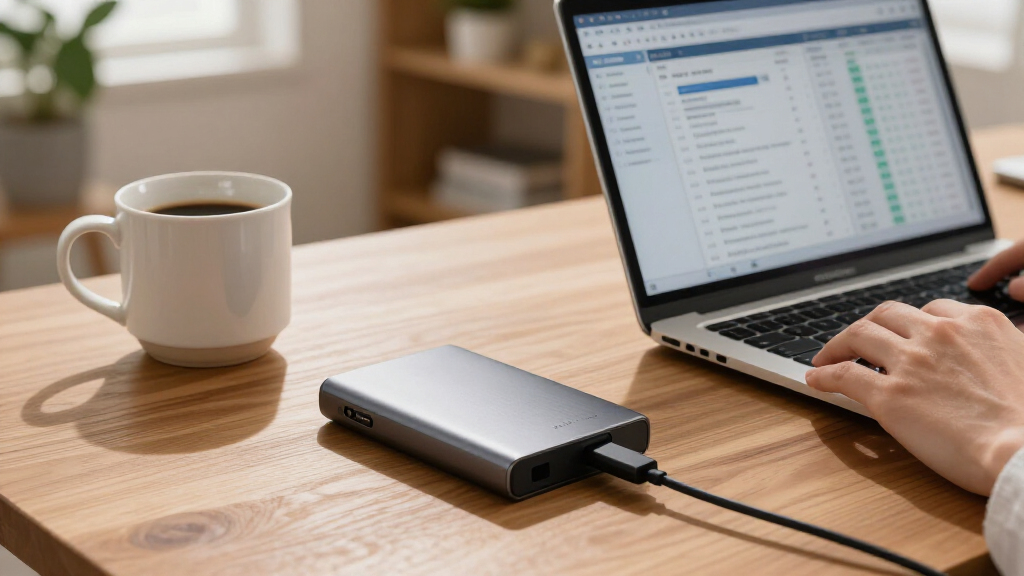
I ranked these drives around the job implied by external backup: keeping a separate, usable copy of important files. Capacity, connection type, portable versus desktop design, and the practical fit for computers or consoles shaped each position. I also weighed how clearly a model’s features serve a buyer, including My Passport software and protection features, the SanDisk SSD’s speed-oriented design, and the convenience tradeoff of desktop power requirements.
The ranking favors options that balance useful capacity, everyday usability, and a clear role. The WD 5TB Elements Portable leads because it offers ample room in a portable HDD format without adding a desktop power requirement. Models with more capacity, added features, smaller storage limits, or a specialized SSD design rank for narrower needs rather than replacing that balanced pick. Since exact backup speeds depend on the computer, connection, and workload, I treat interface labels as compatibility clues—not a guarantee that every transfer will reach a stated rate.
| external backup drive | Interface |
|---|---|
| Western Digital 5TB Elements P | USB 3.0 |
| WD 4TB My Passport Portable Ex | USB 3.1 / USB 3.0 |
| Seagate Portable 1TB External | USB 3.0 |
| UnionSine 1TB Ultra Slim Porta | USB 3.0 |
| WD 4TB Elements Portable Exter | USB 3.2 Gen 1 / USB 3.0 |
| Seagate 2TB Portable Hard Driv | USB 3.0 |
| WD 5TB My Passport Portable Ex | USB 3.1 / USB 3.0 |
| SanDisk 2TB Extreme Portable S | — |
| WD 2TB Elements Portable Exter | USB 3.2 Gen 1 / USB 3.0 |
| Seagate Portable 4TB External | — |
| YOTUO 500GB External Hard Driv | — |
| WD 2TB My Passport Portable Ex | — |
| Seagate 16TB One Touch Desktop | — |
| WD 6TB Elements Portable Exter | — |
| Western Digital 8TB Elements D | — |
Factors to Consider When Choosing External Backup Drive
Choosing a backup drive is less about picking the biggest number and more about matching storage to your backup routine. I would settle four questions before buying: how much data needs a second copy, where the drive will sit, how often files must be restored, and whether one drive is enough protection.
Choose Capacity With Room to Grow
Start by checking how much storage your computer currently uses, then add room for growth rather than buying a drive that barely fits today’s files. Photos, video projects, and game libraries can grow quickly, while documents and routine laptop backups may need far less space. A drive that is nearly full can make scheduled backups awkward and leave little room for new versions of files. For a large archive, a 4TB-to-6TB portable HDD may be a better balance than a small-capacity model; very large collections can justify a desktop unit. Avoid paying for unused capacity if the drive will hold only a focused set of documents. Also remember that stated capacity and usable space differ slightly because of formatting and system conventions.
Match the Drive Format to Where You Work
A portable drive is convenient for travel and can usually draw power from the computer, while a desktop drive is intended to remain in one place and typically needs its own power supply. That distinction matters if you want a backup drive beside a laptop or plan to store it separately from your computer between backups. A desktop model can suit a home archive, but it is less convenient to move or tuck away. Think about cable and outlet access before choosing a high-capacity desktop drive. For portable use, a smaller physical footprint does not automatically mean greater durability, so handle HDDs with care. Choose based on the location and routine you can maintain, not just the capacity label.
Decide Whether HDD Capacity or SSD Speed Matters More
HDDs generally make sense when the priority is storing a large collection of backups in one device. SSDs are typically better suited to frequent file transfers, active project folders, and carrying data through busy environments, though their capacity may be lower for the same storage-focused budget. For a backup that runs overnight or on a schedule, transfer speed may matter less than capacity and reliability habits. For editing directly from the drive, speed becomes more relevant. A portable SSD can also withstand bumps better than a mechanical HDD, but it is not a substitute for a second backup copy. Pick the technology based on how you access the files, not on the assumption that faster always means safer.
Check Compatibility and Connection Details
USB naming can be confusing: a drive’s connector, cable, and computer port all affect what connection is possible. Confirm the included cable works with your computer, and check whether an adapter is needed rather than assuming USB-C compatibility from the product name alone. Drives may also need formatting to work smoothly across Windows and macOS, and reformatting can erase existing data. Console use has separate limits: a drive that stores games may not run every game in the same way on every console generation. Read the device maker’s compatibility guidance before moving important files. For phone backups, check supported devices and file-transfer requirements rather than relying only on broad compatibility wording.
Treat Backup as a Routine, Not a One-Time Copy
Buying an external drive creates storage capacity, but a backup is useful only if files are copied regularly and can be restored when needed. Set a recurring schedule or use compatible backup software, then occasionally open a few files from the drive to check that the copies are readable. Keep the drive disconnected when a backup is complete if you want to reduce exposure to accidental deletion, malware, or power problems. One external drive is still a single point of failure, so irreplaceable files deserve a second copy kept elsewhere. Cloud storage or a second drive can provide that separation. Avoid treating a drive’s security or recovery features as a replacement for a separate backup.
Spend More Only for a Useful Difference
Paying for a higher-capacity model makes sense when it prevents you from splitting an archive across several drives or running out of room soon. A premium SSD is a more relevant upgrade when you transfer large files often, need a compact work drive, or value a more rugged portable design. Added software and protection features can help if they fit your operating system and backup habits, but they do not remove the need to verify copies. A desktop drive’s large capacity is useful only if a fixed location and power connection suit your home setup. For a first backup drive, simple and easy-to-repeat workflows can matter more than advanced extras. Avoid buying features for a use case you do not have.
Frequently Asked Questions
Should I choose a 5TB portable HDD or a 2TB portable SSD for backups?
Choose the 5TB portable HDD if your main goal is keeping a large set of files in one place and you can handle it carefully. The 2TB SSD is a stronger fit if you often move large files, work directly from the drive, or carry it around and value a more rugged design. Capacity can matter more than speed for backups that run on a schedule. If your important data exceeds 2TB, the SSD may leave you needing another device sooner. For many buyers, the right choice depends on whether access speed or archive space is the bigger daily constraint.
Is a desktop backup drive better than a portable drive for a home computer?
A desktop drive can be a good fit for a stationary computer and a large archive, especially when its higher capacity reduces the need to juggle multiple drives. It usually takes more space and needs a power outlet, so it is less convenient to move or store away. A portable drive is easier to connect to different computers and can often run from USB power. Neither format automatically makes a backup safer; placement and backup frequency matter too. If you choose a desktop model, check that you have a stable location and accessible outlet before setting up your routine.
Can I use one external drive for both Windows and Mac backups?
Often, but the drive’s format and the backup software both matter. Some formats allow reading and writing on both systems, while others are better suited to one operating system or a specific backup tool. Reformatting can erase files, so check compatibility before saving data and changing the drive’s format. A shared drive may also be less convenient if each computer expects its own backup structure. If the files are important, test the setup with a small folder and confirm both computers can access it before relying on the drive.
Is one external hard drive enough to protect important files?
One drive is better than having no separate copy, but it remains vulnerable to loss, damage, theft, or failure. A safer plan keeps another copy in a different place, such as a second drive stored elsewhere or a trusted cloud service. This matters most for irreplaceable family photos, work files, and records that would be difficult to recreate. You can keep a local drive for convenient restores and a separate copy for events that affect the whole home. Check that you can open files from each backup rather than assuming a completed copy is usable.
Will an external backup drive work for PlayStation or Xbox storage?
Some drives in this roundup are marketed for console use, but storage rules vary by console and generation. A drive may store games without being able to run every title directly, and newer systems can limit which games play from external storage. Capacity and formatting requirements also differ from computer backup use. Check your console’s current storage guidance before choosing a drive, especially if you plan to move games between systems. A drive used for console storage may need reformatting, which can erase computer files, so do not assume one device can switch roles without preparation.
Conclusion
For most people seeking one versatile backup drive, I recommend the WD 5TB Elements Portable as the best overall choice: it pairs substantial capacity with a portable, straightforward HDD format. The WD 4TB Elements Portable is my best value-style pick for buyers who need less room, while the Seagate 16TB One Touch Desktop is the premium capacity choice for a fixed home archive. Beginners can start with the Seagate 2TB Portable for a simple, moderate-capacity setup, while buyers who prioritize transfer speed and a rugged portable design should look at the SanDisk 2TB Extreme Portable SSD. For especially large collections, compare the 6TB WD Elements Portable and 8TB WD Elements Desktop based on whether portability or maximum stationary capacity matters more; whichever you choose, keep a second copy of files you cannot replace.