
To make your office chair work better from day one, focus on proper adjustments based on ergonomic principles. Set the chair height so your feet rest flat on the floor and your knees are at a 90-degree angle. Adjust the seat depth to leave a small gap between your knees and the seat edge. Use lumbar support to match your spine’s natural curve, and guarantee all components align for proper posture. Keep exploring for detailed tips to optimize your comfort even further.
Key Takeaways
- Adjust chair height so feet are flat on the floor and knees are at a 90-degree angle.
- Set seat depth to leave 2-3 inches between knees and the seat edge.
- Use adjustable lumbar support to match the natural curve of your lower back.
- Ensure all chair components are aligned to promote proper posture from the start.
- Regularly reassess and fine-tune adjustments for long-term ergonomic comfort.
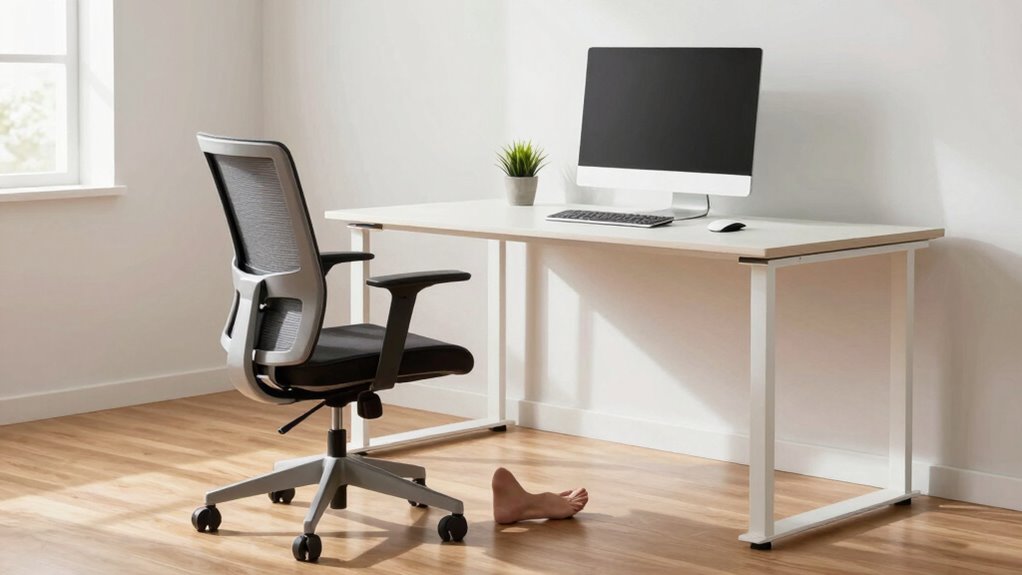
Setting up your office chair correctly is essential for comfort and long-term health. When you focus on proper ergonomic adjustments, you create an environment that supports your body throughout the workday. The key is to fine-tune your chair so that every component aligns with your unique posture, helping you avoid strain and fatigue. This process isn’t just about comfort; it’s about posture optimization, which significantly reduces the risk of musculoskeletal issues over time. When you understand how to adjust your chair properly, you’ll notice immediate improvements in how you feel during and after work.
Start by setting the height of your chair so that your feet rest flat on the floor, with your knees forming roughly a 90-degree angle. If your feet don’t reach the ground, use a footrest. This adjustment ensures that your hips are positioned correctly, which is fundamental to ergonomic support. Next, adjust the seat depth so that there’s about two to three inches of space between the back of your knees and the edge of the seat. Proper seat depth prevents pressure on your thighs and promotes better circulation. When you sit back, your lower back should be supported by the chair’s lumbar support. If your chair has adjustable lumbar support, position it to fit the natural curve of your spine, promoting posture optimization. If not, consider adding a lumbar cushion to fill the gap and support your lower back. Additionally, understanding the importance of ergonomic design can help you make more informed adjustments for comfort and health. Incorporating proper posture techniques can further enhance your overall sitting experience. Maintaining correct alignment throughout the day is crucial to avoid strain and discomfort, especially when using ergonomic principles to guide your adjustments. Ensuring your chair adjustments are correctly aligned can make a significant difference in reducing long-term discomfort.
ergonomic office chair with adjustable lumbar support
As an affiliate, we earn on qualifying purchases.
As an affiliate, we earn on qualifying purchases.
Frequently Asked Questions
How Often Should I Adjust My Office Chair Settings?
You should adjust your office chair settings whenever your posture feels uncomfortable or after sitting for extended periods. Regularly optimizing your chair helps maintain good posture correction and prevents strain. If you notice soreness or fatigue, take a moment to fine-tune the height, lumbar support, or armrests. Aim to reassess your settings at least once a month, especially if your sitting duration changes or you experience discomfort.
Are There Specific Tools Needed for Chair Adjustments?
Think of your chair as a finely tuned instrument; adjusting it requires the right tools. Usually, you need a hex key or screwdriver for tool compatibility. Mastering adjustment techniques means knowing which screws to tighten or loosen. Keep these tools nearby, like a conductor’s baton, so you can quickly fine-tune your chair’s height, tilt, or lumbar support. Proper tools and techniques guarantee your chair performs effortlessly from day one.
Can Improper Setup Cause Long-Term Health Issues?
Improper setup can definitely cause long-term health issues. When your chair isn’t adjusted correctly, it hinders posture correction and leads to muscle strain. Over time, this can cause chronic back, neck, and shoulder pain. To avoid these problems, make sure your chair supports proper alignment, keeps your feet flat, and allows your knees to be at a right angle. Regularly adjusting your setup helps maintain good posture and prevents long-term discomfort.
What’s the Best Way to Test Chair Comfort Before Buying?
To test chair comfort before buying, sit in it for at least 10-15 minutes, ensuring your back is well-supported and your hips are level. Check material durability by pressing the fabric or leather to see if it feels sturdy. Also, consider aesthetic appeal to see if the chair matches your workspace. Move around to test mobility and adjustability, making sure it feels comfortable and supportive for your long-term needs.
Do Ergonomic Chairs Require Regular Professional Adjustments?
Ergonomic chairs don’t necessarily require regular professional adjustments, especially if they’re well-designed and you set them up correctly initially. Focus on choosing a chair with strong brand reputation and aesthetic appeal, which often means better quality and fewer adjustments needed over time. However, periodic minor tweaks might help maintain comfort, but most adjustments are simple enough for you to do yourself without professional help.
office chair footrest for proper height
As an affiliate, we earn on qualifying purchases.
As an affiliate, we earn on qualifying purchases.
Conclusion
Follow the setup rule, and you’ll open a chair so comfortable, it feels like sitting on a cloud made of marshmallows—ready to boost your productivity and banish back pain instantly. Skip it, and you’ll be stuck in a nightmare of aches and discomfort, wishing you’d never sat down. Trust me, mastering this simple step transforms your workspace from a pain zone into a paradise—your back will thank you forever!
adjustable seat depth office chair
As an affiliate, we earn on qualifying purchases.
As an affiliate, we earn on qualifying purchases.
ergonomic lumbar cushion for office chair
As an affiliate, we earn on qualifying purchases.
As an affiliate, we earn on qualifying purchases.