
📊 Full opportunity report: Liquid vs Air Cooling for 24/7 Inference Rigs on ThorstenMeyerAI.com — validation score, market gap, and execution plan.

Get smart everyday buys delivered free with Prime
- Fast, free delivery on millions of items
- Prime Video, Amazon Music and more included
- Member-only deals all year
TL;DR
For most 24/7 AI inference rigs, air cooling offers greater reliability, lower cost, and quieter operation than liquid cooling. Liquid cooling is advantageous only for high thermal headroom or space constraints. The choice depends on workload and system design.
Most 24/7 AI inference rigs are better served by air cooling due to its superior reliability, lower cost, and quieter operation, according to recent industry analysis.
Traditional air coolers, especially high-quality dual-tower models like the Noctua NH-D15, can dissipate 200–250W under sustained load, rivaling mid-size liquid AIOs in performance. These coolers have no pump or liquid components, making them inherently more reliable over years of continuous operation. Conversely, AIO liquid coolers, which include a pump, radiator, and sealed loop, have a finite lifespan—typically 5–7 years—and are subject to wear, leaks, and gradual coolant permeation. While modern AIOs are reliable, their pump failure remains a critical risk for unattended systems.
Cost analysis shows air cooling is significantly cheaper over the lifespan of the system, with AIOs costing roughly 2–3 times more due to replacement and warranty considerations. Noise levels are also a factor; quality air coolers often produce less noise under load than AIOs, which include a pump hum. Maintenance for air coolers involves simple dust removal and occasional thermal paste reapplication, whereas AIOs require monitoring for leaks or pump failure.
Liquid cooling becomes advantageous only when thermal headroom is essential—such as in cases with extremely hot CPUs under sustained load or compact builds where large air coolers won’t fit. A 360mm or larger AIO can handle higher TDPs (around 360W), providing steadier, lower temperatures for the hottest chips and fitting in tight spaces where large air coolers cannot.
Liquid vs air
for a 24/7 inference rig.
For an always-on machine the question isn’t “which cools better” — it’s which one still works in three years without you thinking about it. That reframing makes air the default for most rigs. Answer three questions in Part 2 to find yours.
- Nothing to fail — fan swaps in minutes
- Lasts a decade+; lower total cost
- Quieter floor — no pump hum (~40–45 dBA)
- Trivial maintenance — wipe & repaste
- Tall — can block RAM, dumps heat in case
- Best headroom — ~360W TDP sustained
- Compact block — fits tight cases, clears RAM
- Exports heat out the radiator & room
- Pump fails at 5–7 yrs; replace whole unit
- Costs 2–3× more over its life; pump hum
- You run it 24/7 and want set-and-forget.
- Your CPU is mainstream-to-high-end (or power-capped).
- A big tower fits your case.
- You value lower cost and a quieter floor.
- Your CPU is too hot for air under sustained all-core load.
- A big tower won’t fit (compact / multi-GPU case).
- You need to export heat out of a warm room.
- RAM clearance is tight.
Why Reliability and Cost Matter for Long-Term AI Systems
Choosing the right cooling solution impacts the long-term stability, maintenance costs, and operational noise of AI inference rigs. For unattended, continuous operation, air cooling's simplicity and durability make it the preferred choice, reducing downtime and replacement costs. Liquid cooling, while offering higher thermal headroom, introduces potential points of failure that can compromise system uptime over years of use, making it less suitable for reliability-focused deployments.
As an affiliate, we earn on qualifying purchases.
Cooling Choices in the Evolution of AI Workstations
Historically, liquid cooling gained popularity for gaming and overclocking due to its high thermal capacity and aesthetic appeal. However, for AI workloads requiring 24/7 operation, reliability and low maintenance are paramount. Industry discussions and recent testing suggest that high-end air coolers can meet or surpass the thermal demands of most AI inference CPUs, with the added benefit of fewer failure points. The debate continues as some high-performance setups consider large AIOs for maximum thermal headroom, but the consensus favors air cooling for most long-term, unattended systems.
"For set-and-forget AI inference rigs, air cooling’s reliability and low maintenance outweigh the marginal thermal benefits of liquid cooling."
— Thorsten Meyer, AI hardware expert
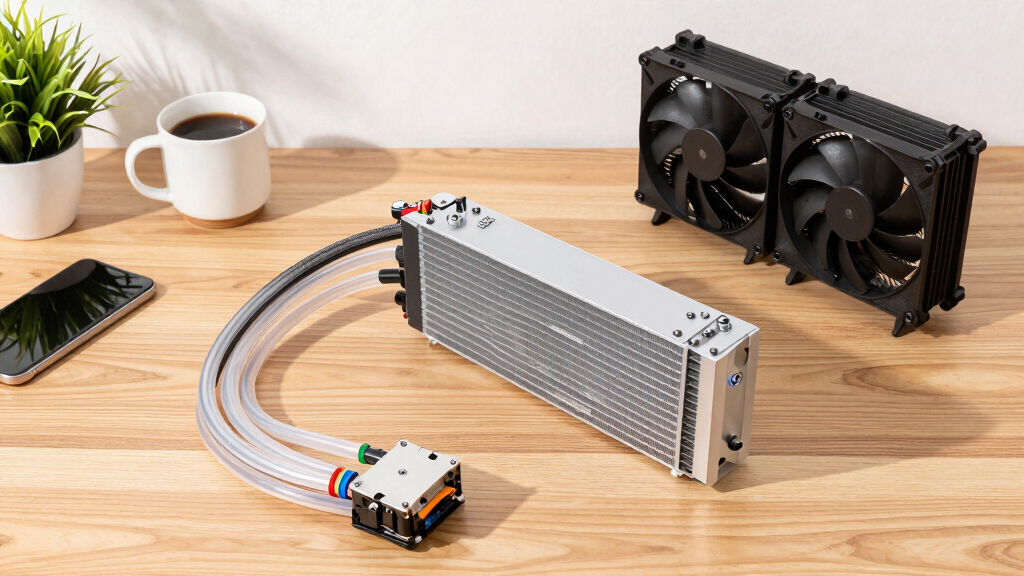
360mm all-in-one liquid CPU cooler
As an affiliate, we earn on qualifying purchases.
As an affiliate, we earn on qualifying purchases.
Remaining Questions About Long-Term Liquid Cooling Durability
While modern AIOs are generally reliable, questions remain about their lifespan in continuous operation, particularly regarding pump failure and coolant permeation. Long-term data beyond 7 years is limited, and real-world failures, though rare, can have significant consequences. Further industry testing and real-world deployment data are needed to fully assess the longevity of liquid coolers in AI inference rigs.
high performance air cooling for PC
As an affiliate, we earn on qualifying purchases.
As an affiliate, we earn on qualifying purchases.
Future Trends in Cooling for AI Workstations
Expect ongoing developments in both cooling technologies. Manufacturers may introduce more durable, longer-lasting liquid coolers, while innovations in air cooling could push performance boundaries further. For now, system builders should prioritize reliability and maintenance considerations, reserving liquid cooling for specific scenarios requiring maximum thermal headroom or space constraints. Monitoring long-term performance data will inform best practices in the coming years.
reliable liquid cooling system for PC
As an affiliate, we earn on qualifying purchases.
As an affiliate, we earn on qualifying purchases.
Key Questions
Is air cooling sufficient for all AI inference workloads?
For most workloads, high-quality air coolers can handle the thermal demands, especially for CPUs up to 250W TDP. For hotter chips or overclocked CPUs, larger AIOs may provide better thermal headroom.
What are the main risks of using liquid cooling in 24/7 systems?
The primary risks include pump failure, coolant leaks, and gradual permeation leading to reduced effectiveness over time. These issues can cause system downtime or damage if not monitored.
How often does a typical AIO need replacement in a 24/7 setup?
Most manufacturers warranty AIOs for 5–6 years, but actual lifespan can vary based on usage and maintenance. After this period, performance may decline, and replacement is recommended.
Can I upgrade my cooling solution later if needed?
Yes, many systems allow for swapping out cooling components. However, planning for adequate space and compatibility at the outset simplifies future upgrades.
Source: ThorstenMeyerAI.com
Fall Picks
fall essentials
As an affiliate, we earn on qualifying purchases.