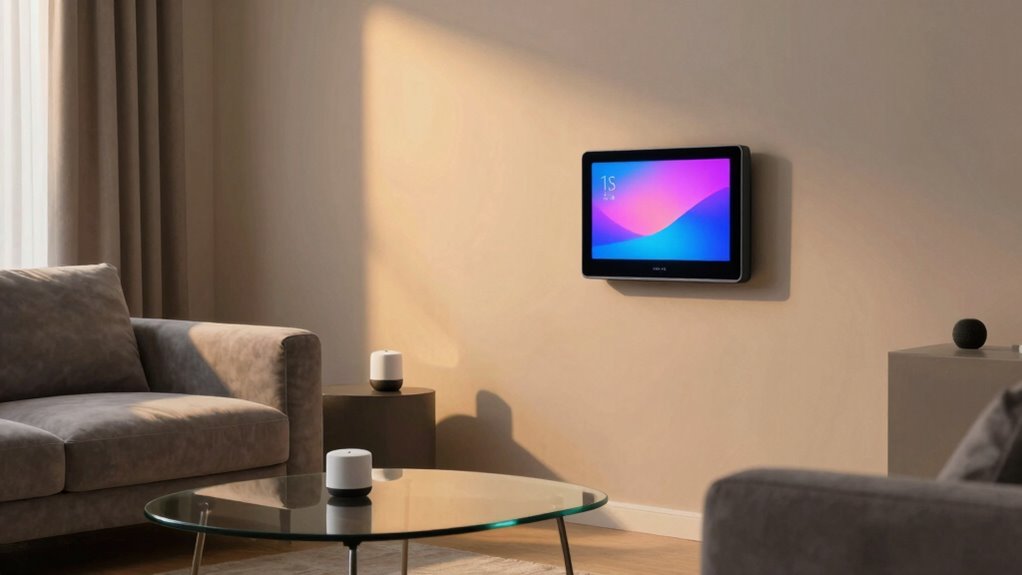

For renters, choosing a smart home hub means balancing ease of installation, portability, and compatibility with existing devices. The Samsung SmartThings Hub stands out as a versatile, reliable choice that works well across many smart ecosystems, while the Philips Hue Bridge excels at managing smart lighting with minimal fuss. Many renters face tradeoffs between feature breadth and simplicity, often sacrificing extensive customization for plug-and-play setup. Continue reading for a detailed breakdown of the best options tailored to different renter needs and budgets.

Get smart everyday buys delivered free with Prime
- Fast, free delivery on millions of items
- Prime Video, Amazon Music and more included
- Member-only deals all year
Key Takeaways
- Compatibility with multiple ecosystems is critical for renters who already own smart devices from different brands.
- Ease of setup and portability are primary considerations, making WiFi-enabled hubs more attractive than traditional wired options.
- The top picks balance functionality with simplicity, avoiding overly complex systems that can be difficult to manage temporarily.
- Many renters prioritize hubs with built-in voice assistant support or easy integration with voice platforms like Alexa or Google Assistant.
- Price and expandability are key—affordable options with room to grow tend to be the most practical for short-term living situations.
| Meross Smart Garage Door Opener Remote with Apple HomeKit Support, MSG150HK |  | Best for Seamless, No-Adapter Garage Control Integration | Compatibility: Most Chamberlain, Lift-Master, Craftsman openers with Security+ 1.0/2.0 | Protocols: Security+ 1.0 and 2.0 | WiFi Support: 2.4GHz only | VIEW ON AMAZON | See Our Full Breakdown |
| Samsung SmartThings Hub (3rd Generation) |  | Best for Broad Compatibility and Complex Automations | Model: GP-U999SJVLGDA | Protocols: Zigbee, Z-Wave, Cloud to Cloud | Color: White | VIEW ON AMAZON | See Our Full Breakdown |
| Philips Hue Bridge – Smart Lighting Hub for Full Hue System Control |  | Best for Reliable, Extensive Indoor and Outdoor Lighting Control | Connectivity: Zigbee | Supports: Up to 50 lights and accessories | Compatibility: Works with Matter, voice assistants | VIEW ON AMAZON | See Our Full Breakdown |
| Brilliant Smart Home Control (2-Switch Panel) with Alexa Built-In |  | Best for Wall-Mounted, Touch-Enabled Smart Control | Display: 5-inch LCD touchscreen | Installation: Requires neutral and ground wires | Features: Built-in camera, privacy shutter, motion sensor | VIEW ON AMAZON | See Our Full Breakdown |
| Meross Smart Garage Door Opener Remote with HomeKit, Alexa, and Google Assistant |  | Best for Universal, No-Replace Garage Control for Renters | Compatibility: 200+ brands and 1600+ models (adapter may be needed) | Connectivity: Wi-Fi | Supported Platforms: Apple HomeKit, Siri, CarPlay, Alexa, Google Assistant, SmartThings | VIEW ON AMAZON | See Our Full Breakdown |
| Smart Lock Ultra with Keypad, Fingerprint, App Control, WiFi, Alexa & Google Compatibility |  | Best for Secure, Keyless Entry with Smart Home Integration | Compatibility: Most standard US apartment door locks | Battery Life: 12 months | Unlock Methods: Fingerprint, keypad, app, Alexa, Google, and more | VIEW ON AMAZON | See Our Full Breakdown |
| smart home hubs for renter | Compatibility | Connectivity |
|---|---|---|
| Meross Smart Garage Door Opene | Most Chamberlain, Lift-Master, Craftsman openers with Security+ 1.0/2.0 | — |
| Samsung SmartThings Hub | — | — |
| Philips Hue Bridge | Works with Matter, voice assistants | Zigbee |
| Brilliant Smart Home Control | Ring, Sonos, Hue, Google Nest, Wemo, SmartThings, Apple HomeKit | — |
| Meross Smart Garage Door Opene | 200+ brands and 1600+ models (adapter may be needed) | Wi-Fi |
| Smart Lock Ultra with Keypad | Most standard US apartment door locks | WiFi, supports Matter, Apple HomeKit via Hub mini |
More Details on Our Top Picks
Meross Smart Garage Door Opener Remote with Apple HomeKit Support, MSG150HK
This Meross model stands out for renters who want a straightforward way to add smart control to their garage doors without replacing existing hardware. Unlike the Meross Garage Opener Remote, which requires no wiring, this version offers Apple HomeKit support, making it ideal for users invested in the Apple ecosystem. It supports Alexa and Google Assistant, providing flexible voice control, but is limited to Security+ 1.0/2.0 protocols, meaning newer garage openers with Security+ 3.0 aren’t compatible. The setup is simple, with no extra adapters needed, which is a major plus for renters who prefer DIY upgrades. However, reliance on 2.4GHz Wi-Fi can sometimes cause connectivity issues in crowded networks. Overall, this pick is best for renters seeking a quick, versatile garage upgrade compatible with popular smart assistants, but it’s not suitable if you have newer Security+ 3.0 openers or need 5GHz Wi-Fi support.
Pros:- Compatible with Apple HomeKit, Alexa, Google Assistant, and SmartThings
- Easy installation without extra adapters or wired sensors
- Provides security alerts and open/close history
Cons:- Limited to Security+ 1.0/2.0 protocols, not compatible with newer openers
- Works only on 2.4GHz Wi-Fi networks, which may cause connectivity issues
Best for: Renters who want an easy, wireless upgrade for existing garage openers with Apple HomeKit support
Not ideal for: Renters with newer Security+ 3.0 garage openers or those needing dual-band Wi-Fi support
- Compatibility:Most Chamberlain, Lift-Master, Craftsman openers with Security+ 1.0/2.0
- Protocols:Security+ 1.0 and 2.0
- WiFi Support:2.4GHz only
- Installation:No additional adapters or sensors needed
Our verdict“Best for renters wanting simple, versatile garage control within existing systems, but not for those with newer openers or dual-band Wi-Fi needs.”
Samsung SmartThings Hub (3rd Generation)
The SmartThings Hub (3rd Generation) is ideal for renters who want a centralized control point for multiple smart devices. It supports Zigbee, Z-Wave, and cloud-to-cloud integrations, making it more flexible than the Hue Bridge, which is limited to Hue lights and accessories. While setup might be complex for newcomers—especially compared to the plug-and-play nature of the Meross garage remotes—it enables extensive automation routines, such as lights turning on when doors open or presence is detected. The hub is best suited for renters with multiple smart devices seeking a single app control, but it requires compatible devices to realize its full potential. If simplicity is your priority, the Hue Bridge or the Brilliant Panel might be easier options. This model is perfect for those wanting a unified platform for a variety of smart products, but less so for users who prefer straightforward setups.
Pros:- Supports Zigbee, Z-Wave, and cloud integrations for broad compatibility
- Enables automation and remote control via a single app
- Works with Alexa and Google Assistant
Cons:- Setup can be complex for users unfamiliar with smart home configurations
- Requires compatible devices to maximize utility
Best for: Renters with multiple smart devices seeking a unified, expandable hub for automation and control
Not ideal for: Renters with only a few smart devices or those uncomfortable with complex setups
- Model:GP-U999SJVLGDA
- Protocols:Zigbee, Z-Wave, Cloud to Cloud
- Color:White
Our verdict“Best for renters looking to integrate multiple smart devices into a single, customizable ecosystem, though setup complexity may be a barrier for some.”
Philips Hue Bridge – Smart Lighting Hub for Full Hue System Control
The Philips Hue Bridge is designed for renters who prioritize lighting automation and extensive control. It supports up to 50 lights and accessories, making it a robust choice for larger setups. Compared to the Brilliant Smart Home Control, which offers touch and voice options for broader device control, the Hue Bridge is focused solely on lighting. It supports Matter and voice assistants, providing future-proof integration, but requires a Hue Bridge for outdoor lights and accessories, which adds to the total cost. It’s a reliable, straightforward choice for those who want to control lighting remotely without straining Wi-Fi, yet it doesn’t handle other smart home functions like locks or cameras. If lighting is your main concern and you value dependability, this is a solid pick, but it’s less suitable if you want integrated control for various device types.
Pros:- Supports up to 50 lights and accessories for comprehensive lighting control
- Supports Matter and voice assistants for broad compatibility
- Reliable Zigbee connection minimizes Wi-Fi load
Cons:- Requires a Hue Bridge for outdoor lights and accessories
- Does not include lights or accessories, increasing overall setup cost
Best for: Renters seeking reliable, scalable smart lighting control with future compatibility
Not ideal for: Renters wanting integrated control over multiple smart device types beyond lighting
- Connectivity:Zigbee
- Supports:Up to 50 lights and accessories
- Compatibility:Works with Matter, voice assistants
- Control:Out-of-home and app control
- Future-proof:Automatic updates
Our verdict“Ideal for renters focused on dependable, expandable lighting automation, but not suited for those needing multi-device ecosystem control.”
Brilliant Smart Home Control (2-Switch Panel) with Alexa Built-In
The Brilliant Smart Home Control panel offers a sleek in-wall touchscreen solution for renters who want quick, centralized control over various smart devices. Unlike the Hue Bridge, which is focused on lighting, this panel supports a wide range of devices including lights, locks, cameras, and more, making it a versatile choice. Its 5-inch LCD provides an intuitive interface, and the built-in Alexa allows voice commands without needing additional hubs. Installation requires neutral and ground wires, which might be a challenge for some renters—especially in older apartments—making it less immediately accessible than plug-and-play options. Compared with the Meross garage remotes, it’s a more integrated control system suited for those with a bit of electrical work experience. It’s best for renters who want a stylish, centralized control point for multiple device types, but not for those without neutral wiring or seeking quick setup.
Pros:- Supports a wide range of smart home devices and platforms
- Includes a built-in camera with privacy shutter and motion sensor
- Voice control with Alexa built-in for quick command execution
Cons:- Requires neutral and ground wires for installation, which may not be present in all rentals
- Setup can be complex for those unfamiliar with electrical wiring
Best for: Renters wanting a wall-mounted, all-in-one smart home control panel with touchscreen and voice support
Not ideal for: Renters without neutral wires or those seeking simple, non-in-wall solutions
- Display:5-inch LCD touchscreen
- Installation:Requires neutral and ground wires
- Features:Built-in camera, privacy shutter, motion sensor
- Compatibility:Ring, Sonos, Hue, Google Nest, Wemo, SmartThings, Apple HomeKit
Our verdict“Best for renters who want a stylish, centralized touch and voice control system, provided they have the wiring needed for installation.”
Meross Smart Garage Door Opener Remote with HomeKit, Alexa, and Google Assistant
This Meross garage remote excels in adding smart control to existing garage openers without replacing hardware, making it a top choice for renters. Supporting over 200 brands and 1,600 models, it offers broad compatibility, but may require an adapter for some older or less common models. Unlike the MSG150HK, which focuses on Apple HomeKit, this version emphasizes compatibility with multiple platforms, including Alexa, Google Assistant, and SmartThings, providing more flexibility. Its Wi-Fi connection supports remote operation and scheduling, but works only on 2.4GHz networks—potentially limiting in busy Wi-Fi environments. The installation is straightforward, and no subscription fees are involved. It’s perfect for renters who want a simple, universal garage upgrade, but less suitable if their garage door model needs an adapter or if they operate on dual-band Wi-Fi networks.
Pros:- Adds smart control to existing garage openers without replacement
- Supports multiple voice assistants and smart platforms
- Easy to install with real-time status updates and scheduling
Cons:- Adapter may be required for some garage models
- Limited to 2.4GHz Wi-Fi, which may affect connectivity in crowded networks
Best for: Renters seeking a universal, easy-to-install smart garage remote compatible with many brands and platforms
Not ideal for: Renters with newer Security+ 3.0 openers or on dual-band Wi-Fi networks needing 5GHz support
- Compatibility:200+ brands and 1600+ models (adapter may be needed)
- Connectivity:Wi-Fi
- Supported Platforms:Apple HomeKit, Siri, CarPlay, Alexa, Google Assistant, SmartThings
- Maximum Range:200 meters
Our verdict“Ideal for renters who want broad compatibility and simple installation without replacing their garage hardware, but not if they need 5GHz Wi-Fi or newer security protocols.”
Smart Lock Ultra with Keypad, Fingerprint, App Control, WiFi, Alexa & Google Compatibility
This Smart Lock Ultra stands out for its multiple unlocking methods—fingerprint, keypad, app, and voice assistants—which make it highly versatile for renters who want added security without losing convenience. Compared with the Meross Smart Garage Door Opener Remote, which focuses on remote control for garage doors, this lock offers a broader range of access points, including biometric options. However, it requires the Hub mini for full smart home integration, which might be an extra step for some renters. The lock’s 6-layer security system and automatic magnetic locking enhance safety, while its compatibility with major voice assistants ensures seamless control. Yet, it’s not compatible with European locksets, limiting its use outside the US, and some features depend on additional accessories or hubs. Overall, this pick makes the most sense for renters who prioritize security and smart compatibility but are prepared for a slightly more involved setup.
Pros:- Multiple secure unlocking options including fingerprint and keypad
- Long battery life of 12 months reduces frequent replacements
- Supports popular smart home ecosystems like Alexa, Google, and Apple HomeKit
- Easy to install and customize with included stickers
Cons:- Not compatible with European locksets, limiting international use
- Requires the Hub mini for full smart home features, adding complexity and cost
- Some advanced features may need additional accessories, complicating setup
Best for: Renters who want a highly secure, keyless lock with multiple unlocking options and smart home control.
Not ideal for: Renters with European-style locks or those seeking a simple, no-fuss installation without extra accessories.
- Compatibility:Most standard US apartment door locks
- Battery Life:12 months
- Unlock Methods:Fingerprint, keypad, app, Alexa, Google, and more
- Connectivity:WiFi, supports Matter, Apple HomeKit via Hub mini
- Security:6-layer security with magnetic automatic locking
- Supporting Accessories:SwitchBot Lock Ultra Accessory Kit (sold separately)
Our verdict“This lock is ideal for renters seeking flexible, high-security access with smart home compatibility, willing to handle a slightly more involved installation.”

How We Picked
Our evaluation focused on ease of installation, compatibility, and portability—key factors for renters who need quick, non-permanent solutions. We prioritized hubs that support multiple ecosystems and voice assistants, ensuring broad device compatibility. Build quality and user interface also played a role, as intuitive apps and straightforward setup matter more in a rental context. We ranked products based on versatility, value for money, and how well they serve renters who may need to move or scale their smart home setup without hassle.| smart home hubs for renter | Connectivity |
|---|---|
| Meross Smart Garage Door Opene | — |
| Samsung SmartThings Hub | — |
| Philips Hue Bridge | Zigbee |
| Brilliant Smart Home Control | — |
| Meross Smart Garage Door Opene | Wi-Fi |
| Smart Lock Ultra with Keypad | WiFi, supports Matter, Apple HomeKit via Hub mini |
Factors to Consider When Choosing Smart Home Hubs For Renters
When choosing a smart home hub as a renter, consider how easy it is to set up and remove, compatibility with your existing devices, and whether it supports voice control. Portability is often overlooked but is crucial for quick relocation. Budget constraints also influence your options, but investing in a flexible, future-proof hub can save money and frustration later. Understanding these factors ensures you pick a device that enhances your space without creating permanent changes or complications.Ease of Installation and Removal
Renters benefit most from hubs that are simple to install without tools or permanent modifications. Wireless options that connect via WiFi or Bluetooth usually offer the easiest setup, often just requiring app downloads and pairing. Avoid systems that need extensive wiring or hardware changes, as these can complicate moving out. Additionally, choose hubs that are lightweight or portable, so you can take them with you when relocating without hassle.
Compatibility With Devices and Ecosystems
Look for hubs that support a broad range of smart devices and platforms—whether you use Apple HomeKit, Google Assistant, or Amazon Alexa. This ensures future flexibility if you want to add new gadgets. Some hubs excel at integrating specific device types, like smart locks or lighting, while others serve as universal controllers. Prioritize compatibility with your existing gear and consider whether the hub can support future additions, especially as your needs evolve or if you plan to move to a different rental.
Portability and Power Options
Most renters will prefer hubs that are portable and don’t require permanent mounting. Battery-powered or USB-powered hubs are ideal, as they can be moved easily and don’t need to be wired into the home’s electrical system. This flexibility is particularly useful if your rental doesn’t allow modifications or if you often relocate. Keep in mind that some portable hubs may have limited range or fewer features, so balance portability with your desired functionality.
Budget and Expandability
Renters should consider their budget carefully, as some hubs come with higher upfront costs but offer better integration and future-proofing. However, affordable options like the Samsung SmartThings Hub often provide excellent versatility at a lower price point. Think about whether the hub can grow with your needs, supporting additional devices or new ecosystems over time. Over-investing in a premium hub might be less practical if you plan to move soon, but choosing a flexible, affordable model can provide lasting value.
Voice Control and Automation Capabilities
Built-in voice assistant support, such as Alexa or Google Assistant, simplifies managing your smart devices, especially in a rental where physical adjustments might be limited. Consider whether the hub allows for automation routines—like scheduling lights or locks—without complex setups. For renters, intuitive voice controls often outweigh extensive automation features, as they offer immediate convenience without requiring technical know-how. However, ensure that the voice platform is compatible with your existing smart speakers or displays.
Frequently Asked Questions
Can I take my smart home hub with me when I move?
Most smart home hubs designed for renters are portable and easy to remove, making it simple to take them to your new location. Wireless hubs that run on WiFi or Bluetooth typically require only a few steps to disconnect and pack up. Be sure to check if your specific model supports easy removal and whether it needs any additional setup at the new place. Choosing a portable hub prevents the hassle of rewiring or permanent mounting, aligning well with the renter lifestyle.
Will a smart home hub work with all my existing devices?
Compatibility varies among hubs, so it’s important to verify supported ecosystems and device types before purchasing. Many popular hubs support multiple platforms like Apple HomeKit, Google Assistant, and Amazon Alexa, increasing the chances that your existing gadgets will work seamlessly. However, some hubs focus mainly on certain device categories, such as lighting or locks, and may not support all brands. Reading product specifications and compatibility lists helps ensure your current setup will integrate smoothly.
Is it worth investing in a premium hub for a rental apartment?
Premium hubs often offer more robust features, better build quality, and broader ecosystem support, which can be valuable if you want a reliable, scalable system. However, for a rental, consider whether the extra expense aligns with your short-term needs, as cheaper models can still provide excellent functionality. If you plan to upgrade or expand your smart home setup over time, a higher-end hub might be justified. Otherwise, budget-friendly options often deliver enough performance for temporary setups.
Can I use a smart home hub if I don’t have a lot of technical experience?
Absolutely. Many hubs are designed with user-friendliness in mind, featuring straightforward apps and simple setup procedures. Systems like the Philips Hue Bridge, for example, are especially intuitive for beginners, focusing on plug-and-play operation. If you’re concerned about complexity, look for hubs with clear instructions, minimal wiring, and integrated voice control options. These features reduce frustration and make managing your smart home more accessible, even for those new to automation.
What should I consider if I want to expand my smart home later?
Choosing a hub that supports a wide range of devices and has a good upgrade path is key. Look for models with compatibility for future device standards or additional ecosystems, so you won’t need to replace your hub down the line. Also, consider whether the hub supports software updates and new features, which extend its lifespan. Planning for expandability ensures your smart home remains flexible and capable of growing with your needs, without forcing a complete overhaul.
Conclusion
For those seeking an all-around reliable choice, the Samsung SmartThings Hub offers broad compatibility and straightforward setup—making it ideal for most renters. Budget-conscious users will find the Philips Hue Bridge perfect for smart lighting without extra fuss. Renters who want flexible, mobile solutions should consider portable options like battery-powered hubs. Beginners benefit from systems with intuitive apps and voice integration, while those with more devices or future plans might prefer higher-end, expandable hubs. Tailor your choice to your current setup, budget, and future needs to make your rental smart and simple.
Fall Picks
fall essentials
As an affiliate, we earn on qualifying purchases.