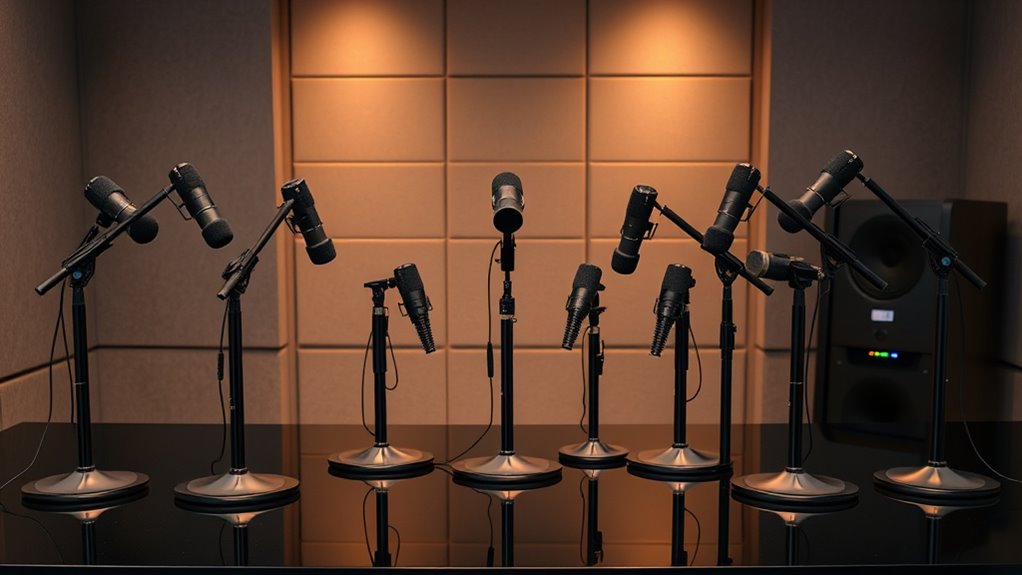

A microphone arm stand clears desk space and keeps a mic close, but the right choice depends on desk layout, mic weight, and how quietly the arm moves. My best overall pick is the RØDE PSA1+, which stands out as a premium studio-style option; the FIFINE BM88 and InnoGear MU-LP26 are standout low-profile alternatives for keeping the arm below eye level. The main tradeoffs are price versus adjustability, clamp-mounted convenience versus tripod portability, and built-in cable management versus simpler designs. This roundup compares all 14 options by fit, usability, and likely setup needs. Read on for the full breakdown and a guide to choosing the right arm for your desk.

Get smart everyday buys delivered free with Prime
- Fast, free delivery on millions of items
- Prime Video, Amazon Music and more included
- Member-only deals all year
Complete the kit

Key Takeaways
- The RØDE PSA1+ is the premium benchmark in this lineup, while the original PSA1 gives buyers a simpler studio-arm alternative.
- Low-profile designs solve a different problem than standard scissor arms: the FIFINE BM88 and InnoGear MU-LP26 suit setups where a raised arm could block a monitor or camera view.
- The tripod InnoGear stand is the portability outlier. It does not depend on a desk clamp, making it a better match for flexible room setups than fixed desktop recording.
- Accessory bundles vary widely. The Amazon Basics and InnoGear shock-mount package include pop-filter-related accessories, while bare arms may call for separate mic mounts and cable solutions.
- Clamp fit and mic compatibility matter more than the longest feature list. Buyers should check desk thickness, available mounting space, and the arm’s mic-thread or adapter needs before choosing.
| InnoGear Adjustable Boom Arm Microphone Stand, Black |  | Best Value Desk-Mounted Pick | Material: Steel | Color: Black | Maximum load capacity: 3.3 lb (1.5 kg) | VIEW ON AMAZON | See Our Full Breakdown |
| Amazon Basics Adjustable Microphone Boom Arm Stand with Pop Filter and Windscreen |  | Best for First-Time Setups | Brand: Amazon Basics | Model: DS-BBA001 | Arm length: 14 inches | VIEW ON AMAZON | See Our Full Breakdown |
| RØDE PSA1+ Professional Studio Boom Arm, Black |  | Best Premium Studio Arm | Desk thickness: Up to 70 mm | Microphone weight capacity: 0.25–1.2 kg | Rotation: 360 degrees | VIEW ON AMAZON | See Our Full Breakdown |
| SUNMON Microphone Boom Arm with Desk Clamp and 3/8″ to 5/8″ Adapter |  | Best for Popular Mic Compatibility | Arm type: Suspension boom arm with dual springs | Desk clamp capacity: Up to 1.89 inches (4.8 cm) thick | Adapter: 3/8-inch to 5/8-inch | VIEW ON AMAZON | See Our Full Breakdown |
| InnoGear Adjustable Tripod Microphone Stand with Boom Arm |  | Best Portable Floor-Standing Option | Model: TS186 | Height range: 28.1–89.8 inches | Boom arm length: 16–30 inches | VIEW ON AMAZON | See Our Full Breakdown |
| InnoGear Microphone Boom Arm Stand with Shock Mount, Pop Filter, and Cable Ties |  | Best Accessory Bundle | Brand: InnoGear | Model: MU059 | Microphone connection: Standard 3/8-inch to 5/8-inch adapters | VIEW ON AMAZON | See Our Full Breakdown |
| TODI Adjustable Mic Boom Arm with Desk Clamp and Cable Management |  | Best for Lightweight Microphones | Maximum extension: 29 inches | Material: All-metal body | Base hinge: 360° rotation | VIEW ON AMAZON | See Our Full Breakdown |
| InnoGear Microphone Boom Arm with Cable Management |  | Best for Long Reach and Cable Routing | Brand and model: InnoGear MU-PSA28 | Material: Steel | Horizontal reach: Up to 32.3 inches | VIEW ON AMAZON | See Our Full Breakdown |
| K KASONIC Adjustable Microphone Scissor Arm Stand |  | Best for a Reinforced Scissor Arm | Brand: K KASONIC | Model number: 638183948699 | Material: Steel | VIEW ON AMAZON | See Our Full Breakdown |
| FIFINE CS1 Scissor Microphone Boom Arm Stand |  | Best Simple Fold-Away Pick | Material: Metal | Desk clamp capacity: Up to 2 inches thick | Adjustment: 180° up-and-down rotation | VIEW ON AMAZON | See Our Full Breakdown |
| FIFINE BM88 Low-Profile Microphone Boom Arm |  | Best for Clear Monitor Sightlines | Material: Metal | Maximum extension: 29 inches | Vertical adjustment: 220 degrees | VIEW ON AMAZON | See Our Full Breakdown |
| Adjustable Heavy-Duty Microphone Boom Arm Stand, Black |  | Best for Heavy Microphones | Material: Iron | Maximum microphone weight: 4.4 lbs (2.0 kg) | Maximum desk thickness: 1.97 inches | VIEW ON AMAZON | See Our Full Breakdown |
| RØDE PSA1 Professional Studio Microphone Boom Arm |  | Best for Precise Studio Positioning | Model: PSA1 | Item type: Microphone mounting arm | Rotation: 360 degrees | VIEW ON AMAZON | See Our Full Breakdown |
| InnoGear MU-LP26 Low-Profile Microphone Boom Arm |  | Best for Thick Desks | Material: Alloy steel | Maximum extension: 25.6 inches | Horizontal rotation: 360 degrees | VIEW ON AMAZON | See Our Full Breakdown |
More Details on Our Top Picks
InnoGear Adjustable Boom Arm Microphone Stand, Black
This InnoGear makes sense for a straightforward desk setup where adjustable positioning and fold-away storage matter more than built-in cable routing or noise control. Its rotating base and several movement angles let me bring a microphone closer for recording, then fold the arm aside when the desk needs to clear. The 3.3 lb capacity gives it useful headroom for many standard microphones, and the included clip and thread adapter reduce the chance of needing another mounting part. Compared with the RØDE PSA1+, it lacks internal damping and cable management, so repositioning may be less discreet and tidy. The tradeoff is a simpler, more basic arm: its clamp needs a flat desk edge, and there is no shock mount in the box.
Pros:- Folds away to free desk space between recording sessions
- Supports microphones weighing up to 3.3 lb
- Includes a microphone clip and 5/8-to-3/8-inch adapter
- Multiple rotation and movement adjustments help position the mic
Cons:- Clamp requires a flat desk edge no thicker than 2 inches
- Shock mount is not included
- Does not include integrated cable management or stated internal spring damping
Best for: Home streamers and voice-call users who want a folding, desk-mounted arm for a standard microphone and have a flat desk edge up to 2 inches thick.
Not ideal for: Recordists with a shock-mounted microphone, a slanted or unusually shaped desk edge, or a need for quiet movement and integrated cable management.
- Material:Steel
- Color:Black
- Maximum load capacity:3.3 lb (1.5 kg)
- Desk clamp compatibility:Flat desk edges up to 2 inches thick
- Base rotation:360°
- Arm movement:135° back-and-forth extension; 180° arm movement
- Included accessories:Microphone clip and 5/8-to-3/8-inch adapter
- Shock mount:Not included
Our verdict“Choose this InnoGear for a flexible, foldable desk arm with useful included mounting parts, but skip it if quiet movement or a shock mount is a priority.”
Amazon Basics Adjustable Microphone Boom Arm Stand with Pop Filter and Windscreen
For a first desk-mounted microphone arm, this Amazon Basics package prioritizes ready-to-use accessories over premium arm features. A pop filter and foam windscreen come alongside the mic clip and adapter, giving beginners simple ways to reduce plosive bursts without sourcing each part separately. The 14-inch arm suits a standard desktop position, though it offers less reach than the InnoGear tripod stand’s 16-to-30-inch boom and is not a substitute for a floor stand. Compared with the InnoGear desk arm, the Amazon Basics bundle is more focused on vocal accessories, but its stability depends on the microphone’s weight, arm position, and a firmly secured clamp. Heavier setups or full extension may be a poor match; I would choose a lighter, conventional microphone and keep the arm within a controlled working position.
Pros:- Includes both a pop filter and foam windscreen for vocal use
- Comes with a mic clip and screw adapter
- 14-inch arm is suited to a standard desk setup
- Clamp fits desks up to 2 inches thick
Cons:- Stability can decrease with heavier microphones or full extension
- Requires careful tension adjustment and secure clamp installation
- Shorter reach than the InnoGear tripod stand’s 16-to-30-inch boom
Best for: New streamers or remote workers assembling a basic desk microphone setup who want a pop filter, windscreen, clip, and adapter included.
Not ideal for: Users with heavier microphones, setups that need substantial reach, or anyone who frequently positions the arm fully extended.
- Brand:Amazon Basics
- Model:DS-BBA001
- Arm length:14 inches
- Desk clamp compatibility:Desks up to 2 inches thick
- Included components:Pop filter, windscreen, screw adapter, mic clip
- Mic clip diameter:1.10 inches
- Adapter thread:3/8-inch-16 female to 5/8-inch-27 male
- Compatible microphones:Blue Yeti, Blue Yeti Pro, Snowball, HyperX QuadCast
Our verdict“Pick this bundle for a beginner-friendly desk setup with vocal accessories included, not for heavy microphones or long-reach positioning.”
RØDE PSA1+ Professional Studio Boom Arm, Black
The RØDE PSA1+ stands apart in this group for quiet repositioning and cable management, features that matter when an arm moves during a recording or sits in view on camera. Its internally damped springs are designed to reduce movement noise, while integrated cable management keeps the setup tidier than the InnoGear Adjustable Boom Arm, which offers folding convenience but no stated damping or cable routing. The PSA1+ also supports microphones and shock mounts across a 0.25–1.2 kg range, making it a better fit for a complete studio-style microphone assembly than a basic clip-only setup. The tradeoff is desk dependence: the clamp accepts surfaces up to 70 mm thick, but it cannot serve users who need a floor stand like the InnoGear TS186. Check both desk thickness and microphone weight before choosing it.
Pros:- Internally damped springs support quieter repositioning
- Integrated cable management keeps the recording area tidier
- Supports microphones with shock mounts within its stated weight range
- Includes 3/8-inch and 5/8-inch mount compatibility
Cons:- Desk clamp fits only desks up to 70 mm thick
- Microphone weight must fall between 0.25 and 1.2 kg
- Desk-mounted design is less suited to portable setups than the InnoGear TS186 tripod
Best for: Streamers, podcasters, and voice recordists who want quiet arm movement, cable management, and support for a microphone with a shock mount.
Not ideal for: Users whose desk is thicker than 70 mm, whose microphone falls outside the stated weight range, or who need a portable floor stand.
- Desk thickness:Up to 70 mm
- Microphone weight capacity:0.25–1.2 kg
- Rotation:360 degrees
- Mount compatibility:3/8-inch and 5/8-inch
- Cable management:Integrated
- Spring system:Internally damped
- Included:Boom arm, desk clamp, thread adaptors
- Color:Black
Our verdict“Choose the PSA1+ for a desk-bound studio setup where quiet movement and tidy cable routing matter more than portability.”
SUNMON Microphone Boom Arm with Desk Clamp and 3/8″ to 5/8″ Adapter
The SUNMON is a practical match for buyers choosing an arm around a familiar microphone, with listed compatibility spanning models such as the Blue Yeti, HyperX QuadCast, Shure MV7, and Fifine AM8. Its dual springs and reinforced knobs are intended to help the arm hold its selected position, while a padded clamp offers some protection for the desktop. Compared with the Amazon Basics arm, it has a broader named microphone compatibility list but does not include a pop filter or windscreen. That makes it more of a positioning accessory than a ready-made vocal package. The main fit limit is its clamp, which accepts desktops only up to 1.89 inches thick—slightly less than the 2-inch limit on the InnoGear and Amazon Basics desk arms. The microphone itself is not included.
Pros:- Lists compatibility with a broad range of popular microphones
- Dual springs and reinforced knobs help maintain positioning
- Padded clamp helps protect the desktop surface
- Includes a 3/8-to-5/8-inch adapter
Cons:- Microphone is not included
- Clamp limit of 1.89 inches is lower than the 2-inch limits on the InnoGear and Amazon Basics arms
- Does not include a pop filter or windscreen like the Amazon Basics bundle
Best for: Owners of listed Blue, HyperX, Shure, Fifine, Rode, or Razer microphones who need a spring-arm desk mount and have a desktop no thicker than 1.89 inches.
Not ideal for: Buyers who need a microphone included, want vocal filters in the box, or have a desktop thicker than 1.89 inches.
- Arm type:Suspension boom arm with dual springs
- Desk clamp capacity:Up to 1.89 inches (4.8 cm) thick
- Adapter:3/8-inch to 5/8-inch
- Included:Boom arm, desk clamp, screw adapter
- Microphone included:No
- Compatible microphones:Blue Yeti, Blue Snowball, HyperX QuadCast, HyperX SoloCast, Shure MV7, Shure SM7B, Fifine K688, Fifine AM8, Rode, Razer Mini
- Brand:SUNMON
Our verdict“Choose the SUNMON if your microphone is on its compatibility list and your desk fits the narrower clamp limit, but look elsewhere for a complete vocal-accessory bundle.”
InnoGear Adjustable Tripod Microphone Stand with Boom Arm
Unlike the desk-clamp arms in this roundup, the InnoGear TS186 is a freestanding tripod, so it can place a microphone beside a desk, in a rehearsal space, or on a stage without needing a suitable desk edge. Its height range of 28.1–89.8 inches and 16-to-30-inch detachable boom give it far more placement range than the Amazon Basics 14-inch desk arm. Two microphone clips, cable clips, an adapter, and a carrying bag make it a more travel-ready package than the desk-mounted options, though the 4.0 lb stand still has some weight to carry. It also takes more setup space and requires disassembly for compact storage. Choose it for height flexibility and room-to-room use; skip it if a fixed, uncluttered desktop mount is the main goal.
Pros:- Adjusts from 28.1 to 89.8 inches tall
- Detachable boom extends from 16 to 30 inches and rotates
- Steel tripod construction provides a freestanding alternative to desk clamps
- Includes two microphone holders, cable clips, an adapter, and a carrying bag
Cons:- At 4.0 lb, it is less convenient to carry than a desk-mounted arm
- Requires disassembly for compact storage
- Uses floor space rather than keeping the stand attached to the desk
Best for: Musicians, presenters, and mobile creators who need a height-adjustable floor stand that can work at a desk, on stage, or in a practice space.
Not ideal for: Buyers who want a permanently mounted, space-saving desk arm or need the stand to pack down without disassembly.
- Model:TS186
- Height range:28.1–89.8 inches
- Boom arm length:16–30 inches
- Boom arm rotation:360° horizontal; up to 180° vertical
- Stand weight:4.0 lb
- Material:Steel
- Included components:Tripod mic stand, 3/8-inch to 5/8-inch adapter, microphone holders, cable clips, carrying bag
- Carrying bag dimensions:19.5 × 8.3 inches
- Warranty:12 months
Our verdict“Choose the TS186 if you need a portable, height-adjustable microphone stand that works beyond a desk; choose a clamp arm for a more permanent desktop setup.”
InnoGear Microphone Boom Arm Stand with Shock Mount, Pop Filter, and Cable Ties
This is the bundle pick for buyers who want more than a bare microphone arm stand. It includes a clamp, pop filter, shock mount, adapter, and cable ties, so it can cover several setup needs at once. Compared with the InnoGear MU-PSA28, which offers longer reach and built-in cable channels, this model focuses on included recording accessories rather than reach or cable routing. Its spring-loaded arm is intended to help limit shaking, while the clamp fits desks up to 2 inches thick. The compatibility caveat matters: the included 52 mm shock mount does not fit Blue Yeti, even though the arm itself can work with that microphone. I’d choose it for a compatible mic and an all-in-one starter setup, but skip it if you need a guaranteed Yeti shock-mount fit or longer reach.
Pros:- Includes a pop filter, shock mount, table clamp, adapter, and five cable ties
- Spring-loaded arm is designed to reduce shaking and help keep a microphone supported
- Fits desks up to 2 inches thick
- Adapters support many standard 3/8-inch and 5/8-inch microphone connections
Cons:- Included shock mount does not fit the Blue Yeti
- Microphone fit can depend on its size and adapter needs
- Does not list the extended reach or built-in cable channels offered by the InnoGear MU-PSA28
Best for: New podcasters or streamers with a compatible standard-thread microphone who want a pop filter, shock mount, and cable ties included with the arm.
Not ideal for: Blue Yeti owners seeking to use the included shock mount, or buyers who need an arm with specified long reach and integrated cable channels.
- Brand:InnoGear
- Model:MU059
- Microphone connection:Standard 3/8-inch to 5/8-inch adapters
- Shock mount hole diameter:52 mm
- Maximum desk thickness:2 inches
- Included accessories:Table clamp, screw adapter, double-layer pop filter, shock mount, 5 cable ties
Our verdict“Choose this bundle for a compatible microphone when included recording accessories matter more than extended reach or a Yeti-ready shock mount.”
TODI Adjustable Mic Boom Arm with Desk Clamp and Cable Management
The TODI is a sensible fit for a compact desktop setup that needs long reach without a bulky footprint. It extends up to 29 inches, folds away, and has a 360° base hinge, giving it more reach than the foldable FIFINE CS1 listing specifies. Cable management is built in, so the arm can keep a lightweight mic’s cable tidier as the position changes. Its all-metal body adds structure, but that should not be mistaken for heavy-duty capacity: the product is designed for lightweight microphones, unlike the InnoGear MU-PSA28, which lists a maximum load of 3.5 pounds. Thread compatibility also needs checking, since some 1/4-inch microphones will not fit. I’d shortlist it for a light mic and flexible placement, not a heavier studio microphone.
Pros:- Extends up to 29 inches for flexible microphone placement
- 360° base hinge supports broad positioning adjustments
- Fold-away design can clear desk space when the arm is not in use
- Built-in cable management helps keep the microphone lead organized
Cons:- Designed for lightweight microphones rather than heavy-duty studio setups
- Not compatible with some microphones using a 1/4-inch thread
- Microphone is not included
Best for: Streamers or remote workers using a lightweight microphone who want generous reach, cable management, and an arm that folds aside.
Not ideal for: Owners of heavy studio microphones or microphones using an incompatible 1/4-inch thread, since the arm is intended for lightweight models.
- Maximum extension:29 inches
- Material:All-metal body
- Base hinge:360° rotation
- Mount threads:3/8 inch and 5/8 inch
- Features:Desk clamp, cable management, fold-away design
- Microphone compatibility:Designed for lightweight microphones; some 1/4-inch thread microphones are incompatible
- Microphone included:No
Our verdict“Pick the TODI for a lightweight microphone that needs long, fold-away reach, but choose a specified higher-capacity arm for a heavier mic.”
InnoGear Microphone Boom Arm with Cable Management
For a desk where the microphone needs to reach across a monitor or sit well off to one side, the MU-PSA28 has the clearest reach advantage in this batch: up to 32.3 inches horizontally, with a riser for added height. Its steel construction and stated 3.5-pound maximum load also make its capacity more explicit than the lightweight-focused TODI. The covered cable channels keep routing neater than the cable strips included with the K KASONIC, while the 360° base gives room to reposition the arm. The tradeoff is that this is a stand, not a full accessory bundle: no shock mount is included. Its clamp also only fits desks up to 2 inches thick. I’d favor it for a heavier compatible mic and a cable-conscious setup, but not for buyers who want pop filtering or shock isolation in the box.
Pros:- Horizontal reach up to 32.3 inches, with a 6.3-inch extension riser
- Steel arm lists a maximum load of 3.5 pounds
- Cable channels and covers keep the microphone lead routed along the arm
- 360° rotating base and multiple arm adjustments allow flexible positioning
Cons:- Shock mount is not included
- Desk clamp fits desks only up to 2 inches thick
- Does not include the pop filter and shock mount supplied with the InnoGear MU059 bundle
Best for: Podcasters and streamers with a compatible microphone weighing up to 3.5 pounds who need extended reach and tidy cable routing.
Not ideal for: Buyers who need a shock mount or pop filter included, or anyone whose desk is thicker than 2 inches at the clamp point.
- Brand and model:InnoGear MU-PSA28
- Material:Steel
- Horizontal reach:Up to 32.3 inches
- Vertical reach:Up to 37.4 inches
- Extension riser:6.3 inches
- Maximum load:3.5 lbs
- Desk clamp capacity:Desks up to 2 inches thick
- Adjustability and connector:135° back and forth, 180° up and down, 360° rotating base; 5/8-inch metal connector
Our verdict“Choose the MU-PSA28 for a compatible heavier microphone that needs long reach and built-in cable routing, and add a shock mount separately if needed.”
K KASONIC Adjustable Microphone Scissor Arm Stand
The K KASONIC suits buyers who want a traditional double-braced scissor arm with a reinforced spring and a padded clamp. Those details make it a sturdier-style alternative to the simpler FIFINE CS1, while its foldable design and 360° rotation support desk repositioning or transport. It also supplies a microphone clip and three cable-organizing strips, though that is a lighter cable solution than the covered channels on the InnoGear MU-PSA28. There is an adjustment quirk to respect: loosen the knob before changing the angle to avoid damaging the threads. The included clip may also need swapping to suit a particular microphone. I’d pick this for someone who values reinforced construction and portability, but not for a buyer who expects effortless angle changes or assured fit with every mic.
Pros:- Double-braced steel arms and reinforced spring support the scissor-arm structure
- Padded clamp helps protect the desk surface
- Folds for transport and rotates 360°
- Includes a microphone clip and three cable-organizing strips
Cons:- The knob should be loosened before angle changes to avoid thread damage
- The included clip may need replacing for a particular microphone
- Cable strips do not provide the covered routing built into the InnoGear MU-PSA28
Best for: Mobile streamers or home creators who want a foldable, double-braced arm and a padded clamp for a desk up to 2 inches thick.
Not ideal for: Buyers who frequently reposition their mic and want quick adjustments, or those whose microphone needs a different clip or adapter.
- Brand:K KASONIC
- Model number:638183948699
- Material:Steel
- Maximum desk thickness:2 inches
- Rotation:360°
- Included components:Scissor arm stand, table mounting clamp, microphone clip, 3 sticky strips
Our verdict“Choose the K KASONIC for a reinforced, portable scissor arm if you are willing to check clip compatibility and adjust it carefully.”
FIFINE CS1 Scissor Microphone Boom Arm Stand
The FIFINE CS1 keeps the setup focused on the essentials: a foldable metal arm, spring-supported positioning, and an adapter for common 5/8-inch and 3/8-inch connections. Its anti-scratch clamp is a useful detail for a desk that needs surface protection, though its 2-inch thickness limit is shared by the K KASONIC and both InnoGear arms in this batch. Compared with the K KASONIC, the CS1 lists straightforward 180° up-and-down adjustment but does not include a microphone clip or cable-organizing strips in the supplied data. It is a more pared-back choice than the InnoGear MU059 bundle, which adds a pop filter and shock mount. That keeps the CS1 suited to buyers who already have their microphone accessories, but the microphone itself is not included and fit still depends on the connection.
Pros:- Foldable design saves desk space and supports portability
- Anti-scratch clamp pad helps protect desktops
- Spring-supported arm is designed for stable positioning
- Included adapter supports compatible 5/8-inch and 3/8-inch microphones
Cons:- Microphone is not included
- Clamp fits desktops only up to 2 inches thick
- Does not list the pop filter and shock mount included with the InnoGear MU059
Best for: A home streamer or remote worker who already owns a compatible microphone and wants a simple, foldable arm with a desk-protecting clamp.
Not ideal for: First-time buyers seeking a complete microphone-and-accessory setup, or people with desktops thicker than 2 inches.
- Material:Metal
- Desk clamp capacity:Up to 2 inches thick
- Adjustment:180° up-and-down rotation
- Adapter:5/8-inch to 3/8-inch
- Foldable:Yes
- Microphone included:No
Our verdict“Choose the CS1 if you want a straightforward fold-away arm for a compatible microphone and do not need bundled recording accessories.”
FIFINE BM88 Low-Profile Microphone Boom Arm
The FIFINE BM88 suits desk setups where a conventional scissor arm would sit across the screen. Its low-profile reach extends up to 29 inches, while 360-degree horizontal rotation makes it easier to swing the microphone aside when it is not needed. Compared with the InnoGear MU-LP26, the BM88 offers a longer stated extension and a clamp that fits desks up to 2.4 inches thick; the InnoGear accepts thicker desks and has a wider vertical adjustment range. Metal construction, cable management, and adapters for three thread sizes make the BM88 a flexible, tidy mounting option. The tradeoff is that the arm section nearest the clamp cannot adjust vertically, which limits positioning from that end. The microphone is also not included.
Pros:- Low-profile design helps keep the monitor view unobstructed
- Metal construction supports stable positioning
- Cable management keeps the setup tidier
- Adapters cover 1/4-inch, 3/8-inch, and 5/8-inch threads
Cons:- The joint nearest the clamp cannot be adjusted vertically
- Desk clamp does not fit surfaces thicker than 2.4 inches
- Microphone is not included
Best for: Streamers and podcasters who want a low-profile arm that keeps the monitor area clear and need compatibility with several microphone thread sizes.
Not ideal for: People who need vertical adjustment at the desk-side joint or have a desk thicker than 2.4 inches.
- Material:Metal
- Maximum extension:29 inches
- Vertical adjustment:220 degrees
- Horizontal adjustment:360 degrees
- Desk thickness compatibility:0.8–2.4 inches
- Thread sizes:1/4 inch, 3/8 inch, and 5/8 inch
- Included components:Boom arm stand, desk clamp, rotatable ball-head, Allen wrench, user manual, and thread adapters
- Warranty:One year
Our verdict“Choose the BM88 if a clear monitor sightline and broad thread compatibility matter more than vertical adjustment at the clamp-side joint.”
Adjustable Heavy-Duty Microphone Boom Arm Stand, Black
This iron yayaboqu Nb35 is the most weight-focused option in this group, with support for microphones up to 4.4 pounds. Reinforced springs and multiple adjustment points suit heavier setups that call for a traditional scissor arm, while the protective clamp pads help guard the desk surface. By comparison, the RØDE PSA1 is designed for microphones between 700 grams and 1.1 kilograms, so the Nb35 has a higher stated capacity and folds to a compact 15.75 inches for storage. Its extended length is about 29.9 inches, but the clamp only fits desks up to 1.97 inches thick—a narrower fit than the FIFINE BM88 or InnoGear MU-LP26. The included clip and adapter add flexibility, though buyers with wider microphones should check the 1.77-inch diameter limit.
Pros:- Supports microphones up to 4.4 pounds
- Iron construction with reinforced springs
- Protective non-slip pads on the desk clamp
- Folds to 15.75 inches for storage
Cons:- Clamp fits desks only up to 1.97 inches thick
- Microphone diameter is limited to 1.77 inches
- Microphone is not included
Best for: Users mounting heavier microphones who want a foldable iron scissor arm and have a desk edge no thicker than 1.97 inches.
Not ideal for: Owners of thick desks or microphones wider than 1.77 inches, and anyone seeking a low-profile arm that stays below the monitor.
- Material:Iron
- Maximum microphone weight:4.4 lbs (2.0 kg)
- Maximum desk thickness:1.97 inches
- Extended arm length:Approximately 29.9 inches
- Folded length:15.75 inches
- Microphone diameter compatibility:Up to 1.77 inches
- Included adapter:3/8-inch to 5/8-inch
- Warranty:1 year
Our verdict“Pick the Nb35 for a higher-capacity folding scissor arm, provided its clamp and microphone-size limits match your setup.”
RØDE PSA1 Professional Studio Microphone Boom Arm
The RØDE PSA1 stands out for its parallelogram arm and internal springs, which help the microphone maintain its orientation as you reposition it. That design is useful for podcast and recording setups where the mic needs to move smoothly between speaking positions without constantly correcting its angle. Unlike the low-profile FIFINE BM88, the PSA1 is a traditional studio boom focused on controlled repositioning rather than keeping the arm tucked beneath a monitor. Its included desk clamp and surface-mount option also give installers more choice than a clamp-only setup. The main limitation is microphone weight: it is suited to models between 700 grams and 1.1 kilograms, so lighter or heavier microphones fall outside the stated range. Buyers who need a broader capacity should compare it with the yayaboqu Nb35, which supports up to 4.4 pounds.
Pros:- Parallelogram design helps preserve microphone orientation during repositioning
- Internal springs support controlled arm movement
- Includes both desk-clamp and surface-mount options
- Compatible with USB, studio, and broadcast microphones within its weight range
Cons:- Only suitable for microphones weighing 700 grams to 1.1 kilograms
- Traditional arm layout is less suited to a low-profile monitor setup
- Microphone is not included
Best for: Podcast and studio users with a 700-gram-to-1.1-kilogram microphone who want controlled repositioning and a choice of clamp or surface mounting.
Not ideal for: Users with microphones outside the stated weight range or anyone prioritizing a low-profile arm beneath a monitor.
- Model:PSA1
- Item type:Microphone mounting arm
- Rotation:360 degrees
- Compatible microphone weight:700 g to 1.1 kg
- Mounting options:Desk clamp and surface mount
- Arm design:Parallelogram with internal springs
- Warranty:1 year
Our verdict“Choose the PSA1 for controlled studio repositioning if your microphone falls within its specified weight range.”
InnoGear MU-LP26 Low-Profile Microphone Boom Arm
The InnoGear MU-LP26 makes the strongest case for buyers with a thicker desk edge: its clamp accommodates surfaces up to 2.75 inches, more than the FIFINE BM88’s 2.4-inch limit or the yayaboqu Nb35’s 1.97-inch limit. The low-profile arm tucks beneath a monitor, rotates 360 degrees horizontally, and offers 250 degrees of vertical adjustment for flexible placement. It supports microphones up to 3.3 pounds, giving it more stated capacity than the RØDE PSA1 but less than the Nb35. At 25.6 inches, its reach is shorter than the BM88’s 29-inch extension, so it may be less suitable for deep desks or distant speaking positions. The padded clamp can also double as a headphone hook, though the desk still needs a suitable edge for attachment.
Pros:- Clamp fits desks up to 2.75 inches thick
- Low-profile design tucks beneath a monitor
- Supports microphones up to 3.3 pounds
- Padded clamp can also serve as a headphone hook
Cons:- Maximum extension is shorter than the FIFINE BM88
- Requires a desk edge suitable for clamp mounting
- Microphone is not included
Best for: Streamers and home-studio users with desks up to 2.75 inches thick who want a low-profile arm and a microphone capacity up to 3.3 pounds.
Not ideal for: People who need more than 25.6 inches of reach, a free-standing stand, or a desk without a suitable edge for the clamp.
- Material:Alloy steel
- Maximum extension:25.6 inches
- Horizontal rotation:360 degrees
- Vertical adjustment:250 degrees
- Weight capacity:3.3 lbs (1.5 kg)
- Maximum desk thickness:2.75 inches
- Included adapters:3/8-inch to 5/8-inch and 3/8-inch to 1/4-inch
- Warranty:12 months
Our verdict“Choose the MU-LP26 if you want a low-profile arm for a thicker desk and can work within its 25.6-inch reach.”

How We Picked
I compared the 14 stands as mic-support tools, not as interchangeable desk accessories. The main criteria were mounting style and desk fit, usable reach and positioning range, construction and expected stability, cable routing, included adapters or accessories, and how well each design suits a particular recording setup. A useful arm should hold a compatible microphone where the user needs it without taking over the workspace or making routine repositioning awkward.
The ranking favors versatility and dependable setup value for the leading general-purpose picks, then gives specialized designs credit when they solve a clear need. Premium studio arms rank on refinement and positioning features, not on being the right choice for every desk. Bundle contents do not automatically make a stand better: a basic arm may be the smarter buy for someone who already owns a shock mount, while a tripod or low-profile model can outrank a conventional clamp arm for a specific workspace.
Factors to Consider When Choosing Microphone Arm Stand
Before choosing, match the arm to the way your workspace operates rather than shopping by appearance alone. These four checks can prevent fit problems and help you decide when a simpler arm is enough and when a more specialized design earns its place.
Match the mount to your desk and recording space
A desk clamp is usually the most space-efficient option, but it needs a suitable edge and enough clearance for the clamp to close securely. Check the desk’s thickness and shape, plus any lip, cable tray, or wall that could obstruct installation. A tripod stand avoids clamp compatibility issues and can move between locations, though its legs occupy floor or desk space. Avoid assuming that every clamp will fit a thick, beveled, or unusually shaped desktop. If you record at more than one station, portability may matter more than keeping the desk completely clear.
Check reach, height, and where the arm parks
Arm reach is only useful if it places the microphone correctly from your usual sitting or standing position. Measure from the likely mounting point to your speaking position, then check whether the arm can fold away without hitting a monitor, shelf, or wall. Standard scissor arms rise above the desk and can offer flexible positioning, while low-profile models keep more of the arm below the screen line. A common mistake is choosing by maximum reach alone and overlooking the space needed for the arm’s joints. If the mic must move between calls and stay out of the camera frame, parked position deserves as much attention as reach.
Confirm microphone weight, mount, and thread compatibility
Microphones, shock mounts, and adapters all add load, so check the arm’s stated capacity against the complete assembly rather than the mic body alone. A heavier setup can sag or feel difficult to position on an arm that is not suited to it. Verify the thread connection and whether an adapter is included; mic mounts do not all use the same thread. Buyers sometimes focus on the microphone model and forget that a shock mount changes both weight and clearance. When compatibility details are unclear, confirm them with the manufacturer before ordering rather than relying on a generic product photo.
Decide how much cable management you really need
Built-in routing can keep a desk neater and reduce cables catching on the joints, especially when the arm moves often. It also limits how easily you can swap cables or change routing, depending on whether the system uses clips, channels, or ties. Check whether the arm can accommodate your cable thickness and connector size, not just whether cable management is listed. A loose cable can pull on the mic or add noise during repositioning, so leave slack around moving joints. If your setup already uses a boom or interface cable routed elsewhere, a simple arm may be easier to adapt than one with fixed guides.
Choose between a bare arm and an accessory bundle
Bundles with pop filters, windscreens, shock mounts, or ties can reduce the number of separate parts to source, but only if those accessories suit your microphone and recording needs. A pop filter helps manage plosive sounds; it does not replace a compatible shock mount or correct poor mic placement. Bundled accessories may also add weight and extend the setup away from the arm. If you already own those components, paying attention to the arm’s build and movement is more useful than duplicating them. Beginners may value a ready-to-assemble package, while established setups often benefit from choosing each component separately.
Frequently Asked Questions
Will any of these microphone arms fit my desk?
No single clamp design fits every desk. Measure the desktop thickness and inspect its underside for a cable tray, frame, or apron that could block the clamp. A beveled or rounded edge can also affect how securely a clamp seats. If a desk clamp is a poor match, the InnoGear tripod stand avoids that requirement, though it takes up more room. Check the manufacturer’s fit specifications before choosing a clamp-mounted model.
Should I choose a low-profile arm or a standard scissor arm?
Choose based on where the arm needs to sit while you work. Low-profile options such as the FIFINE BM88 and InnoGear MU-LP26 are worth a closer look when a raised arm could cross a monitor or camera view. A standard scissor arm can suit users who want more overhead positioning flexibility or need the mic to reach from a side-mounted clamp. Measure the path from the clamp to your speaking position and check for shelves or screens in that path. Neither layout is universally better; the desk arrangement decides.
Do I need a shock mount or pop filter with a microphone arm?
An arm supports and positions the microphone; it does not automatically control plosive sounds or isolate every vibration. A pop filter can help soften bursts of air from speech, while a shock mount can reduce some vibration transmitted through the stand. The right parts depend on your microphone’s shape and mounting connection, so confirm fit before buying a bundle. If you already own compatible accessories, a bare arm may avoid duplicate parts. Bundled kits can be convenient for a new setup, but their accessories should not outweigh arm fit and stability.
Is a premium studio arm worth choosing over a basic boom arm?
A premium arm makes the most sense when you reposition the microphone often, want a more refined desk setup, or depend on consistent placement during recording. The RØDE PSA1+ is the premium pick in this lineup, while simpler options can meet the needs of a mostly fixed mic position. Higher-end features have little value if the clamp does not fit your desk or the arm cannot support your complete mic assembly. Consider how often you move the mic and how disruptive sag, cable snags, or awkward adjustments would be. For occasional voice calls, a basic compatible arm may be the more sensible choice.
How can I tell if an arm will support my microphone and shock mount?
Add the weight of the microphone, shock mount, and any attached accessories, then compare the total with the arm’s stated capacity. Also confirm that the arm’s mount thread or supplied adapter matches the microphone holder. Weight capacity alone does not describe the full fit: a long or bulky microphone can hit a monitor or desk even when it is within the limit. Look for manufacturer compatibility details, especially if the mic assembly is unusually heavy. If those details are missing, ask the maker rather than assuming a standard adapter will solve every mismatch.
Conclusion
For a general-purpose studio desk, my best overall pick is the RØDE PSA1+; it leads this roundup as the premium-style choice for buyers who value a refined arm and frequent positioning. The best value direction is a straightforward InnoGear or Amazon Basics arm, with the exact choice depending on whether you want a simpler setup or bundled accessories. For a beginner, the Amazon Basics arm with pop filter and windscreen offers a more ready-to-start package, provided its clamp and accessories suit the setup. Choose the FIFINE BM88 or InnoGear MU-LP26 for a low-profile layout, and the InnoGear tripod stand when desk clamping is inconvenient or portability matters. If you want a premium alternative to the PSA1+, compare the original RØDE PSA1 against your reach and positioning needs before deciding.