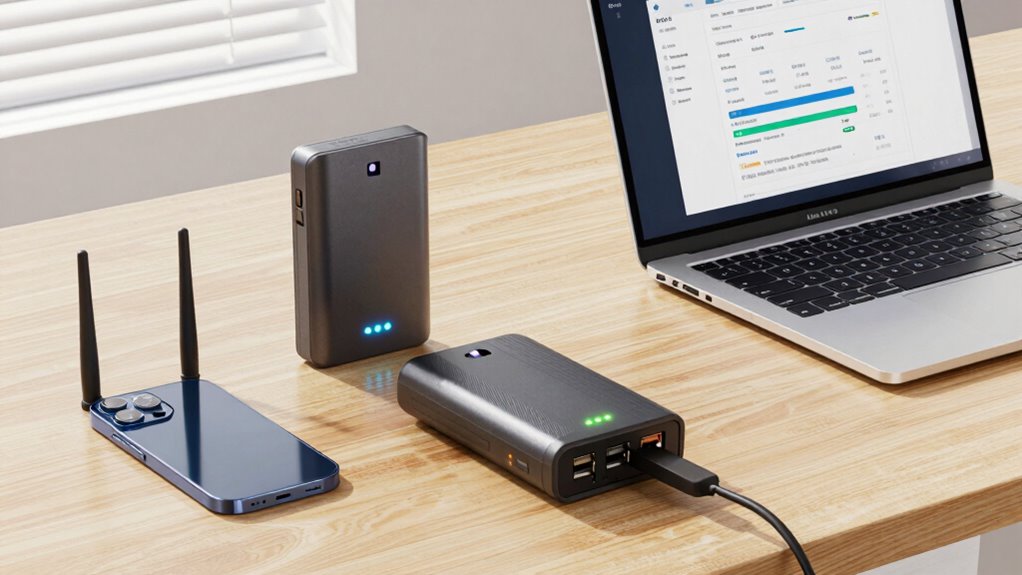
For remote workers, reliable internet is essential, but outages or weak signals can disrupt productivity. The best backup internet devices provide seamless connectivity during these disruptions, with options ranging from portable hotspots to cellular routers. The eero Signal 4G LTE Cellular Backup stands out as the overall top choice for its integration with existing networks, while the T8 Portable WiFi Hotspot offers excellent value with a large data plan. However, tradeoffs include factors like device size, data limits, and compatibility. Continue reading for a detailed breakdown of each option and how to choose the right backup internet device for your needs.

Get smart everyday buys delivered free with Prime
- Fast, free delivery on millions of items
- Prime Video, Amazon Music and more included
- Member-only deals all year
Key Takeaways
- Top picks are distinguished by their ease of use and compatibility with existing setups.
- Data plans and limits significantly influence ongoing costs and usability.
- Portability varies, with some devices designed for on-the-go use and others for stationary backup.
- Network compatibility and support for multiple devices are key factors for remote workers.
- Higher-priced options often offer better reliability and additional features, but may not be necessary for all users.
| eero Signal 4G LTE Cellular Backup for eero Systems |  | Best Overall for Seamless eero Network Integration | Connectivity: 4G LTE cellular backup | Subscription Required: Yes, eero Plus | Backup Data: 10 GB/year or 100 GB/month with eero Plus 100 | VIEW ON AMAZON | See Our Full Breakdown |
| T8 Portable WiFi Hotspot with 100GB USA Data, 365-Day Plan |  | Best Value for Long-Term US Data with No Contract | Data: 100GB USA Data | Validity: 365 days | Connectivity: 4G LTE | VIEW ON AMAZON | See Our Full Breakdown |
| ECOVOX E1 Portable 4G LTE WiFi Hotspot, SIM-Free Mobile Router |  | Best Compact and Flexible for Travel and Family Use | Connectivity: 4G LTE | SIM: Cloud SIM (SIM-Free) | Device Capacity: Up to 9 devices | VIEW ON AMAZON | See Our Full Breakdown |
| UniFi 5G Backup Gateway (U5G) |  | Best for Business-Grade 5G Reliability and Versatility | Dimensions: 7.9″ x 1.5″ x 0.8″ | Connectivity: 5G RedCap, LTE, Gigabit Ethernet with PoE | SIM Support: Nano-SIM (4FF) and eSIM | VIEW ON AMAZON | See Our Full Breakdown |
| S2 Portable WiFi Hotspot with 10GB Free USA Data – 4G LTE Mobile MiFi |  | Best for Short-Term Travel and Light Backup Needs | Network: 4G LTE | Data: 10GB free (valid for 30 days), 2GB monthly rollover | WiFi Technology: WiFi 6 | VIEW ON AMAZON | See Our Full Breakdown |
| 4G LTE Mobile WiFi Hotspot Unlocked, Portable Cellular Router with Nano‑SIM Slot, Connects Up to 25 Devices |  | Best for Group Outings and Outdoor Activities | Frequency Band: Dual-Band | Wireless Compatibility: 802.11a, 802.11ad, 802.11b | Security Protocol: WPA3, WPS2 | VIEW ON AMAZON | See Our Full Breakdown |
| ECOVOX E1 Portable WiFi Hotspot, 4G LTE Mobile Hotspot with Cloud SIM, 13-Hour Battery, Connects Up to 9 Devices |  | Best for International Travel and Solo Remote Work | Battery Capacity: 3500mAh | Connectivity: 4G LTE | Device Connections: Up to 9 devices | VIEW ON AMAZON | See Our Full Breakdown |
| backup internet devices for remote worker | Connectivity |
|---|---|
| eero Signal 4G LTE Cellular Ba | 4G LTE cellular backup |
| T8 Portable WiFi Hotspot with | 4G LTE |
| ECOVOX E1 Portable 4G LTE WiFi | 4G LTE |
| UniFi 5G Backup Gateway | 5G RedCap, LTE, Gigabit Ethernet with PoE |
| S2 Portable WiFi Hotspot with | — |
| 4G LTE Mobile WiFi Hotspot Unl | — |
| ECOVOX E1 Portable WiFi Hotspo | 4G LTE |
More Details on Our Top Picks
eero Signal 4G LTE Cellular Backup for eero Systems
This option stands out for its seamless integration with existing eero systems, providing reliable cellular backup that activates automatically when wired internet drops. Compared to the S2 Portable WiFi Hotspot, it offers a more polished, app-controlled setup, but it requires an ongoing eero Plus subscription, which can be a drawback for budget-conscious users. The device’s ability to switch effortlessly between wired and cellular connections makes it ideal for those already invested in eero ecosystems or seeking a hassle-free backup solution. However, its limited data tiers and exclusive compatibility mean it’s less suited for users without eero hardware or needing large data plans.
Pros:- Ensures continuous internet during outages with automatic switching
- Seamless management via the eero app
- Flexible placement options for optimal coverage
- Reliable cellular connection via eSIM technology
Cons:- Requires an annual eero Plus subscription
- Limited to eero ecosystem, restricting versatility
- Backup data is capped without higher-tier plans
Best for: Remote workers already using eero networks who want integrated, automatic backup without managing multiple devices
Not ideal for: Users without eero systems or those seeking a standalone backup device with extensive data options
- Connectivity:4G LTE cellular backup
- Subscription Required:Yes, eero Plus
- Backup Data:10 GB/year or 100 GB/month with eero Plus 100
- Setup:Guided via eero app
- Warranty:3 years
Our verdict“Best for existing eero users who prioritize hassle-free, integrated cellular backup for their home network.”
T8 Portable WiFi Hotspot with 100GB USA Data, 365-Day Plan
This device offers a generous 100GB of data valid for an entire year, making it ideal for remote workers who need a simple, no-contract mobile internet solution. Compared to the S2 Portable WiFi Hotspot, it provides a larger, longer-lasting data plan but is limited to the US, lacking international coverage. Its support for up to 8 devices and 4G LTE speeds up to 150Mbps makes it suitable for multiple users on the go or during extended travel. However, its data plan is geographically restricted, and topping up requires scanning a QR code, which adds a minor step to setup.
Pros:- Large 100GB data plan valid for a full year
- No SIM card, app, or contract required
- Supports multiple devices with decent 4G LTE speeds
- Long battery life of up to 12 hours
Cons:- Limited to US data, no international coverage
- Requires QR code scanning for top-up
- No WiFi 6 support or gigabit Ethernet
Best for: US-based remote workers who need a large, stable data plan for extended travel or home backup
Not ideal for: International travelers or those requiring multi-country coverage
- Data:100GB USA Data
- Validity:365 days
- Connectivity:4G LTE
- Max Speed:150Mbps
- Device Capacity:Up to 8 devices
- Battery:3500mAh, up to 12 hours
Our verdict“Ideal for US-based remote workers seeking a cost-effective, long-term mobile data backup solution with minimal hassle.”
ECOVOX E1 Portable 4G LTE WiFi Hotspot, SIM-Free Mobile Router
The ECOVOX E1 stands out for its SIM-free Cloud SIM technology, allowing users to avoid locking into a specific carrier. Compared with the UniFi 5G Backup Gateway, it’s more portable and easier to carry around, supporting up to 9 devices with a long-lasting 13-hour battery. It’s perfect for remote workers on the move who want flexible data plans and easy setup via an app. However, it relies heavily on the app for management and activation, and it supports only 4G LTE, not 5G, limiting future-proofing potential. Its compact size makes it less suitable for fixed home setups but excellent for travel or temporary backup needs.
Pros:- No physical SIM needed thanks to Cloud SIM technology
- Supports up to 9 devices simultaneously
- Compact, lightweight, and portable design
- Long battery life with 13 hours of use
Cons:- Dependent on app for setup and management
- Limited to 4G LTE (no 5G support)
- Requires app for data activation
Best for: Travelers and remote workers needing a lightweight, versatile WiFi hotspot with flexible data plans
Not ideal for: Users seeking 5G connectivity or a device primarily for stationary use
- Connectivity:4G LTE
- SIM:Cloud SIM (SIM-Free)
- Device Capacity:Up to 9 devices
- Battery:3000mAh
- Weight:86g
- Charging Port:USB-C
Our verdict“Best suited for travelers who need a portable, SIM-free hotspot with flexible data options and long battery life.”
UniFi 5G Backup Gateway (U5G)
The UniFi 5G Backup Gateway is designed for professional deployment, supporting high-speed 5G RedCap and LTE connections. Compared to the eero Signal, it offers more advanced network features like gigabit Ethernet with PoE and multiple mounting options, making it suitable for business environments or remote sites. Its support for both nano-SIM and eSIM enhances carrier flexibility. While it excels in speed and versatility, it requires a compatible UniFi network setup, making it less suitable for casual users or those without existing infrastructure. Its limited to 5G RedCap and LTE, not full 5G NR, which could restrict future upgrades.
Pros:- Supports high-speed 5G RedCap and LTE
- Flexible SIM options including eSIM and nano-SIM
- Compact with multiple mounting options
- Integrates seamlessly into UniFi network environments
Cons:- Requires a compatible UniFi network for full functionality
- Limited to 5G RedCap and LTE, not full 5G NR
- More complex setup than consumer devices
Best for: Small businesses or remote work setups requiring robust, high-speed 5G backup with flexible installation options
Not ideal for: Home users without UniFi network infrastructure or those seeking simple plug-and-play solutions
- Dimensions:7.9″ x 1.5″ x 0.8″
- Connectivity:5G RedCap, LTE, Gigabit Ethernet with PoE
- SIM Support:Nano-SIM (4FF) and eSIM
- Carrier Compatibility:AT&T, T-Mobile
- Operating Temperature:32°F to 104°F
- Certifications:FCC, IC, PTCRB, GCF
Our verdict“Best for professionals needing a reliable, high-speed 5G backup integrated into existing enterprise network setups.”
S2 Portable WiFi Hotspot with 10GB Free USA Data – 4G LTE Mobile MiFi
The S2 Hotspot offers a straightforward, reliable 4G LTE connection supporting up to 8 devices with WiFi 6 speeds, making it a solid choice for on-the-go remote work or travel. When compared with the eero Signal, it’s more portable and doesn’t require a subscription or ongoing plan for basic use, with 10GB of free data. However, the initial data is limited to 30 days, and international coverage is not included, which can be a drawback for users who need global connectivity. Its compact design and long battery life of 15 hours make it especially suitable for short-term or occasional backup use rather than continuous home reliability.
Pros:- Supports WiFi 6 for fast device connectivity
- Long battery life of up to 15 hours
- Includes 10GB of free data with rollover
- Supports up to 8 devices simultaneously
Cons:- Limited initial data validity to 30 days
- No international coverage included
- Requires activation for free data
Best for: Travelers or remote workers needing quick, portable backup with a simple data plan
Not ideal for: Users looking for a long-term, high-volume data solution or international coverage
- Network:4G LTE
- Data:10GB free (valid for 30 days), 2GB monthly rollover
- WiFi Technology:WiFi 6
- Device Capacity:Supports up to 8 devices
- Battery Life:Up to 15 hours
- Weight:100 grams
Our verdict“Great for short-term travel or occasional backup, especially for users valuing portability and simplicity over high data volume.”
4G LTE Mobile WiFi Hotspot Unlocked, Portable Cellular Router with Nano‑SIM Slot, Connects Up to 25 Devices
This fully unlocked 4G LTE hotspot stands out for its ability to support up to 25 devices simultaneously, making it an ideal choice for remote workers who need to connect multiple devices in a group setting or during outdoor trips. Compared with the ECOVOX E1, which supports 9 devices, this model caters to larger groups but sacrifices portability and battery life slightly, with a non-removable internal antenna and no mention of 5G support. The built-in LCD display simplifies setup and monitoring, while its long battery life ensures all-day connectivity without frequent recharging. However, the need for a separate SIM card and data plan adds costs and complexity, and it only supports 4G LTE, not 5G, which may limit future-proofing. This hotspot makes the most sense for remote workers who travel in groups or work outdoors regularly, and need reliable, high-capacity connectivity on the go.
Pros:- Supports up to 25 devices simultaneously for group use
- Real-time LCD display for easy monitoring without login
- All-day battery life with Type-C charging
Cons:- SIM card and data plan not included, additional costs apply
- Limited to 4G LTE, no 5G support
Best for: Remote workers who frequently travel with multiple devices and need reliable, high-capacity internet outdoors or in group settings.
Not ideal for: Solo remote workers or those seeking the fastest 5G speeds, as this device does not support 5G and is optimized for LTE connectivity.
- Frequency Band:Dual-Band
- Wireless Compatibility:802.11a, 802.11ad, 802.11b
- Security Protocol:WPA3, WPS2
- Maximum Data Transfer Rate:300 Mbps
- Item Weight:3.2 ounces
- Battery Capacity:2100mAh
Our verdict“This hotspot is perfect for remote workers who need to connect large groups or work outdoors, accepting tradeoffs in speed and initial setup complexity.”
ECOVOX E1 Portable WiFi Hotspot, 4G LTE Mobile Hotspot with Cloud SIM, 13-Hour Battery, Connects Up to 9 Devices
The ECOVOX E1 is an excellent choice for remote workers who need reliable global connectivity without the hassle of local SIM cards. Its use of Cloud SIM technology allows seamless access to 4G LTE networks worldwide, unlike the unlocked hotspot that requires a local SIM card, making it highly convenient for frequent travelers. While it supports fewer devices—up to 9—its longer battery life of 13 hours offers extended use in situations where charging options are limited. Compared to the 4G LTE Mobile WiFi Hotspot, which supports more devices but lacks global SIM flexibility, the ECOVOX E1 prioritizes ease of use and international compatibility. The device’s WPA2 encryption ensures acceptable security, but limited to 4G LTE networks and USB-C charging, some users may find the battery capacity insufficient for very long trips without access to charging. Overall, this makes the most sense for solo remote workers or travelers who prioritize simplicity and global coverage over device capacity.
Pros:- Supports up to 9 devices simultaneously
- Long-lasting 13-hour battery
- Uses Cloud SIM for worldwide connectivity
- Secure WPA2 encryption
Cons:- Limited to 4G LTE networks, no 5G support
- Requires compatible USB-C cable for charging
- Battery capacity might be insufficient for very long trips without charging
Best for: Solo remote workers or travelers needing dependable international LTE connectivity with long battery life.
Not ideal for: Teams or groups requiring connection for more than 9 devices or users who need 5G speeds and higher security features.
- Battery Capacity:3500mAh
- Connectivity:4G LTE
- Device Connections:Up to 9 devices
- Security:WPA2
- Charging:USB-C
- Design:Portable, compact
Our verdict“This hotspot is ideal for solo remote workers or travelers who need reliable global LTE access with extended battery life, accepting device capacity limitations.”

How We Picked
The products in this roundup were evaluated based on performance, ease of setup, build quality, compatibility with different networks, and value for money. We prioritized devices that offer reliable connectivity in remote or emergency situations, with an emphasis on portability and user convenience. Devices were ranked by their versatility—whether they suit on-the-go use or fixed backup setups—and by their data plans or costs over time. Our goal was to identify options that serve a range of remote worker needs, from casual to heavy usage, ensuring each product offers clear advantages and tradeoffs for specific scenarios.Factors to Consider When Choosing Backup Internet Devices For Remote Workers
Choosing the right backup internet device depends on several key factors. Remote workers should consider not only the device’s technical capabilities but also how it fits into their workflow, mobility needs, and budget. Making a well-informed decision involves understanding these factors and avoiding common pitfalls such as overlooked data limits or incompatible networks. Here are the most important considerations:Connectivity and Network Compatibility
It’s essential to verify that the device supports the cellular bands used by your carrier. Devices with broader compatibility will work across more networks globally, which is a major advantage for frequent travelers. Also, consider whether the device can seamlessly switch between 4G, LTE, and 5G for optimal speed and reliability. Failing to match a device with your carrier’s network can lead to poor performance or inability to connect in critical moments.
Portability and Size
For remote workers on the move, portable hotspots and compact routers are vital. Larger, stationary devices may be suitable for a home office but are less practical for travel or outdoor use. Be mindful of battery life if you need extended use away from power sources, and look for lightweight designs that won’t add bulk to your daily gear. Overestimating portability needs can result in choosing a device that’s cumbersome to carry around.
Data Plans and Cost
Evaluate whether the device includes a generous data plan or if you’ll need to purchase one separately. Unlimited or high-capacity plans tend to cost more but prevent overage charges during intensive use. Consider your typical data consumption—if you’re streaming video or working with large files, a plan with ample data or an option for topping up is essential. Underestimating your data needs can lead to unexpected interruptions or additional expenses.
Device Capacity and Connectivity Options
Many hotspots support multiple devices simultaneously; some can connect up to 25 or more, while others are limited to fewer. Think about whether you’ll need to share your connection with colleagues or multiple devices like tablets and laptops. Devices with higher connection limits are more versatile but may come at a higher price. Ignoring this aspect could constrain your workflow or require additional devices.
Durability and Battery Life
For remote work in variable environments, durability and battery longevity become critical. Look for devices built to withstand travel and rough handling, with rechargeable batteries that last at least 8-12 hours. Devices with short battery life or fragile construction may leave you disconnected when you need it most. Assessing durability and power management features can save frustration and additional purchases later on.
Frequently Asked Questions
Can I use a backup internet device with my existing home Wi-Fi system?
Yes, many cellular hotspots and routers can work alongside your existing Wi-Fi setup, providing an additional layer of connectivity during outages. Devices like the eero Signal 4G LTE integrate with existing eero systems, creating a seamless backup. Keep in mind, compatibility varies, so verifying the device’s integration capabilities beforehand helps ensure a smooth experience during critical moments.
What’s the difference between a portable hotspot and a fixed cellular router?
Portable hotspots are designed for mobility, typically small, battery-powered, and capable of connecting multiple devices on the go. Fixed cellular routers, on the other hand, are intended for stable, home-based backup use, often offering more robust antennas and higher throughput. Your choice depends on whether you need backup connectivity primarily in transit or at a fixed location, with portability being the key factor for the former.
How much data should I expect to need for backup internet in a typical week?
This depends on your usage patterns. Light browsing and email might only require a few gigabytes weekly, while streaming or video conferencing can quickly consume large amounts of data. To avoid running out unexpectedly, estimate your monthly needs and select a device with a plan that exceeds your average consumption. Overestimating provides peace of mind, especially during periods of increased remote work activity.
Are there any security considerations when using portable hotspots?
Yes, security is important when connecting multiple devices to a portable hotspot. Ensure the device supports strong encryption protocols like WPA3 or WPA2, and change default passwords to prevent unauthorized access. Some devices also offer built-in VPN support or firewall features, adding extra layers of protection. Failing to secure your hotspot can expose your data to potential breaches, especially in public or unsecured environments.
Is it worth paying extra for 5G-capable backup devices?
Upgrading to 5G-capable devices can provide faster speeds and lower latency, which is beneficial for bandwidth-intensive tasks. However, 5G coverage is still expanding, and costs tend to be higher for these devices and plans. If your area has reliable 5G service and you need high-speed backup connectivity, investing in a 5G device makes sense. Otherwise, a strong LTE device might offer sufficient performance at a lower price point.
Conclusion
For those seeking reliable, all-around backup internet, the eero Signal 4G LTE Cellular Backup makes an excellent choice for integrated home setups. If portability and data capacity are priorities, the T8 Portable WiFi Hotspot offers a compelling balance of affordability and performance. Budget-conscious users or light users may find the S2 Portable WiFi Hotspot sufficient, while remote workers needing high device capacity should consider the 4G LTE Mobile WiFi Hotspot Unlocked. For power users or those with advanced needs, investing in premium options like the UniFi 5G Backup Gateway could be worthwhile. Ultimately, your selection depends on whether you prioritize portability, speed, capacity, or budget, ensuring you stay connected no matter what challenges arise.
Halloween Picks

8.5 Foot Halloween Inflatable Haunted House Castle with Skeleton, Ghost & Skulls

12.5-Foot Lighted Halloween Inflatable Archway

Spirit Halloween 54-Inch Sitting Scarecrow Animatronic
As an affiliate, we earn on qualifying purchases.