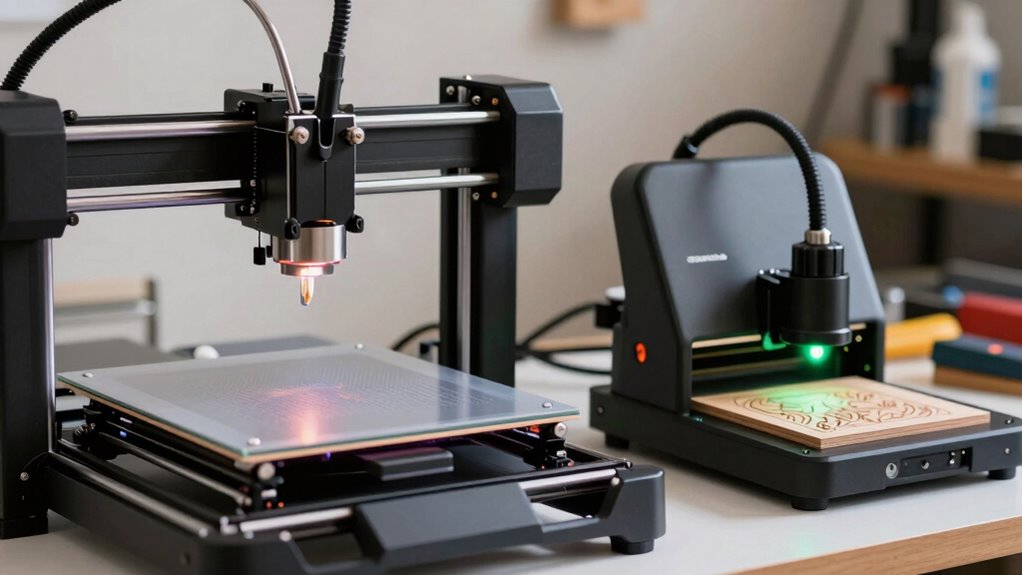

If you’re starting a side hustle, choose a 3D printer if you want to create functional parts, prototypes, or customized items with a wide range of materials. Opt for a laser engraver if you’re interested in detailed surface designs on flat surfaces like wood, leather, or acrylic, especially for personalized gifts and signage. Both tools have safety needs, but understanding their differences will help you pick the best fit—keep exploring to find out more.

Get smart everyday buys delivered free with Prime
- Fast, free delivery on millions of items
- Prime Video, Amazon Music and more included
- Member-only deals all year
Key Takeaways
- 3D printers excel at creating complex 3D objects and prototypes, ideal for diverse product offerings in side hustles.
- Laser engravers specialize in detailed surface designs on flat materials, suitable for personalized gifts and signage.
- Material versatility favors 3D printers for a wider range of projects, including metals, plastics, and resins.
- Laser engravers require strict safety measures but are excellent for decorative, customizable surface work.
- Choice depends on whether the side hustle focuses on 3D objects or surface engraving, aligned with safety comfort and material needs.
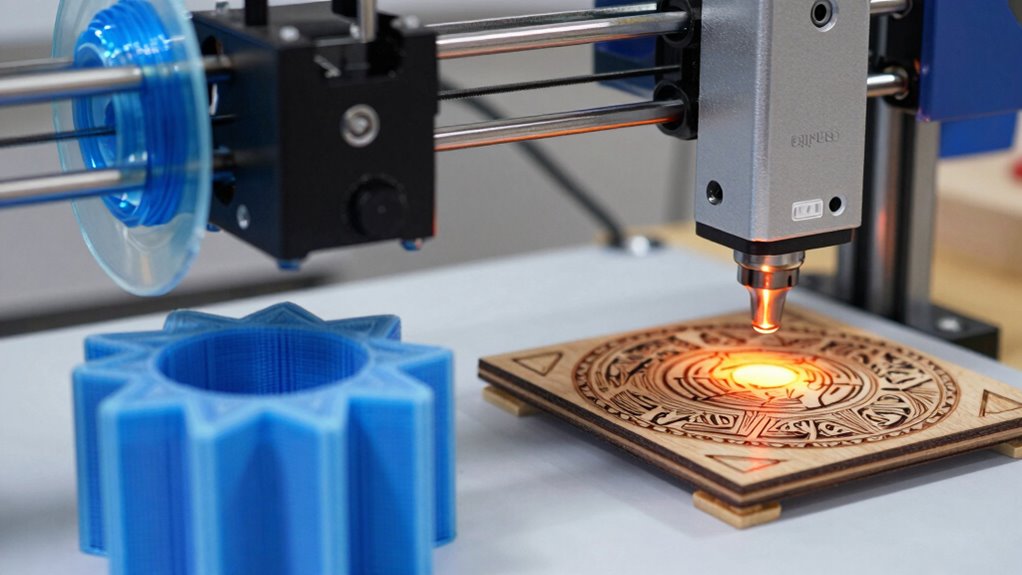
When choosing between a 3D printer and a laser engraver, understanding their core functions and applications is essential. Both tools serve different purposes in a maker’s side hustle, so your decision depends largely on what you want to create and how you plan to operate. A 3D printer specializes in building three-dimensional objects layer by layer, making it perfect for producing prototypes, custom parts, or small-scale products. Meanwhile, a laser engraver excels at etching intricate designs onto flat surfaces like wood, acrylic, leather, or metal. Knowing these distinctions helps you determine which one aligns better with your goals. Material versatility is a key factor to consider. A 3D printer typically offers broader material options, including various plastics, resins, and even some metals with specialized machines. This flexibility allows you to create functional parts, jewelry, or artistic pieces with diverse textures and properties. Conversely, laser engravers are limited to materials that can withstand the heat of laser etching and cutting. Common choices include wood, acrylic, leather, and certain metals, but not all plastics or composites are suitable. If your side hustle revolves around creating prototypes or products in a wide range of materials, a 3D printer provides greater versatility. However, if your focus is on personalized gifts, signage, or decorative items, a laser engraver’s material scope is sufficient. Safety considerations are also crucial in your decision-making process. 3D printers involve heated nozzles and moving parts, which pose burn and pinch hazards. Fumes emitted during printing can also be a concern, especially with certain filaments like ABS. Proper ventilation and protective gear are necessary to ensure a safe environment. Laser engravers, on the other hand, require careful handling of the laser beam, which can cause burns or eye damage if not used properly. Adequate safety precautions, such as protective eyewear, enclosures, and ventilation, are essential to prevent accidents. Both machines demand respect for their safety protocols, but laser engravers often require more specialized safety measures due to the high-intensity laser beam. Additionally, understanding the material compatibility of each device can help prevent damage to your tools and ensure high-quality results. Ultimately, your choice hinges on what you aim to produce, the materials you want to work with, and your comfort level with safety procedures. If you want to design and print complex 3D models, a 3D printer is your best bet. If you prefer creating detailed engravings on a variety of surfaces, a laser engraver will serve you well. Considering material versatility and safety considerations will guide you toward the right investment for your side hustle ventures.
Products Worth Considering

Canon PIXMA PRO-200S Wireless Professional Inkjet Photo Printer

Apple Mac mini Desktop Computer with M6 Chip (2026)

Canon imagePROGRAF PRO-1100 17-Inch Professional Wireless Inkjet Photo Printer
As an affiliate, we earn on qualifying purchases.
Frequently Asked Questions
What Are the Initial Setup Costs for Both Devices?
Your initial setup costs depend on material compatibility and design complexity. For 3D printers, expect to spend around $200 to $500 for a basic model, but high-end ones cost more. Laser engravers start at about $300 to $800. Both devices require additional accessories, like software and safety gear. If your projects involve complex designs or specific materials, factor in extra costs for upgrading or specialized equipment.
How Do Maintenance Requirements Differ Between 3D Printers and Laser Engravers?
Did you know laser engravers typically require less maintenance than 3D printers? You’ll find laser engravers usually have fewer moving parts, resulting in lower noise levels and less frequent material compatibility checks. 3D printers, on the other hand, need regular cleaning and calibration to prevent clogs and guarantee precision. Overall, laser engravers are easier to maintain, making them a more straightforward choice if you want minimal upkeep.
Which Machine Offers More Versatility for Different Materials?
A 3D printer offers more versatility for different materials, making it ideal for various creative applications. You can work with plastics, resins, and even some metals, depending on the model. This broad material compatibility allows you to bring diverse ideas to life, from custom jewelry to prototypes. Laser engravers excel with wood, acrylic, and leather, but their material options are more limited. So, if variety matters, a 3D printer is your best bet.
What Safety Precautions Are Necessary for Each Device?
Think of your workspace as a castle’s guard post—safety gear like goggles, masks, and gloves act as your armor, protecting you from hazards. For both devices, guarantee proper ventilation—like a castle’s open windows—to clear fumes and dust. Always follow manufacturer instructions, keep fire extinguishers nearby, and operate in well-ventilated spaces. This way, you guard your health and keep your maker side hustle safe and thriving.
How Do Operating Speeds Compare for Mass Production?
You’ll find that laser engravers generally operate faster for mass production, especially with materials like wood, acrylic, and leather, allowing quick scalability. 3D printers tend to be slower, with material compatibility limited to plastics and resins, making them less ideal for high-volume output. If rapid production and scalability are your goals, a laser engraver handles larger orders more efficiently, while 3D printers suit customized, smaller batch projects better.
Conclusion
Ultimately, choosing between a 3D printer and a laser engraver depends on your creative dreams. Imagine your side hustle as a garden—each tool a seed: one blooms with tangible, three-dimensional creations, the other carves intricate designs into surfaces. Which seed will you nurture? Whichever you choose, let your passion grow and transform your hobby into a flourishing venture, turning your workspace into a canvas of endless possibilities.