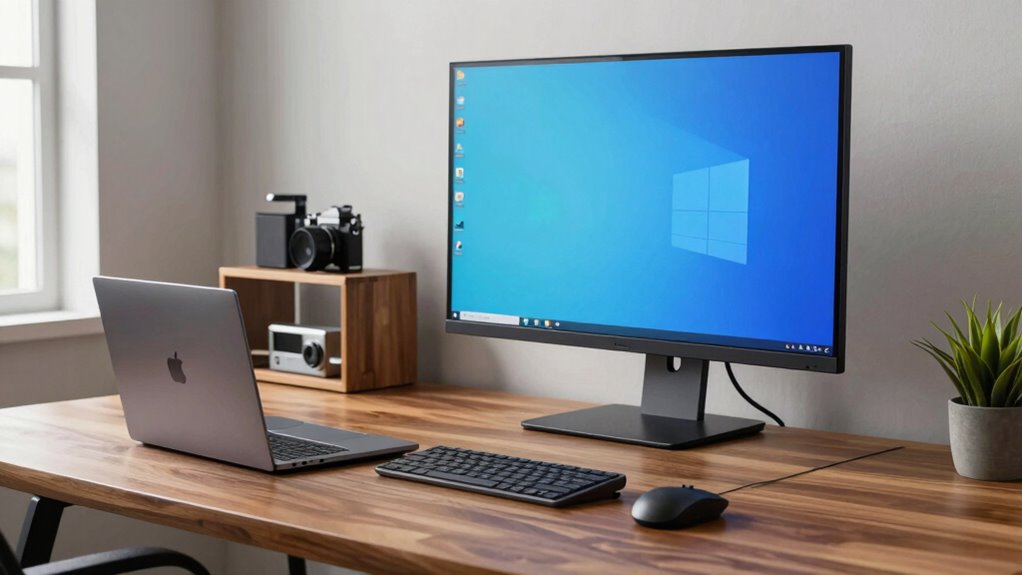

Choosing the wrong laptop size can ruin a great workspace by causing frustration and discomfort. If your device is too bulky, it becomes difficult to carry and manage, while a small screen limits multitasking and detailed work. Poor ergonomic setup and short battery life can also lead to long-term strain and interruptions. Getting the size right boosts productivity and comfort, so if you stay tuned, you’ll discover how to avoid this common mistake and optimize your setup.

Get smart everyday buys delivered free with Prime
- Fast, free delivery on millions of items
- Prime Video, Amazon Music and more included
- Member-only deals all year
Key Takeaways
- Selecting a laptop that’s too small can limit screen space, hindering multitasking and detailed work.
- Choosing an overly bulky device reduces portability, increases fatigue, and disrupts mobility and workflow.
- Ignoring ergonomic considerations with the wrong size can cause discomfort and long-term strain.
- Prioritizing aesthetics over functionality may compromise battery life and productivity needs.
- Failing to match laptop size with work environment and accessories can lead to inefficient setups and discomfort.

Choosing the wrong laptop size for your business needs can lead to frustration and decreased productivity. When you select a laptop that’s either too bulky or too small, it impacts your daily workflow and overall comfort. If you’re constantly struggling with a device that’s hard to carry or awkward to use, your efficiency suffers. Conversely, a laptop that’s too small might compromise screen real estate, making multitasking and detailed work more difficult. To avoid these pitfalls, it’s vital to consider how the size aligns with your work environment and habits.
Choosing the right laptop size enhances comfort, productivity, and work efficiency tailored to your environment and habits.
Size isn’t just about portability; it also affects how well your setup supports ergonomic accessories. For example, a larger laptop may require a separate ergonomic keyboard and mouse to prevent strain during long hours at your desk. On the other hand, a compact laptop might be easier to use with portable ergonomic accessories, but it could limit your ability to add multiple peripherals. You need to think about your workspace. If you often work in a fixed location, a larger screen size paired with ergonomic accessories can boost comfort and reduce fatigue. For mobile workers, a lightweight, smaller laptop might be more practical, but you’ll want to guarantee it still provides enough screen space to work efficiently without sacrificing portability.
Battery life considerations also play a significant role in choosing the right size. Larger laptops typically have bigger batteries, which can extend your usage time away from power outlets—a vital factor if you’re frequently on the go or traveling. Smaller laptops, while lighter and more portable, often have shorter battery life, forcing you to carry chargers or plan your day around available outlets. If your work involves long meetings or travel without easy access to power, prioritizing battery life considerations can prevent disruptions. Additionally, understanding laptop size impacts can help you make an informed decision that balances portability with performance. Recognizing how screen size and weight influence your work setup can further refine your choice to fit your specific needs. Moreover, considering ergonomic compatibility and how your accessories integrate with your device can significantly improve long-term comfort. Additionally, understanding cultural factors behind device preferences can help you choose a model that aligns with your professional environment.
In the end, selecting the right business laptop size isn’t just about how it looks or feels; it’s about how well it integrates with your work style. Consider how ergonomic accessories can improve comfort, and don’t overlook battery life considerations that match your daily routine. Avoid the trap of choosing a size based solely on aesthetics or popularity—focus on what enhances your productivity and maintains your comfort. Making a thoughtful choice upfront will help you build a setup that supports your business goals, rather than hinder them.
business laptop with long battery life
As an affiliate, we earn on qualifying purchases.
As an affiliate, we earn on qualifying purchases.
Frequently Asked Questions
How Do I Measure the Perfect Laptop Size for My Workspace?
To find the perfect laptop size for your workspace, consider your daily tasks and space constraints. Measure how much room you have and think about portability needs. Look for a screen resolution that offers clear visuals without straining your eyes. Make certain the keyboard layout is comfortable and suits your typing style. Balancing screen size, resolution, and keyboard comfort helps you choose a laptop that fits perfectly into your workspace.
Can a Smaller Laptop Improve Productivity Despite Limited Screen Space?
A smaller laptop can boost productivity if it offers a high screen resolution and ergonomic design. With sharper visuals, you’ll see details clearly, reducing strain and improving focus. An ergonomic design guarantees comfortable typing and viewing angles, preventing fatigue during long work sessions. While limited screen space might seem a drawback, a compact laptop with these features can enhance mobility and efficiency, making your workspace more adaptable and comfortable.
What Are the Long-Term Impacts of Choosing the Wrong Laptop Size?
Choosing the wrong laptop size is like building a house on shifting sands—you risk instability. Over time, poor ergonomics can cause strain, discomfort, and even long-term health issues, while sacrificing aesthetic appeal dulls your professional image. The long-term impacts include decreased productivity, persistent fatigue, and a cluttered workspace. You’ll regret prioritizing size over comfort and functionality, ultimately undermining your work efficiency and personal well-being.
How Does Laptop Weight Influence Daily Commuting and Flexibility?
You’ll notice that a lightweight laptop considerably enhances your daily commuting experience, making it easier to carry around and reducing fatigue. It also boosts your flexibility, allowing you to work comfortably in different environments. With ergonomic comfort in mind, choosing a lightweight device minimizes strain during long days on the go. Overall, prioritizing laptop weight helps you stay mobile, productive, and comfortable throughout your busy schedule.
Are There Specific Industries That Favor Certain Laptop Sizes?
Different industries have specific preferences for laptop sizes based on ergonomic considerations and daily tasks. For example, tech and design professionals often favor lightweight, portable models for mobility, while finance or legal sectors might prefer larger screens for multitasking. You should consider industry standards and ergonomic needs, ensuring your laptop size supports comfort and productivity. Matching your device to your industry’s preferences helps you stay efficient and comfortable throughout your workday.
lightweight portable ergonomic laptop
As an affiliate, we earn on qualifying purchases.
As an affiliate, we earn on qualifying purchases.
Conclusion
Choosing the right business laptop size isn’t just about convenience; it’s about optimizing your entire setup. Picking the wrong size can lead to discomfort, inefficiency, and even missed opportunities. So, why settle for a device that hinders your productivity? Make the smart choice now, and guarantee your setup empowers rather than limits you. After all, isn’t your business worth investing in the right tools for success?
laptop stand for ergonomic setup
As an affiliate, we earn on qualifying purchases.
As an affiliate, we earn on qualifying purchases.
high-resolution business laptop 15 inch
As an affiliate, we earn on qualifying purchases.
As an affiliate, we earn on qualifying purchases.
Halloween Picks
halloween
As an affiliate, we earn on qualifying purchases.