🔍 Read the full analysis: Signal Limits Screenshots As It Seeks To Keep AI Agents Out Of Chats on ThorstenMeyerAI.com

Get smart everyday buys delivered free with Prime
- Fast, free delivery on millions of items
- Prime Video, Amazon Music and more included
- Member-only deals all year
TL;DR
Signal says its latest mobile protections block screenshots and recordings on supported iPhones by default, and enable Android screen security when an AI assistant tries to read a chat. The company says the measures do not change message encryption and cannot cover every device or data path.
Signal introduced new mobile protections on November 20 to limit AI assistants’ access to chats displayed in its messaging app, blocking screenshots by default on supported iPhones and activating screen security on Android when an assistant attempts to read the screen. The update matters because end-to-end encryption does not protect messages after they appear on a device’s display, where screen-reading features can access them.
According to Signal’s support page, the iPhone feature is called “Block Siri AI” and is on by default for Signal version 8.37 or later running on iOS 27 or later. With it enabled, Signal blocks screenshots and screen recordings within the app, hides chats from the App Switcher, and prevents on-device AI assistants from reading Signal’s screen. Users can choose to turn the protection off or disable it for 10 minutes, after which it switches back on.
On Android, Screen security is available in Signal version 8.35.1 or later. Signal says it activates automatically the first time an AI assistant attempts to read the app’s screen, and users can also enable it manually. The feature blocks screenshots and recordings and conceals Signal content from the recent-apps list. If a user turns it off from the warning prompt, Signal says it will switch back on after 90 days; disabling it through settings does not prompt that reminder.
Signal says the controls affect screen capture and on-device scanning, not message encryption or who is otherwise able to see a conversation. The company’s instructions say users can disable the iPhone setting under Settings, Privacy, Block Siri AI, and the Android setting under Settings, Privacy, App security, Screen security. Signal warns that turning protection off could expose the user’s chats and messages from contacts to AI assistants.
Screen Access Tests Encryption’s Limits
The change addresses a gap between encrypted message delivery and what happens after a message is displayed. Encryption can protect a message in transit between devices, but an assistant with permission to inspect screen content may encounter it on the phone itself. Signal argues that once information is captured by an assistant, the messaging service cannot control how that data is stored or processed.
For users, the practical trade-off is between limiting automated access and retaining screen functions such as screenshots. The settings can also affect people who use accessibility tools or other software that reads screen content; the source material does not specify how the protections interact with particular accessibility features. For companies building or deploying agents, the move signals that apps may use operating-system controls to restrict agents that rely on screen-reading rather than a direct integration.
Signal is also asking Apple, Google and Microsoft for a documented way for apps to opt out of AI data access. That request points to a broader policy and technical issue: app developers currently need reliable controls over what operating-system assistants can read, while users need to know when those controls block other functions.
Products Worth Considering

Apple iMac MK472LL/A 27‑Inch Retina 5K Desktop (3.2 GHz Intel Core i5, 8 GB DDR3, 1 TB, macOS)

Dell XPS Tower 8960 Desktop, Intel Core i7-13700, NVIDIA GeForce RTX 4060, 16GB DDR5, 512GB SSD
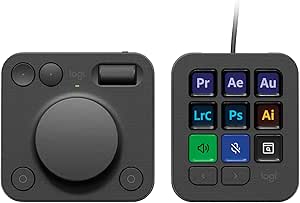
Logitech MX Creative Console with 9 Customizable Keys, Graphite
As an affiliate, we earn on qualifying purchases.
Signal’s Earlier Screen Protections
Signal has previously sought to block automated capture of conversations. In May 2025, it enabled Screen security by default in Signal Desktop on Windows 11 to guard against Microsoft Recall. Signal’s account of Recall says it periodically captures screen images, extracts text and stores it in a searchable on-device database. The present mobile changes extend that approach to newer assistant features from Apple and Google.
Apple described its September 2026 Siri AI release as having “onscreen awareness”, allowing it to respond to or take actions related to screen content. Google’s May 2026 announcement for Gemini Intelligence said app automation could use screen or image context. Signal’s November 20 post, titled “Signal is Serious About Protecting Your Privacy,” frames the new settings as a response to those capabilities.
Signal president Meredith Whittaker described operating-system AI agents as “an existential threat to Signal” and the company’s ability to uphold its mission. She also called Signal’s fix “incomplete.” Those are Signal’s assessments of the risk and the limits of its response, rather than independent findings about every assistant or device.
““Onscreen awareness.””
— Apple, describing Siri AI in September 2026
Protections Leave Known Gaps
Signal says the controls do not extend to Mac computers, where it cannot reliably block screenshots, or to Android devices where it cannot detect an assistant. They also do not cover notifications, files, or the device of the person on the other end of a conversation. The protections therefore address specific screen-capture and scanning routes rather than every way chat information might be exposed.
The source material does not establish how often assistants attempt to read Signal, whether captured content has been stored or transmitted in particular cases, or how the protections behave across every phone model and assistant configuration. It also does not describe the effect on individual accessibility tools. Signal’s warnings describe potential exposure; they do not establish that every assistant stores or sends chat content.
Signal Seeks Platform-Level Controls
Signal says it is asking Apple, Google and Microsoft to provide a simple, documented mechanism for apps to opt out of AI data access. The next relevant developments will be whether those platform providers offer such controls and whether Signal changes its protections as operating-system assistants evolve.
For now, users on supported versions can review the relevant privacy settings and decide whether to keep them enabled. Signal’s published guidance describes the available controls and warns about disabling them, but the material does not give a timeline for platform responses or announce a corresponding change for Mac.
Key Questions
What did Signal change?
Signal added screen-capture protections on supported iPhones and Android phones to limit screenshots and access by on-device AI assistants. The iPhone setting is on by default; Android Screen security activates when Signal detects an assistant trying to read the screen.
Does the update change Signal’s encryption?
No. Signal says the setting does not change message encryption or who can see messages through Signal. It is aimed at screen capture and on-device scanning after content appears on a phone.
Can users turn the protections off?
Yes. On iPhone, users can change Settings → Privacy → Block Siri AI, including a 10-minute off option. On Android, the setting is under Settings → Privacy → App security → Screen security. Signal warns that disabling it may expose displayed chats to AI assistants.
Do the protections cover every device and type of data?
No. Signal says it cannot reliably block screenshots on Mac and may not detect assistants on some Android devices. The protections also do not cover notifications, files, or the other person’s phone.
Source: ThorstenMeyerAI.com